

Time and budget settings
Time tracking, approvals, required fields, budgets and expenses.
Go to Settings > Time and Budgets.
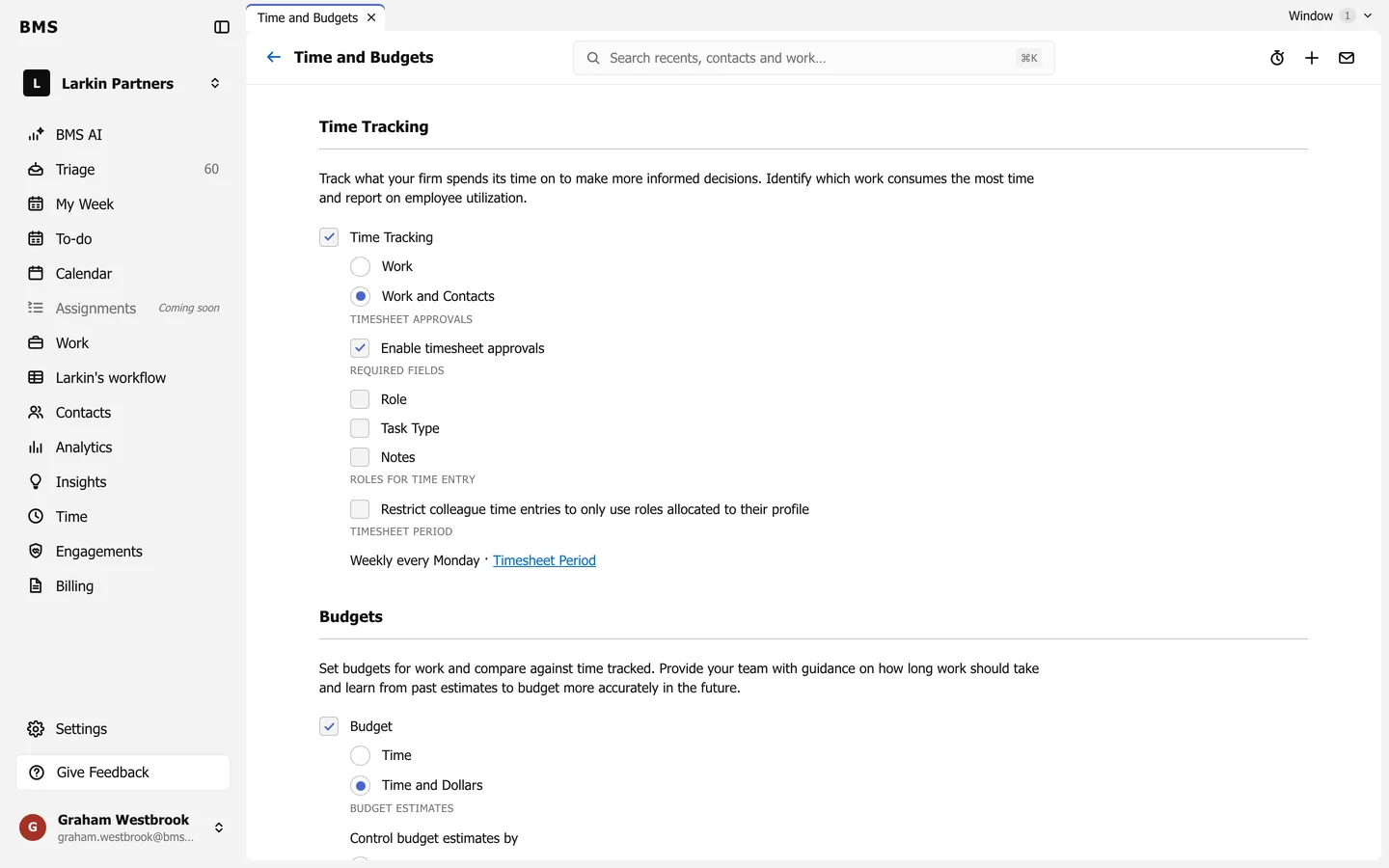
Time Tracking
Section titled “Time Tracking”- Turn Time Tracking on, against Work only or Work and Contacts.
- Enable timesheet approvals, so timesheets are submitted and approved.
- Required fields: make Role, Task Type or Notes required on every entry.
- Restrict colleague time entries to only use roles allocated to their profile.
- The Timesheet Period links to its own page.
Budgets
Section titled “Budgets”Turn Budget on, in Time only or Time and Dollars, and choose how budget estimates are controlled. Expenses are set further down the page.