

Plan your week
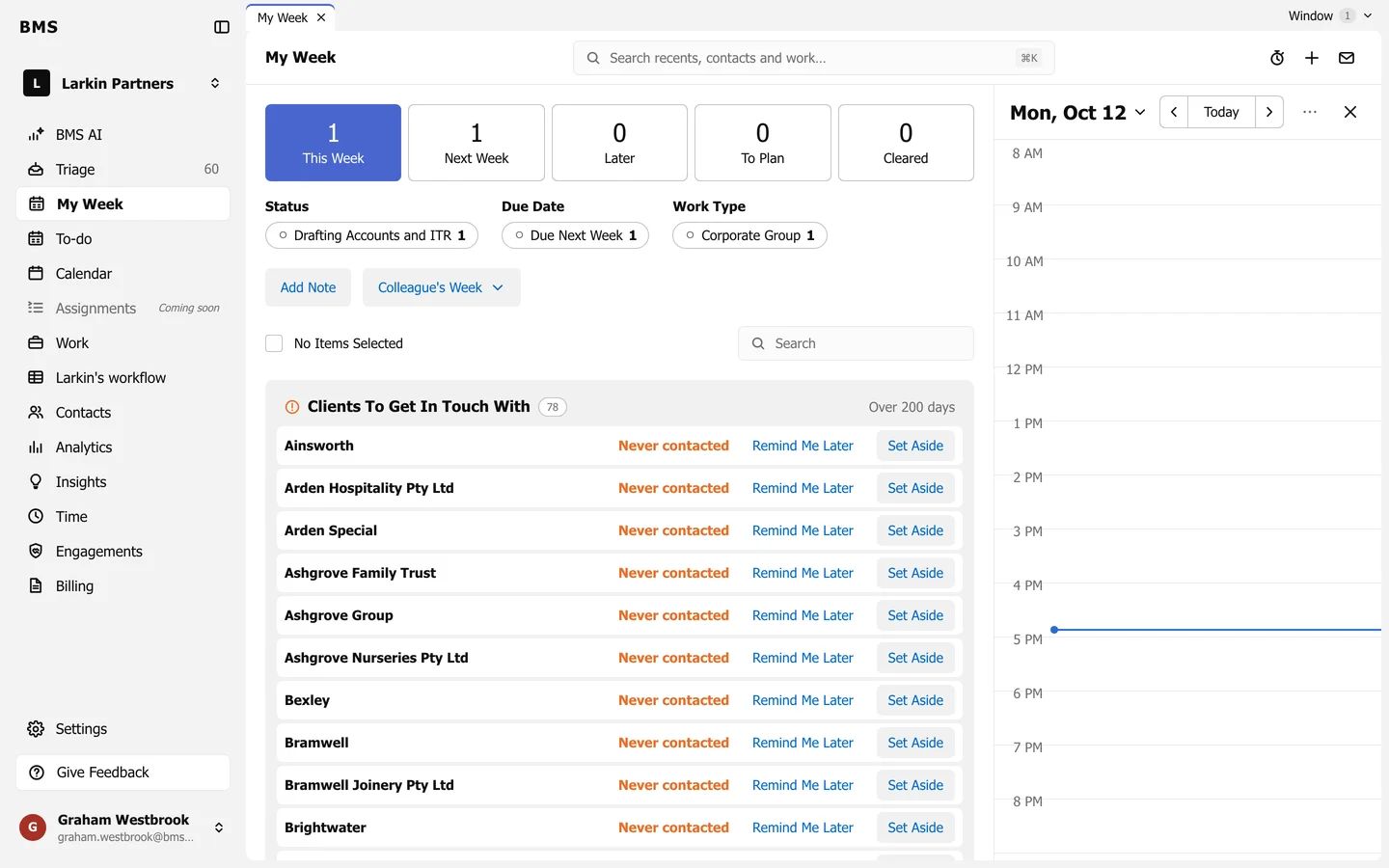
This Week, Next Week, Later and To Plan, with a day calendar beside it.
My Week in the sidebar is your plan: the work you mean to get through, sorted by week, with today’s calendar beside it.
The tiles
Section titled “The tiles”| Tile | Holds |
|---|---|
| This Week | What you plan to do this week. |
| Next Week | What you plan for next week. |
| Later | Planned for a week after that. |
| To Plan | Yours, but not yet given a week. |
| Cleared | What you have finished or cleared. |
Press a tile to list its items. The chips under the tiles (Status, Due Date and Work Type) count what is in the list; press one to show only those.
The day calendar
Section titled “The day calendar”The right-hand panel shows a day: work and tasks due, to-dos and meetings. Use the arrows and Today to change day, the date to pick one, and x to close the panel.