

Progress reports
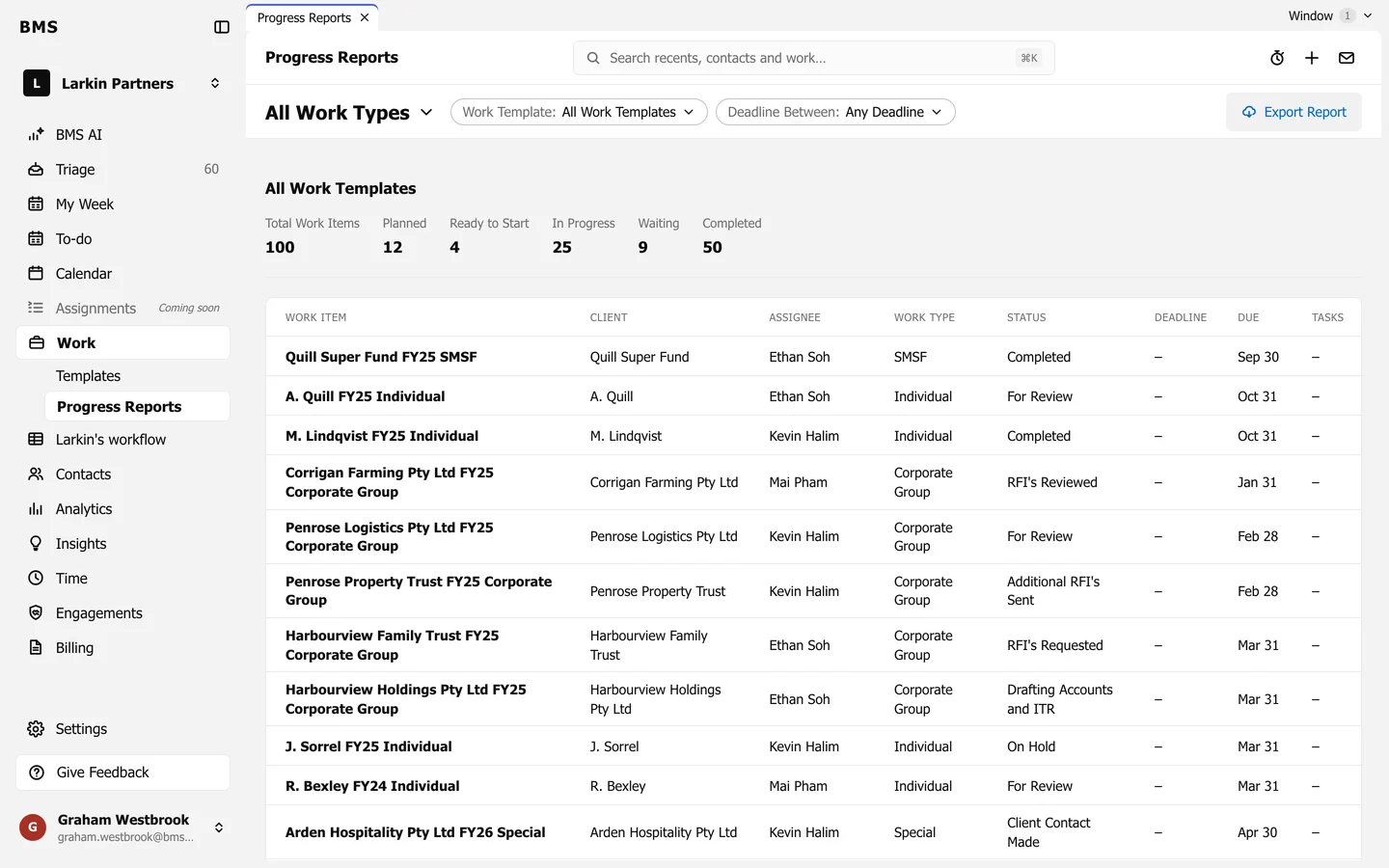
Counts by status and a job table filtered by type, template and deadline.
Work > Progress Reports shows where a whole type of work stands, such as every individual tax return this year.
-
Choose the work type at the top left (All Work Types to start).
-
Narrow it with Work Template and Deadline Between.
-
Read the counts: Total Work Items, Planned, Ready to Start, In Progress, Waiting and Completed.
The table lists each job with its client, assignee, work type, status, deadline, due date and tasks.