

Resource planning: who has capacity
Capacity per person per week, over and under capacity.
Resource Planning (from Analytics, or Insights > Resource Planning) shows, week by week, how much budgeted work each person has against their capacity.
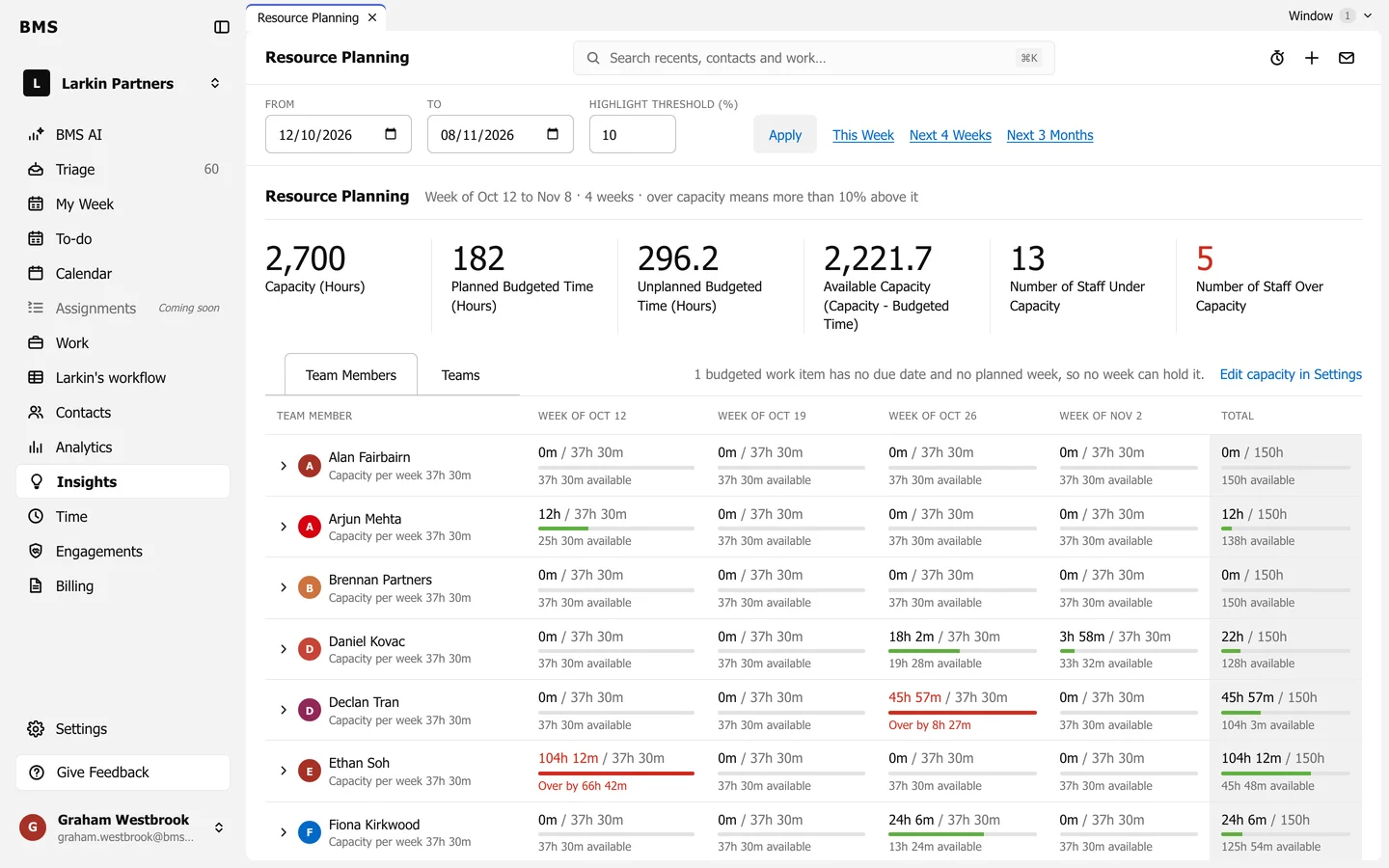
- Set From and To (or This Week, Next 4 Weeks, Next 3 Months) and the Highlight threshold, then Apply.
- The tiles: Capacity, Planned Budgeted Time, Unplanned Budgeted Time, Available Capacity and how many staff are under and over capacity.
- Team Members shows each person, week by week: scheduled hours against capacity, and how much is available or over (in red).
- Teams adds them up by team.
A job’s budgeted time falls in its planned week, or its due week. A job with neither cannot be placed, and the page says how many there are.