

When you do not have a document
Press "I don't have this" and write why; the firm is told.
Sometimes a request asks for a document that does not exist: you sold the rental property, or you had no private health cover this year. Instead of leaving the item open, tell your accountant why.
-
Open the request and find the item.
-
Press I don’t have this.
-
Write why you do not have it. A reason is required: it is what lets your accountant carry on without phoning you.
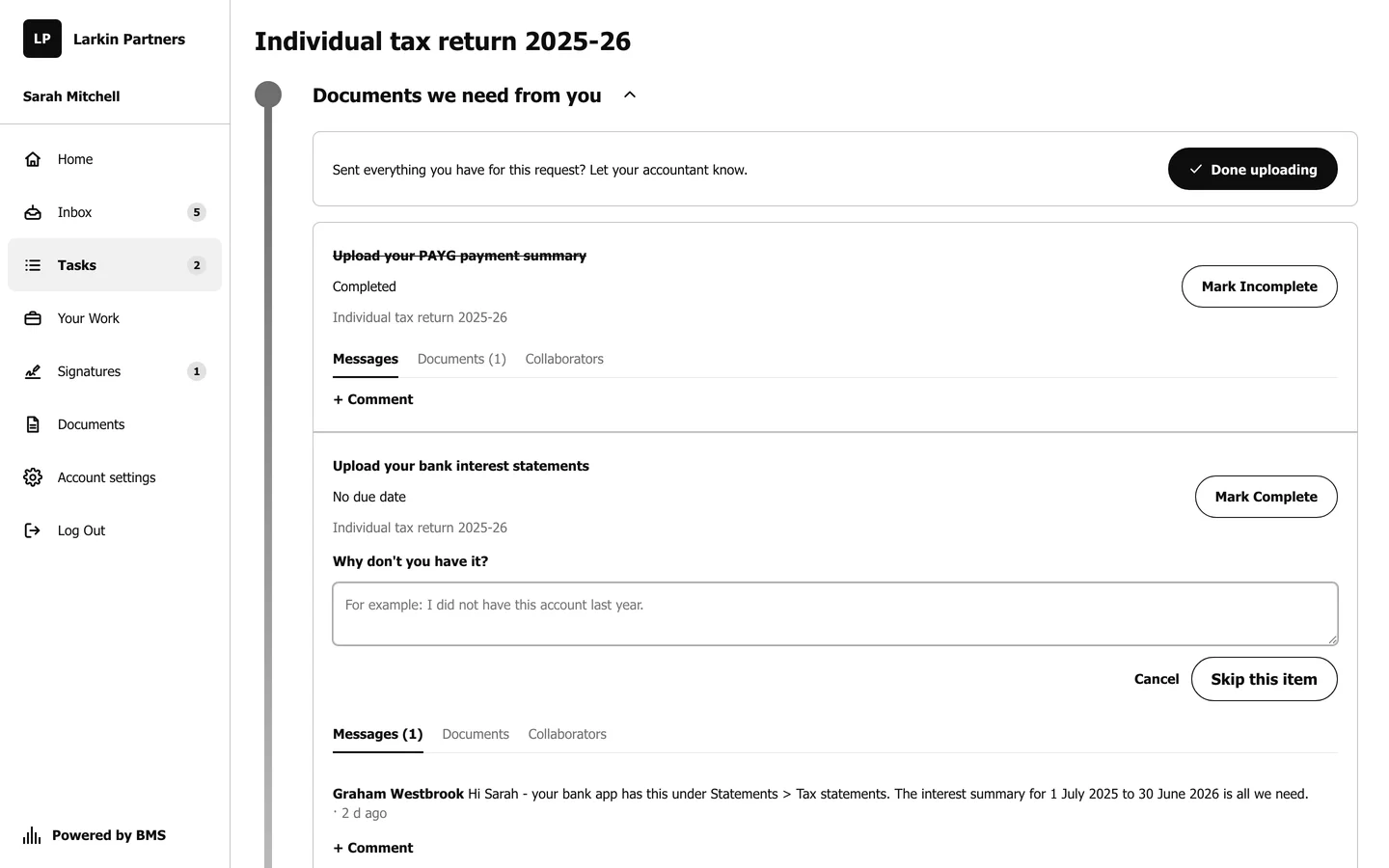
A short reason is enough, such as "I sold the property in March 2025". -
Confirm. The item is closed and shows Skipped: with your reason, and your accountant is told.
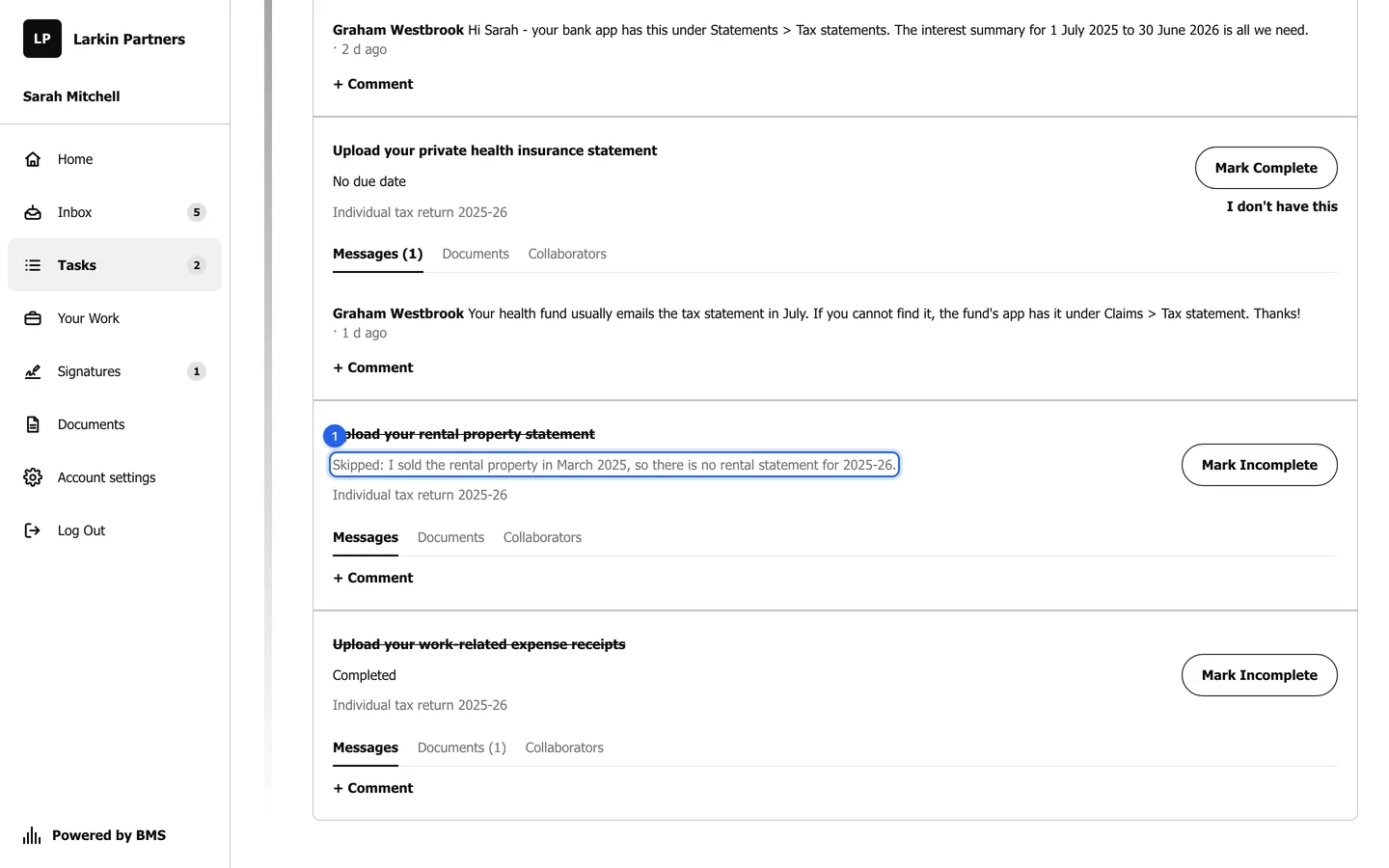
A skipped item keeps your reason where the firm can see it.