

Filter work and save a view
Add Filter, then save or share the view.
-
Press Add Filter and choose a field, such as Assignee, Client, Client Tags, Status, Work Type, Fee Type, Queue, or a date: Start Date, Due Date or Deadline Date.
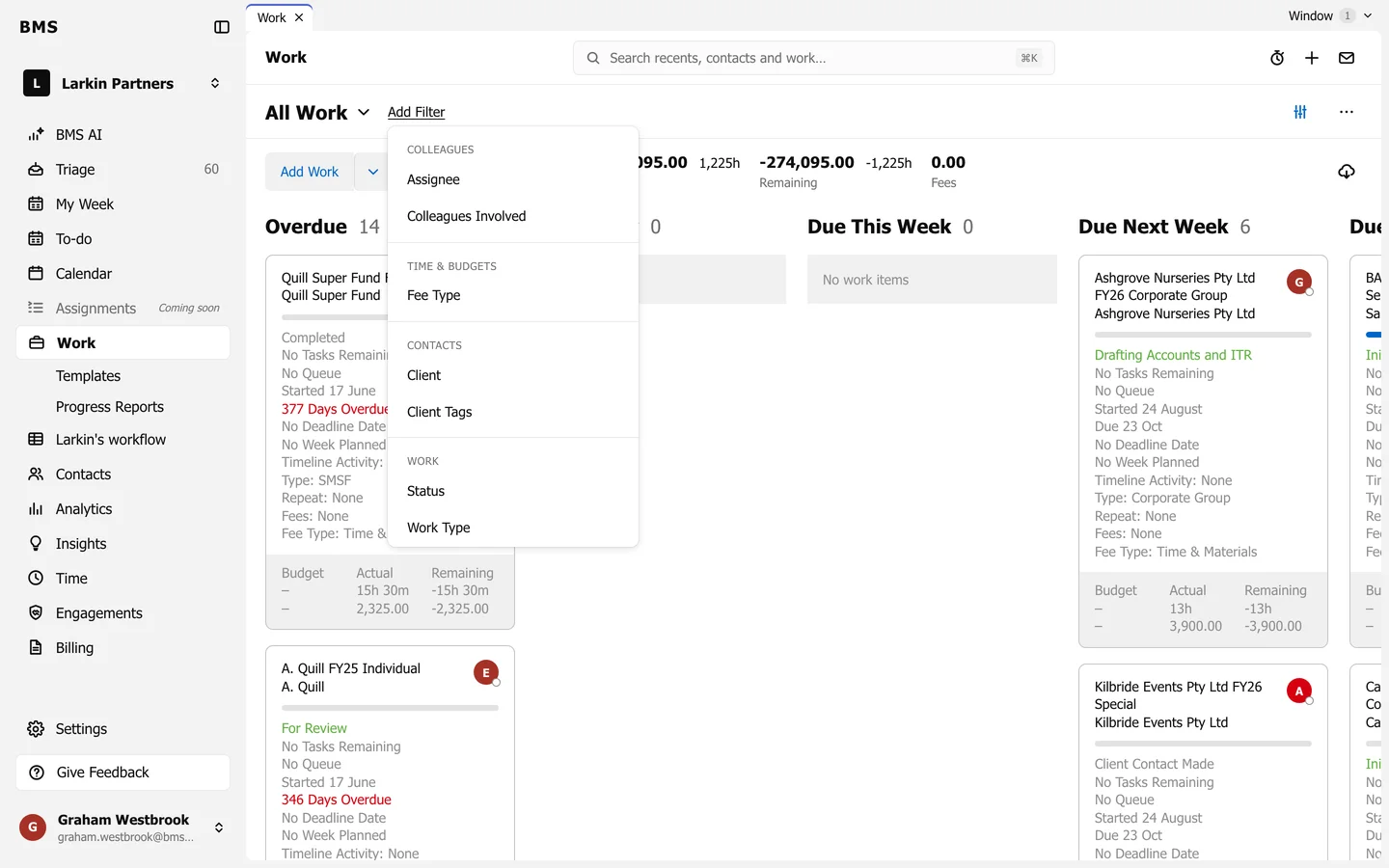
Add Filter on Work. -
Choose the values, then press Apply. The filter shows as a chip; its x removes it.
-
Press More options (the three dots) and choose Save as New View. Give it a Name; tick Visible to all colleagues to share it with the firm.
Saved views are listed under the view name at the top left, such as All Work. More options also has Save View (update yours), Share View (copy a link) and Manage Saved Views.