Your Home page
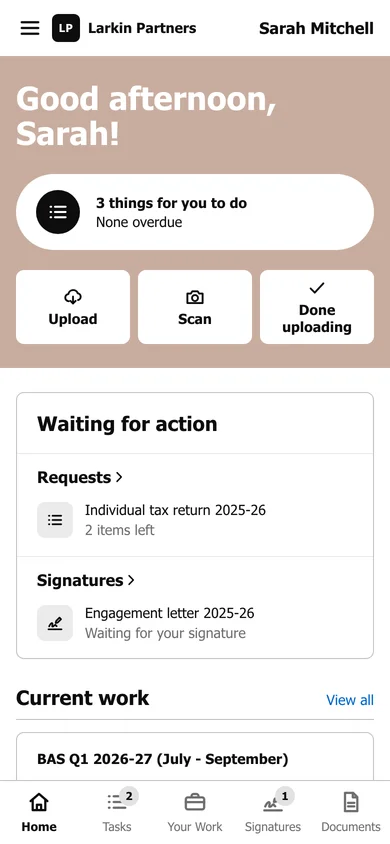
What is waiting for you, your current work and recent documents, all on one page.
Home is the first page you see after signing in. It answers one question: what does your accountant need from you right now?
What is on the page
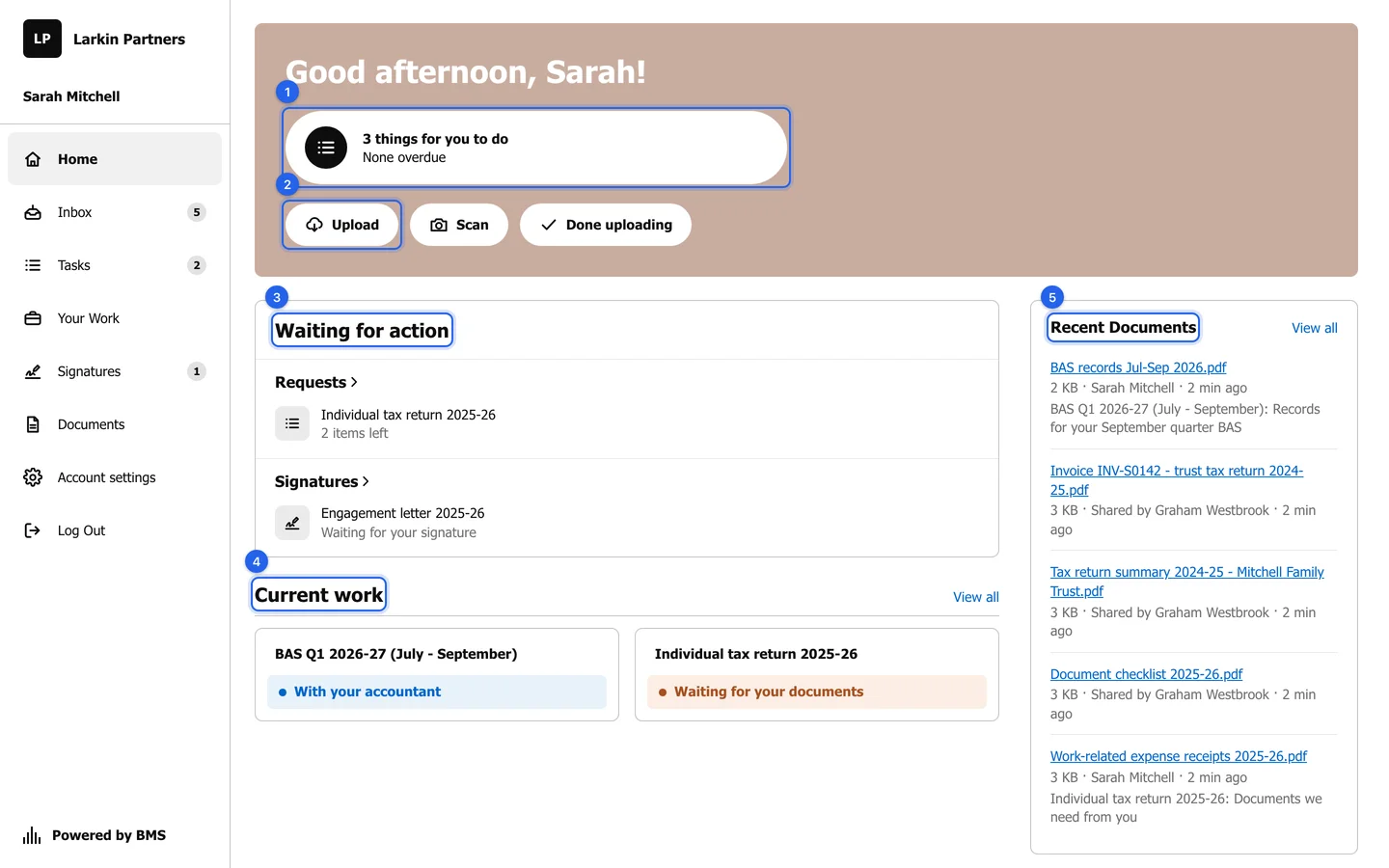
Section titled “What is on the page”- The greeting says how many things wait for you and how many are overdue. Press it to see the list.
- Quick actions: Upload, Scan and Done uploading. See Upload a document and Tell your accountant you are done uploading.
- Waiting for action lists everything that needs you, grouped by kind: requests with the number of items left, documents to sign, and invoices to pay if your firm shows them. Each row opens its own page. With nothing waiting, it says so.
- Current work shows each job your firm is doing for you, with a line in plain words: amber while the job waits for you, blue while it is with your accountant, green when it is done. View all opens Your Work.
- Recent Documents shows the latest files, both the ones you sent and the ones your firm shared. View all opens Documents.
If your firm has added its phone number, email or office address, a contact card appears on the right as well.
Moving around
Section titled “Moving around”The menu on the left (at the bottom on a phone) holds Home, Inbox, Tasks, Your Work, Signatures, Documents, Account settings and Log Out. A number beside a menu item counts what is still waiting there.