

Work on your phone
My Work, All Work, status and tasks.
Work lists open work. Switch between My Work (assigned to you) and All Work at the top.
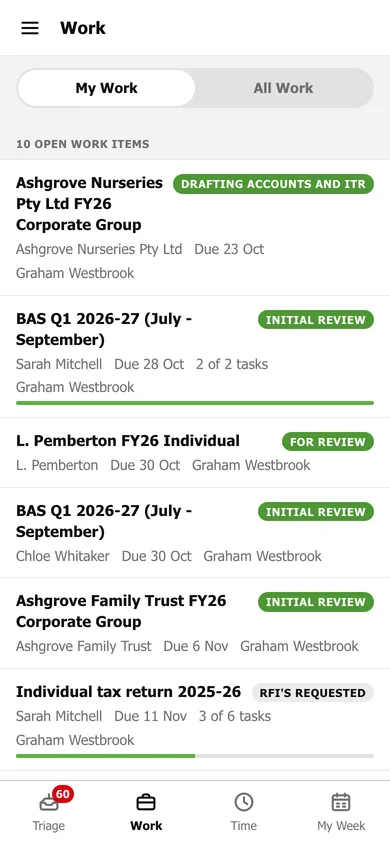
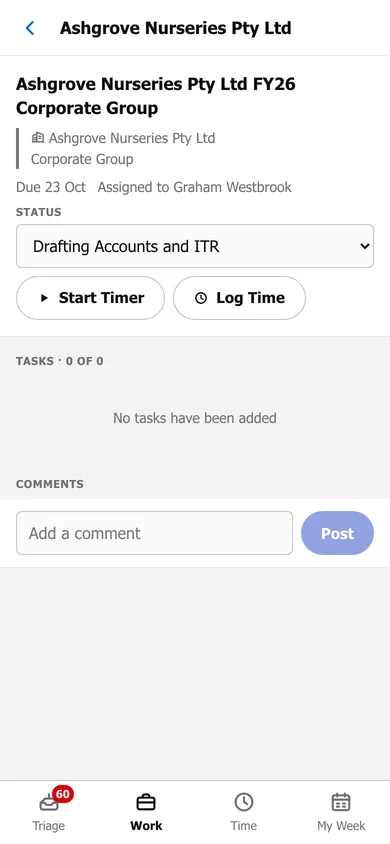
Tap a work item to:
- change its Status
- Start Timer or Log Time against it
- tick off its tasks
- add a comment
My Work, All Work, status and tasks.
Work lists open work. Switch between My Work (assigned to you) and All Work at the top.
Tap a work item to: