

Read the lodgement report
Lodged, outstanding, who is responsible and what changed since last week.
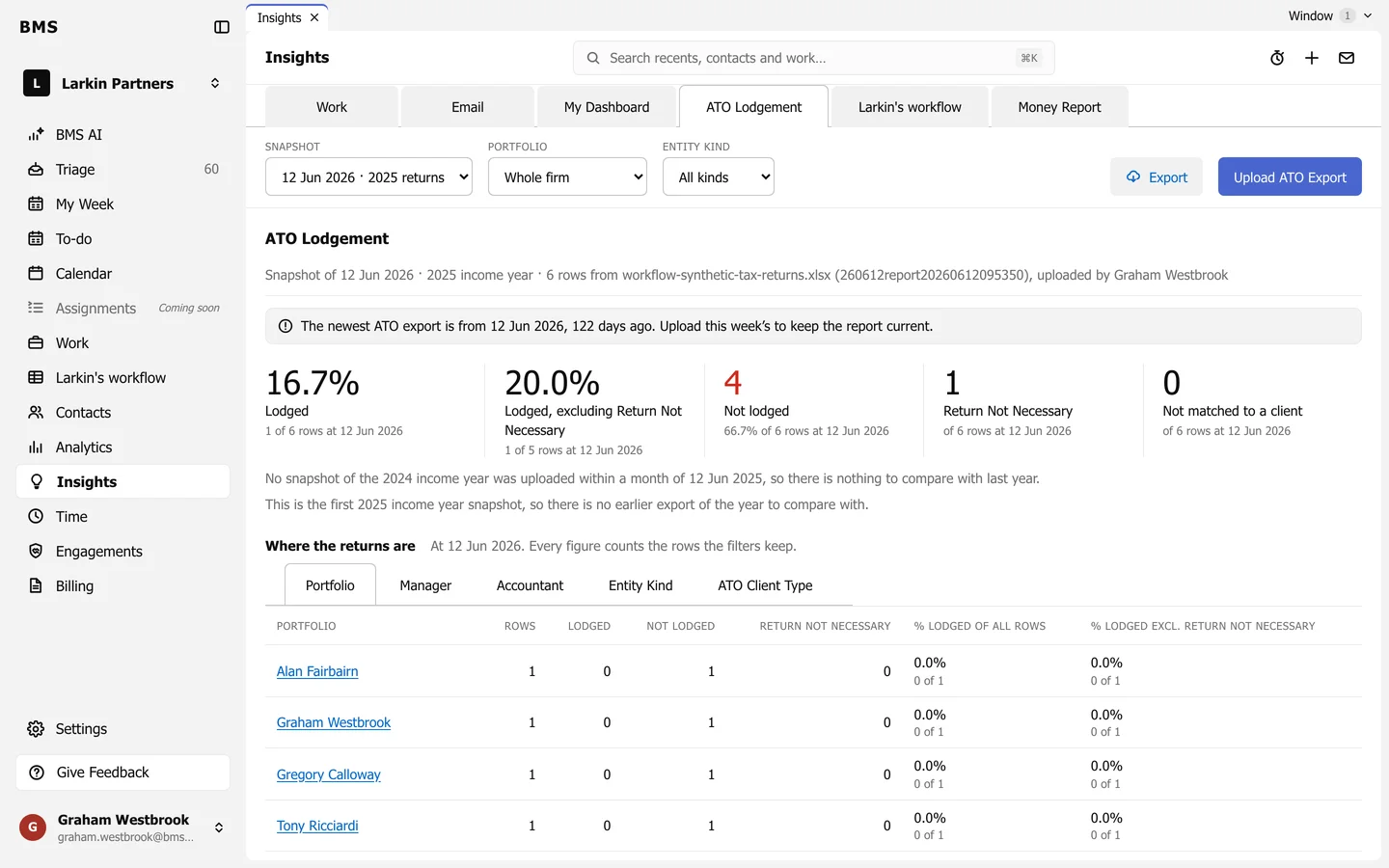
- Snapshot picks the upload and income year; Portfolio and Entity kind narrow it.
- The tiles: Lodged, Lodged, excluding Return Not Necessary, Not lodged, Return Not Necessary and Not matched to a client.
- Under them, BMS compares with the same week last year and with the year’s earlier uploads.
- Where the returns are breaks it down by Portfolio, Manager, Accountant, Entity Kind and ATO Client Type; press a name to see their returns.
- Show the changes lists what moved since the previous upload.