

Who can see what: Admin, Standard User and Restricted User
What each access level can open, change and export.
Every colleague has one of three access levels. An Admin sets it, and can add or remove individual permissions on top.
| Admin | Standard User | Restricted User | |
|---|---|---|---|
| Clients and work | All | All | Only those they are on the team for |
| Settings | Yes | No | No |
| Insights | Yes | Yes | No |
| Export contact or work data | Yes | No | No |
| Create work | Yes | Yes | Only for clients they can see |
Standard Users also start without Billing access and time administration; an Admin can turn these on per person.
Change a colleague’s access (Admins)
Section titled “Change a colleague’s access (Admins)”-
Go to Settings > Colleagues and hover the colleague’s row.
-
Press Edit permissions.
-
Choose an Access card, then tick or untick the boxes under Permissions: Contacts, Work, Time and Budgets, Billing and Insights.
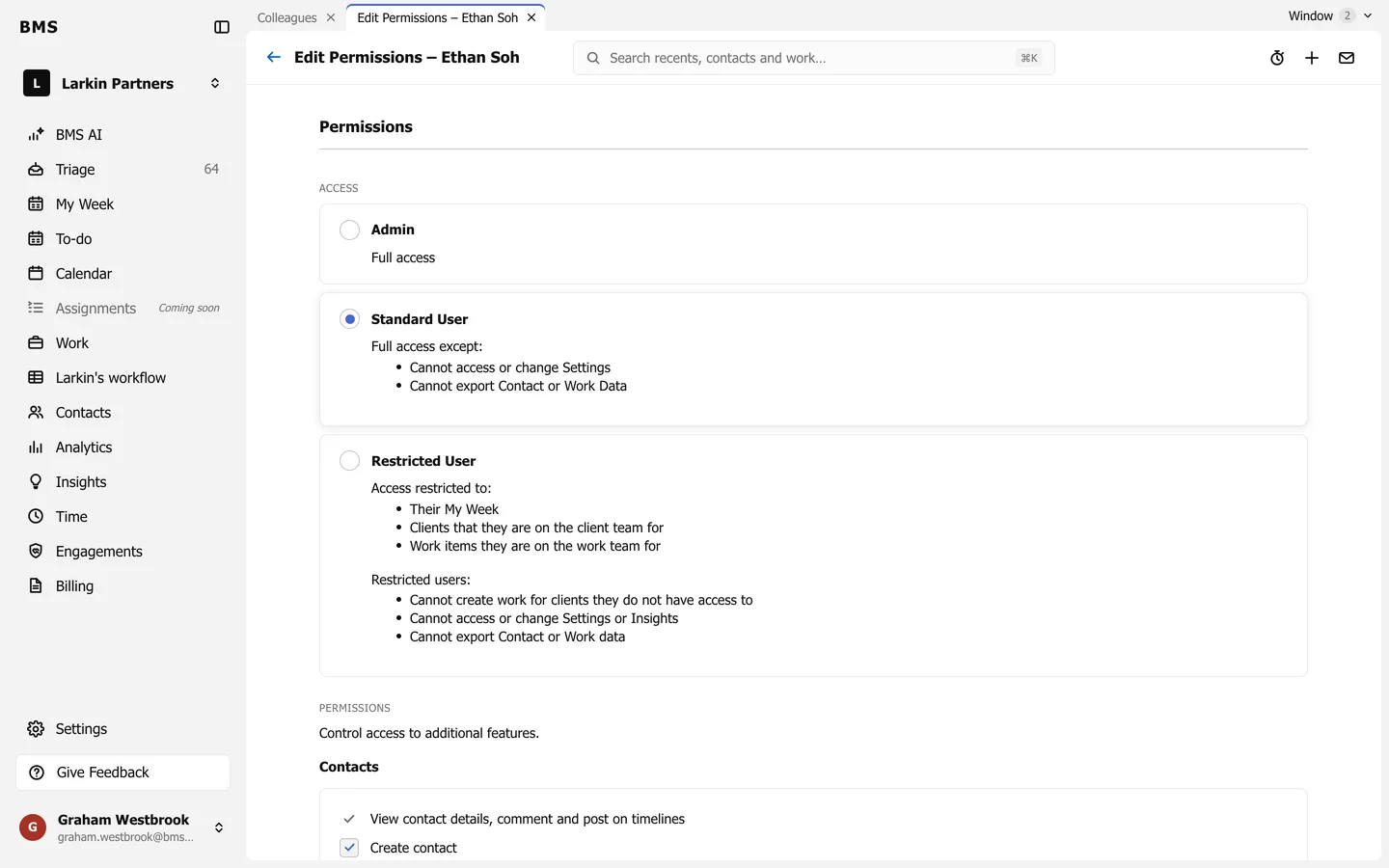
Edit Permissions: the access level, then individual permissions. -
Press Save.