

Folders: Later, Low Priority, Scheduled, Sent, Cleared and Drafts
Where items go when you set them aside or clear them.
Under your name in the sidebar, Triage has folders for what is not in your inbox right now.
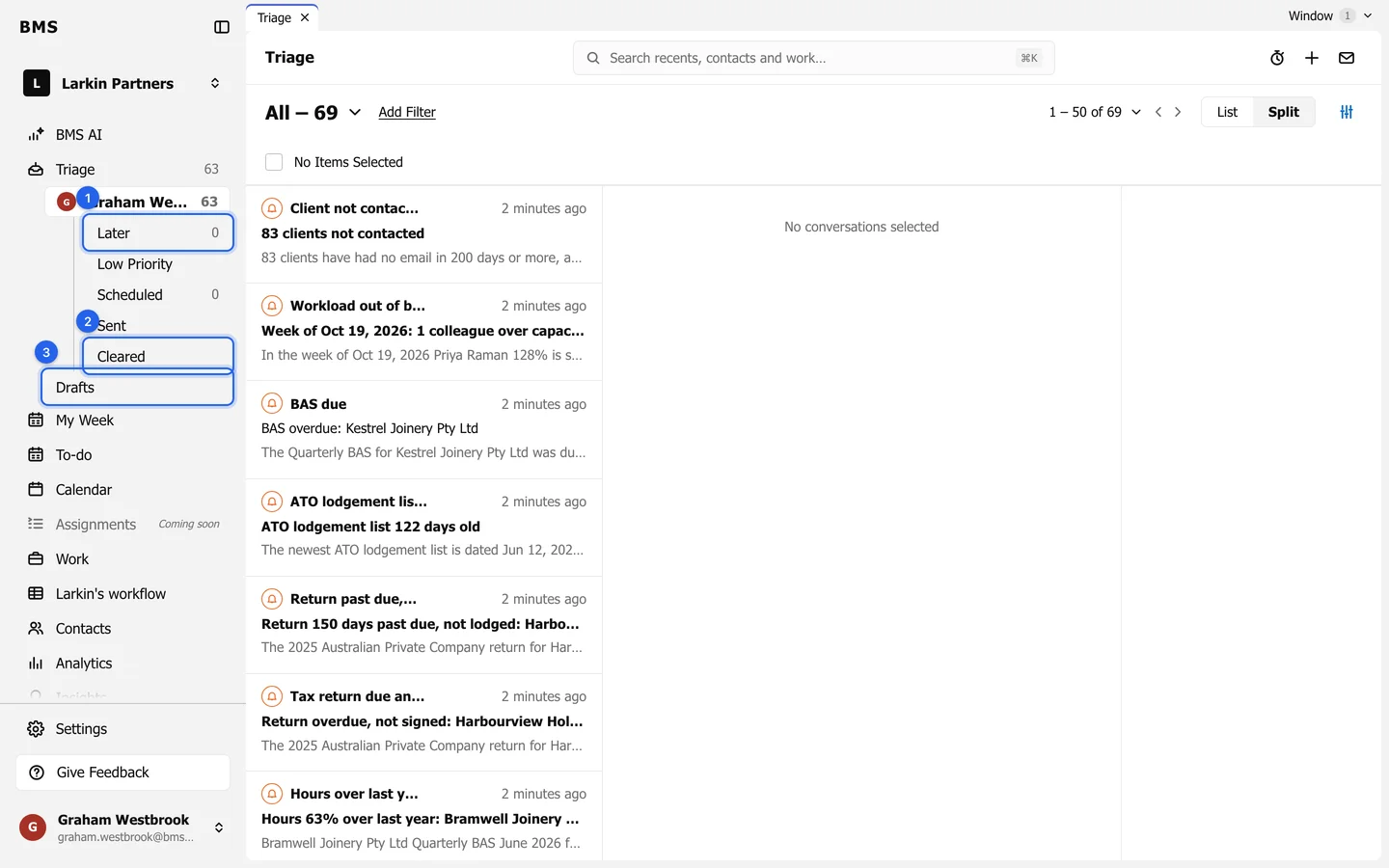
| Folder | What is in it |
|---|---|
| Later | Items you saved for later, and items with a reminder until it is due. |
| Low Priority | Items you marked Low Priority, out of your way. |
| Scheduled | Emails waiting to send at a time you chose. |
| Sent | Emails you sent from BMS. |
| Cleared | Everything you have cleared. |
| Drafts | Emails you started but did not send. |
A reminder brings its item back into your inbox at the time you set. New activity on a cleared item, such as a reply, brings it back too.