

Drag a job between columns
Change status or assignee by dragging on the board.
-
Group the board by Status or Assignee (Sorting and columns > Group by).
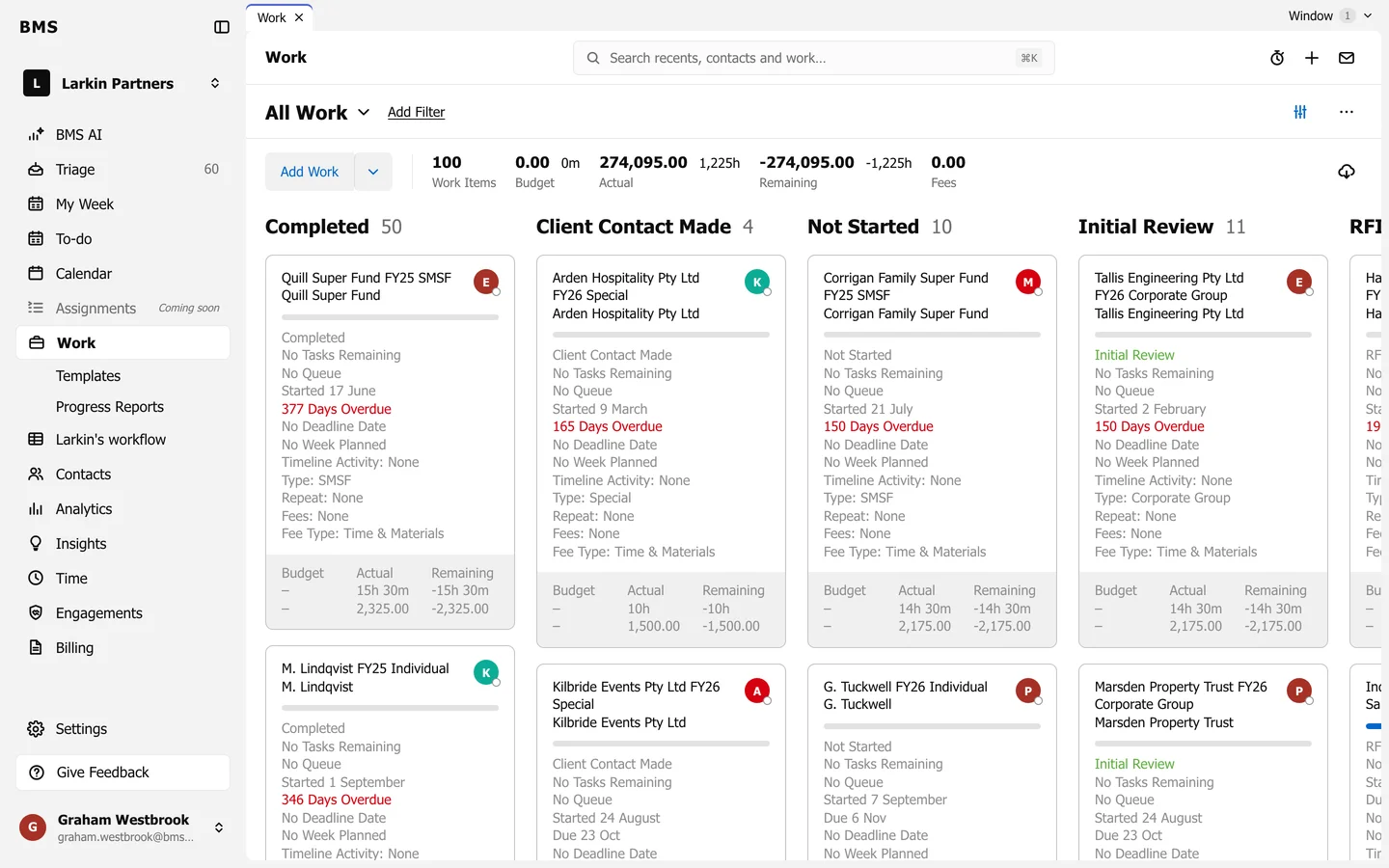
Grouped by Status, a card can be dragged to another status. -
Drag a card to another column. Grouped by status, the job takes that status; grouped by assignee, it goes to that person, or to nobody in the unassigned column.