

Assign an item to a colleague
Hand an email or alert to the person who should act.
-
Open the item and press Assign in the action bar (or More actions > Assign to Colleague, or Assign in the information tray).
-
Under Assigned To, type a colleague’s name, or me, and pick them. Suggested Colleagues offers the people most likely to act.
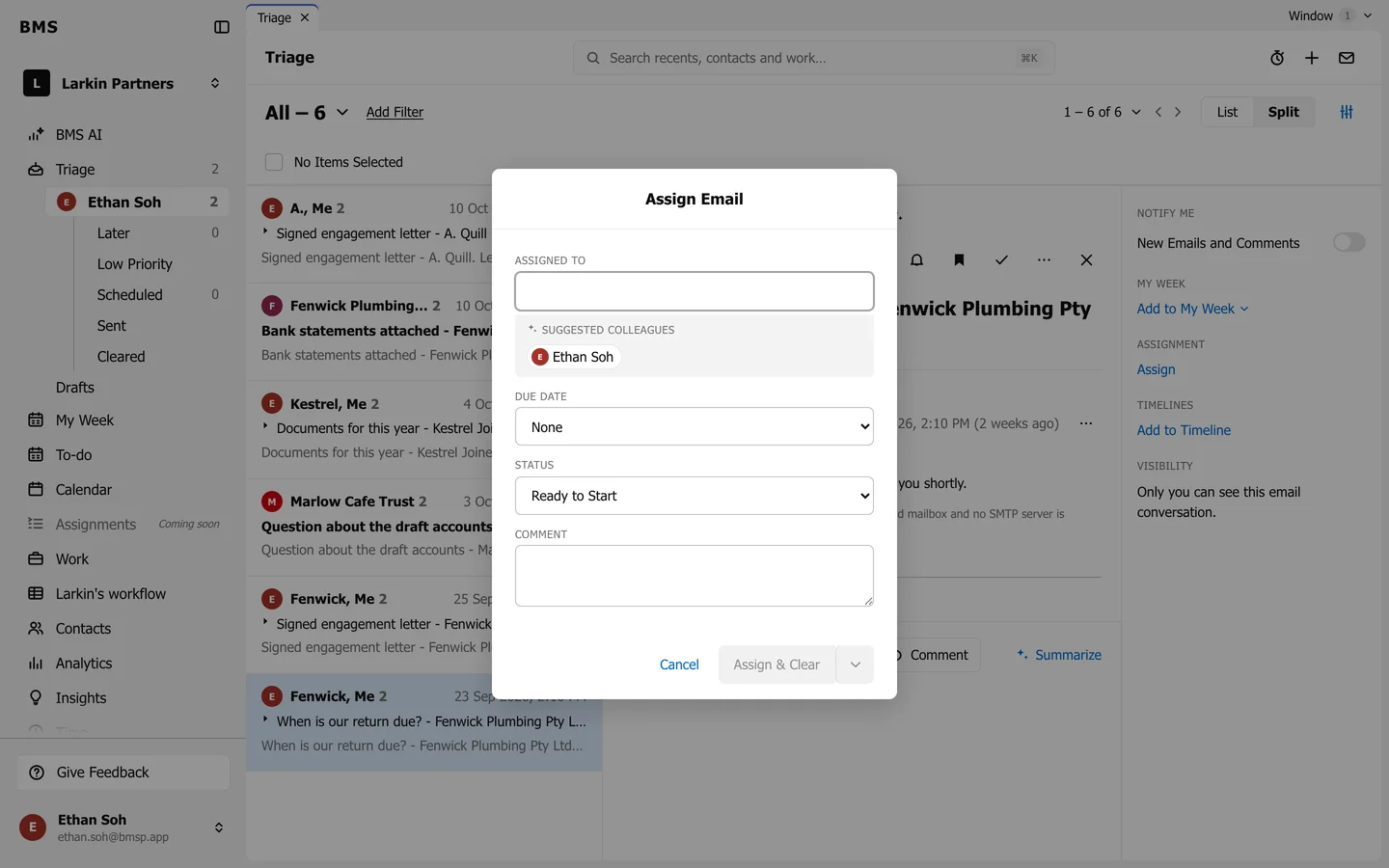
Assign Email: who, when, status and a note. -
Optionally choose a Due Date, a Status (Ready to Start by default) and add a Comment saying what you need.
-
Press Assign & Clear to assign it and clear it from your Triage, or choose Assign from the arrow to keep it.
The colleague gets it in their Triage as an assignment. The information tray then shows Assigned To, To-Do, Due Date and Status, which either of you can change.