

Alert rules and the partner digest
Set thresholds for finished-not-billed, over budget, overdue fees and more; daily or weekly digest.
Settings > Alerts sets the rules BMS checks every 15 minutes. Each problem it finds goes into the partner’s Triage, with why it was raised, its figures and a link to where to fix it.
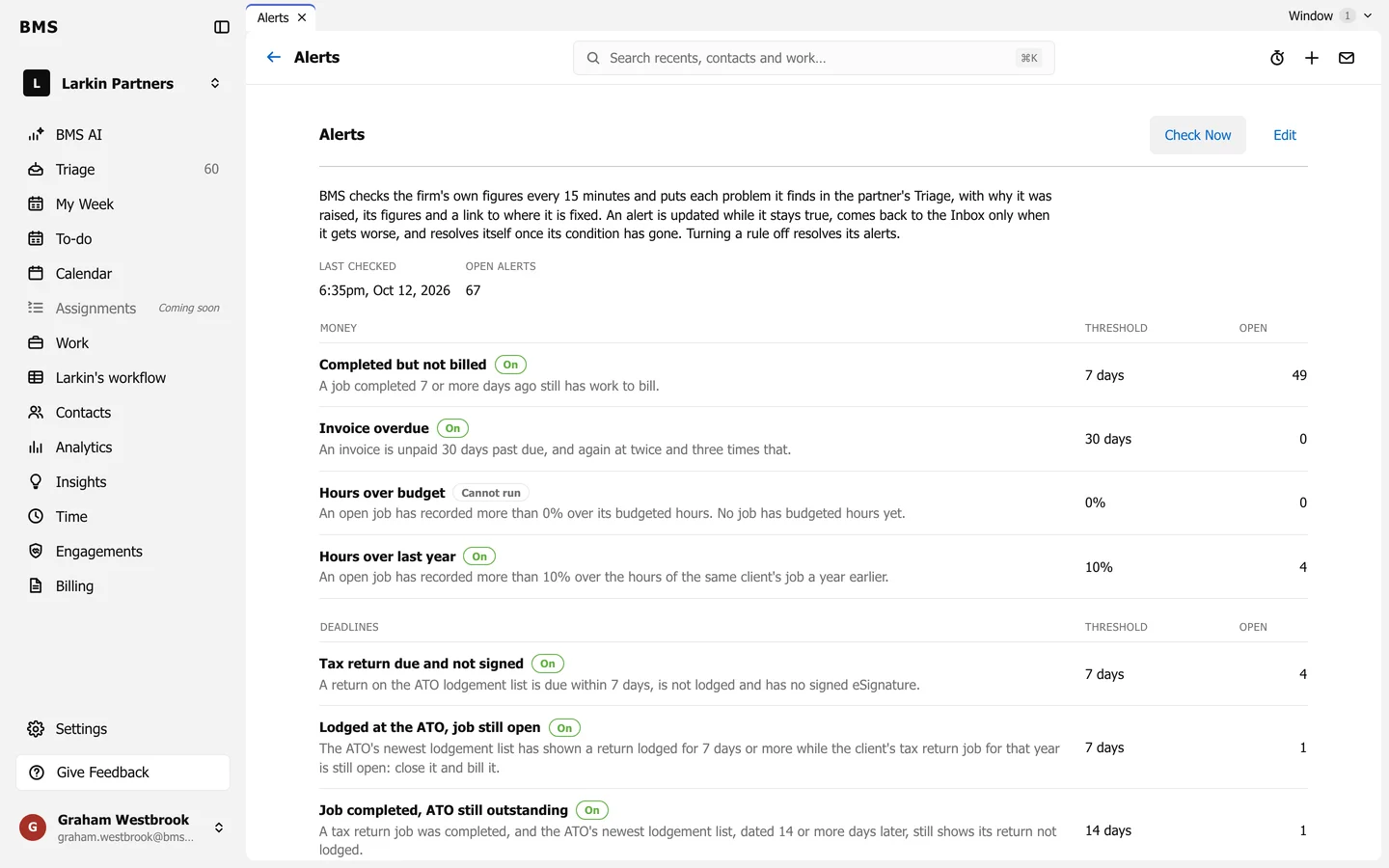
- Each rule shows whether it is On, its Threshold and how many alerts are Open. Cannot run means the data it needs is missing.
- Money rules include Completed but not billed, Invoice overdue, Hours over budget and Hours over last year.
- Deadlines rules include Tax return due and not signed, Lodged at the ATO, job still open and Job completed, ATO still outstanding.
- Press Edit to turn rules on or off, change thresholds and choose a daily or weekly digest for partners.
- Check Now runs the check straight away.
An alert is updated while it stays true and resolves itself once its condition has gone. Turning a rule off resolves its alerts.