

Manage tags
Create, colour, rename, merge and delete tags.
Settings > Tags lists every tag with how many clients and groups carry it.
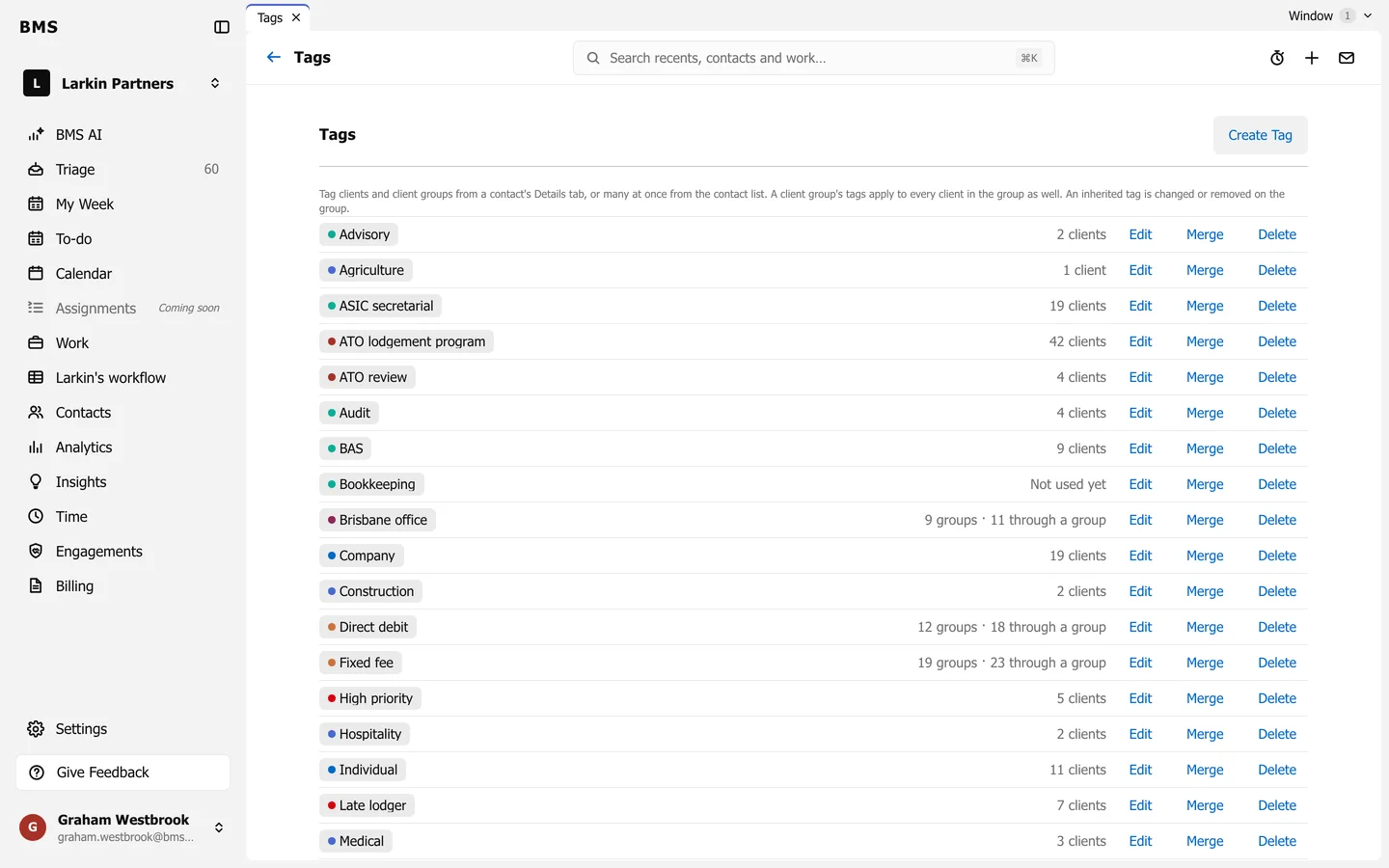
- Create Tag: name it and pick a colour.
- Edit: rename it or change its colour.
- Merge: fold it into another tag; every client moves across.
- Delete: remove it from every client.
A count such as “9 groups, 11 through a group” means the tag sits on 9 client groups and so reaches 11 clients through them.