

Automatic reminders to clients
Auto-sending time and reminder timing for open requests.
BMS can remind clients about open requests for you. You choose the reminders when you send each request, and the time of day they go out for the whole firm.
Choose the reminders on a request
Section titled “Choose the reminders on a request”In the second step of Send Client Request, choose one:
| Choice | When reminders go |
|---|---|
| No reminders | Never. |
| Gentle reminders | Seven days before a task is due, on the due date, then every day it is overdue. Needs a due date on the tasks. |
| Urgent reminders | Every day. |
| Custom reminders | Every chosen number of days, from 1 to 90. |
Edit Reminder Email changes the reminder’s subject and text.
Choose when they are sent
Section titled “Choose when they are sent”-
Go to Settings > BMS for Clients > Auto-Sending.
-
Choose Send at (the hour) and Time zone. The default is 8:00 AM.
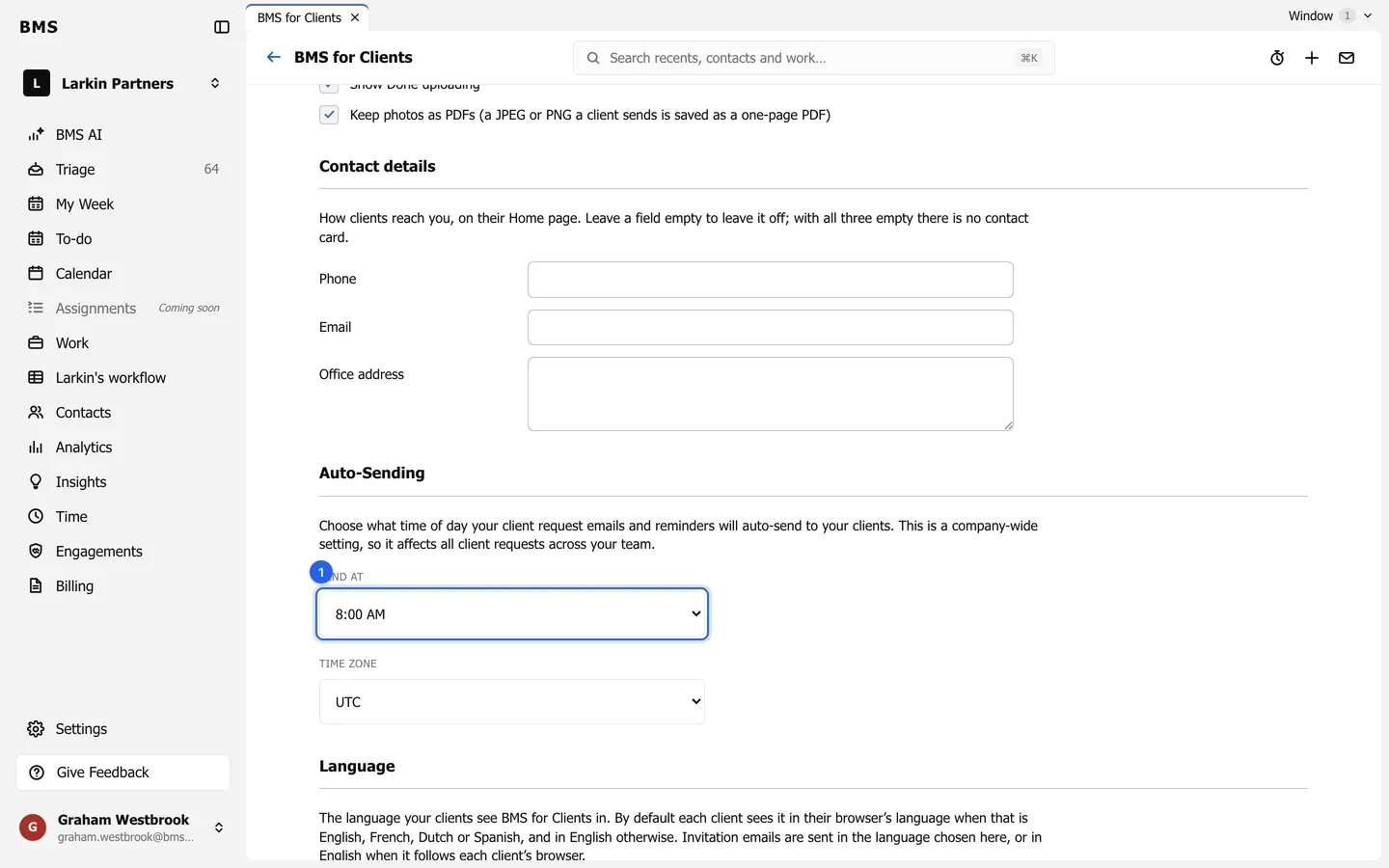
Auto-Sending applies to every scheduled request and reminder at your firm. -
Press Save.