
Skip to content

Billing runs

Firms billing in BMSFor: Billing adminAccess: Billing admin

Bill many clients together and close the run.

A billing run groups the invoices of one billing round, such as a month-end, so you can work through them together.
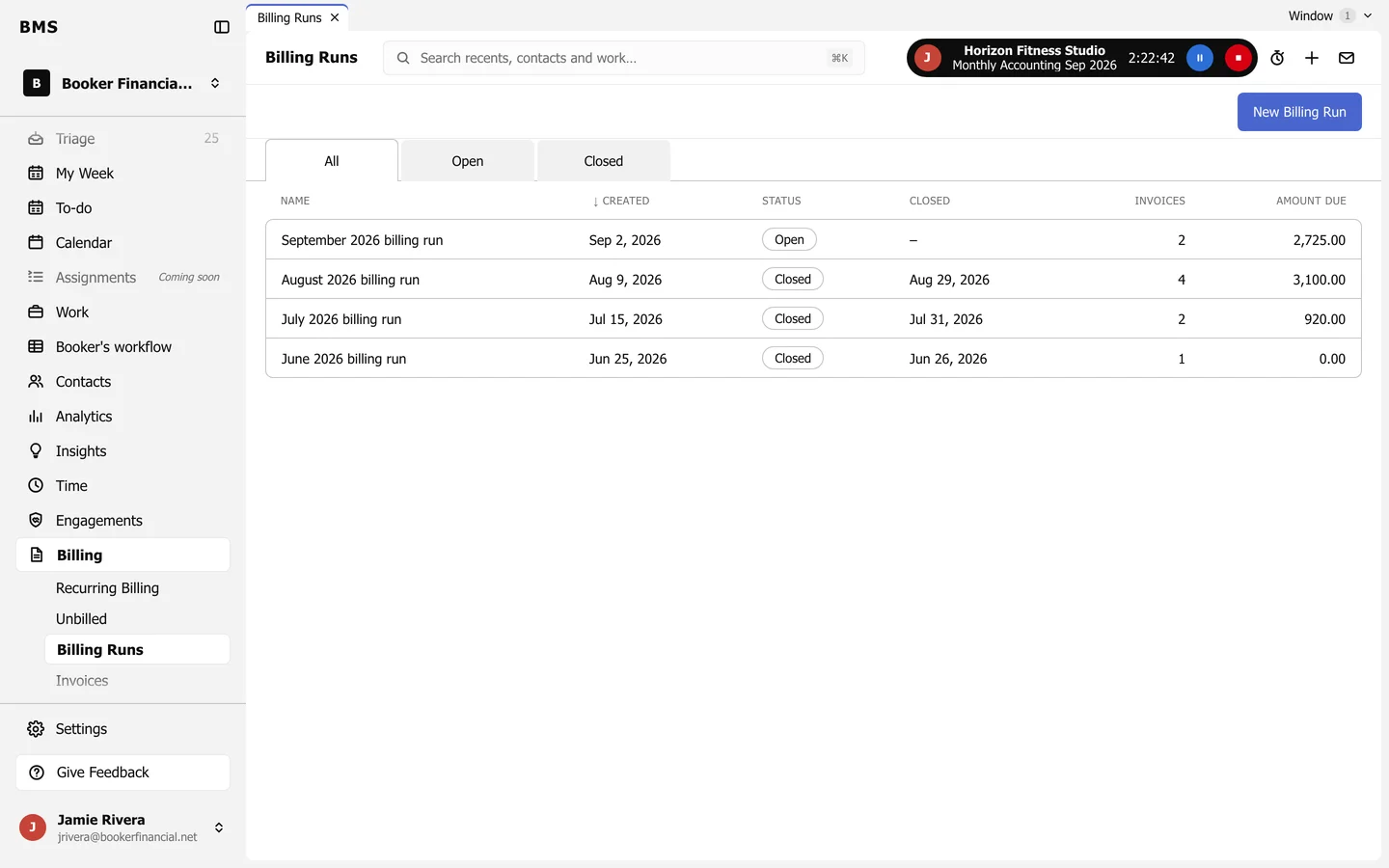
Billing Runs: All, Open and Closed tabs and a list of monthly runs with created date, status, closed date, invoice count and amount due, and a New Billing Run button.
Billing > Billing Runs.
  1. Press New Billing Run, name it and choose the invoice date and the clients.

  2. Open the run to see its invoices, then open each one to check and approve it.
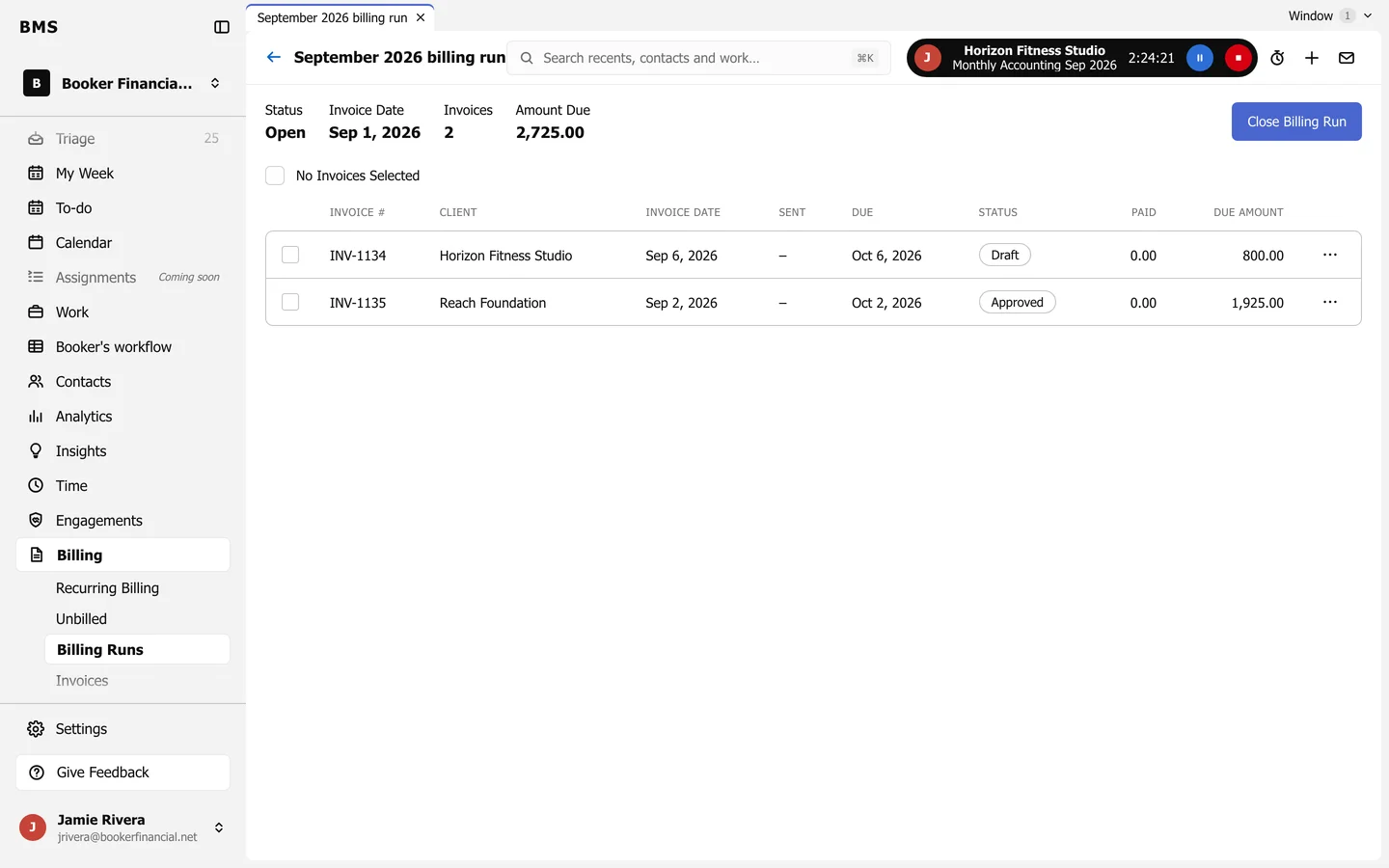
    The September 2026 billing run: Status Open, invoice date, 2 invoices and amount due, a list of invoices with status, and a Close Billing Run button.
    A billing run.
  3. When every invoice is done, press Close Billing Run.

Still need help?

Ask your firm's BMS admin first: they can see your access level and your firm's settings. Clients of a firm should contact their accountant.

Last updated: