

Create a meeting
Add an event with attendees.
-
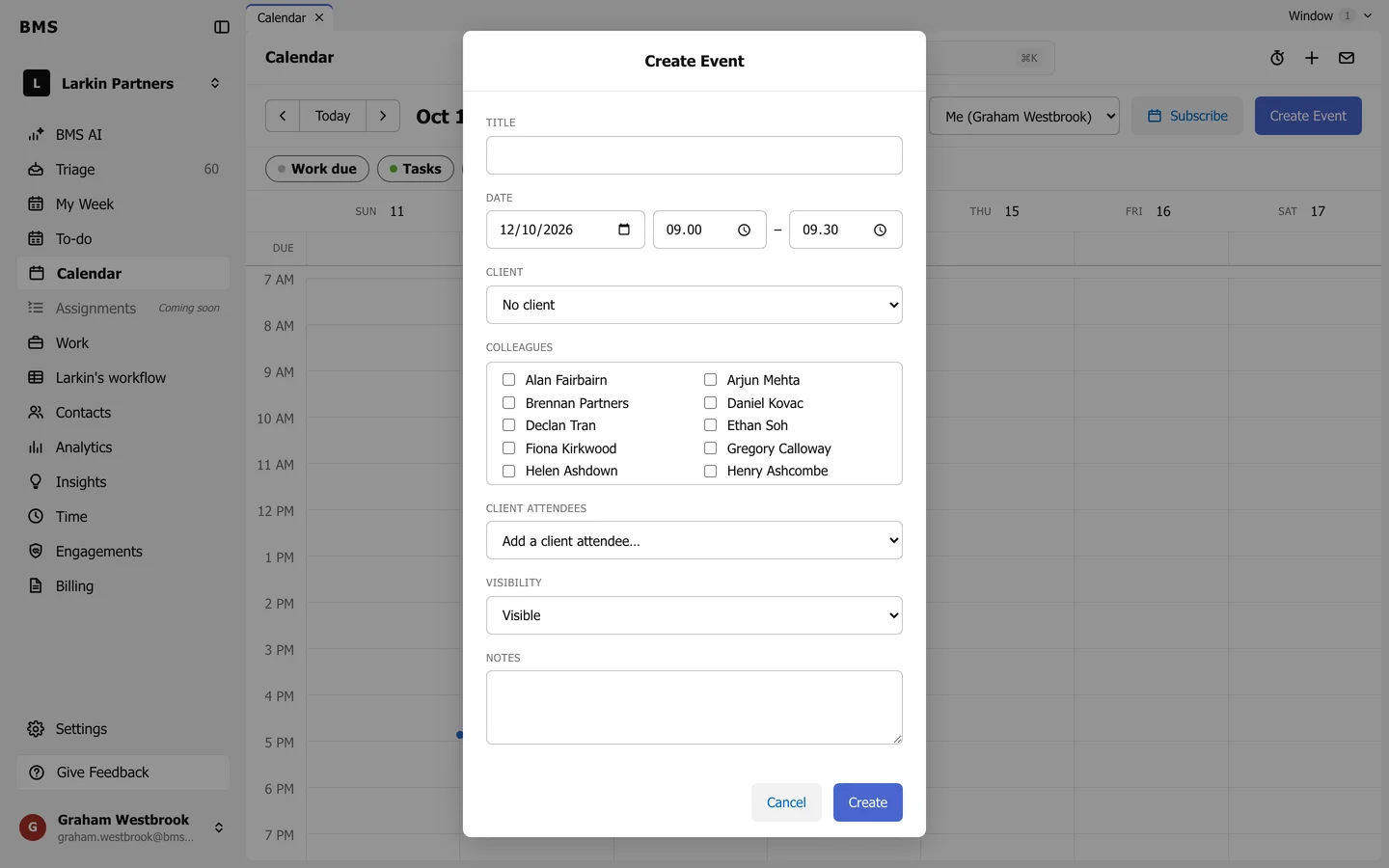
On Calendar, press Create Event.
Create Event. -
Give it a Title, the Date and the start and end times.
-
Choose the Client it is about, if any.
-
Tick the Colleagues who attend, and add Client attendees from the client’s contacts.
-
Set Visibility: Visible, or Hidden: colleagues who are not invited see only Busy, with no details.
-
Add Notes and press Create.
The meeting appears on the calendar of everyone invited. Open it to edit it, or to delete it with Delete Event.