

Answer a request, item by item
See which documents are still missing and read the firm's replies under each item.
When your firm needs documents or answers from you, it sends a request. A request is a list of items, one per thing the firm asked for.
Open a request
Section titled “Open a request”-
Press Tasks in the menu. Open Requests lists what is still waiting; Completed lists what is finished. Documents waiting for your signature are listed at the top.
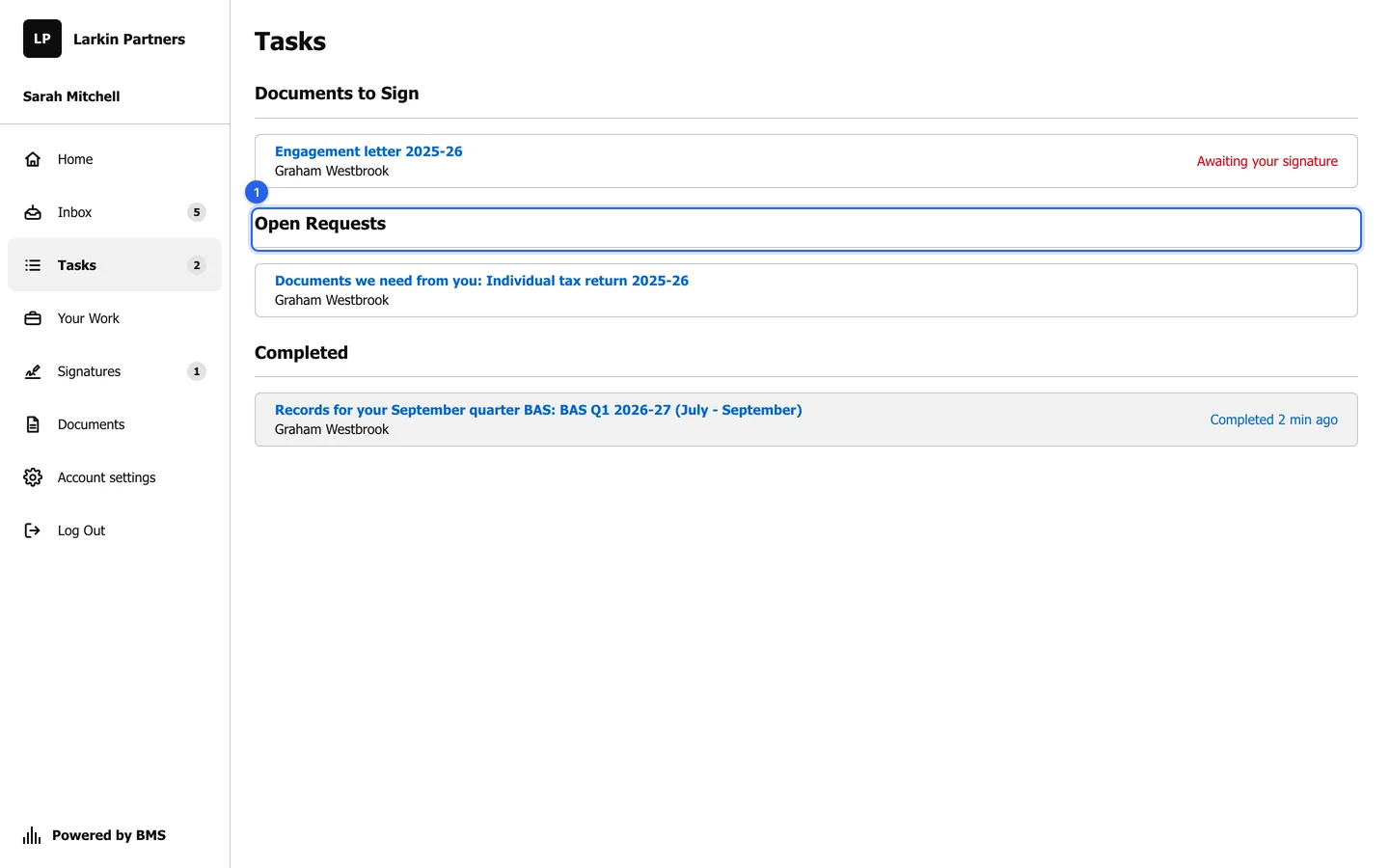
Tasks lists every request your firm has sent you. -
Press a request to open it.
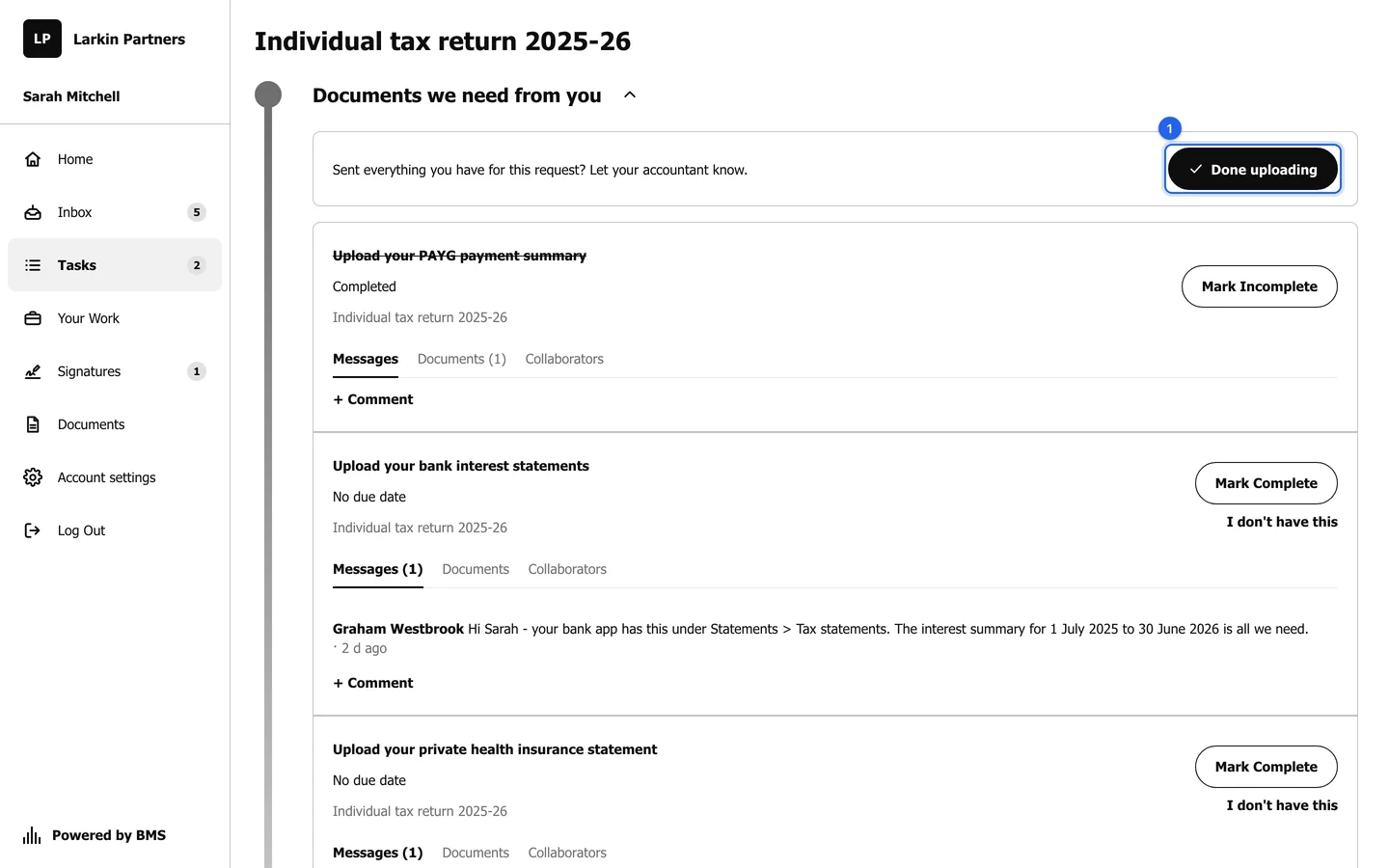
A request: the Done uploading bar (1), then one card per item.
Answer each item
Section titled “Answer each item”Each item shows its due date, the job it belongs to and three tabs: Messages, Documents and Collaborators.
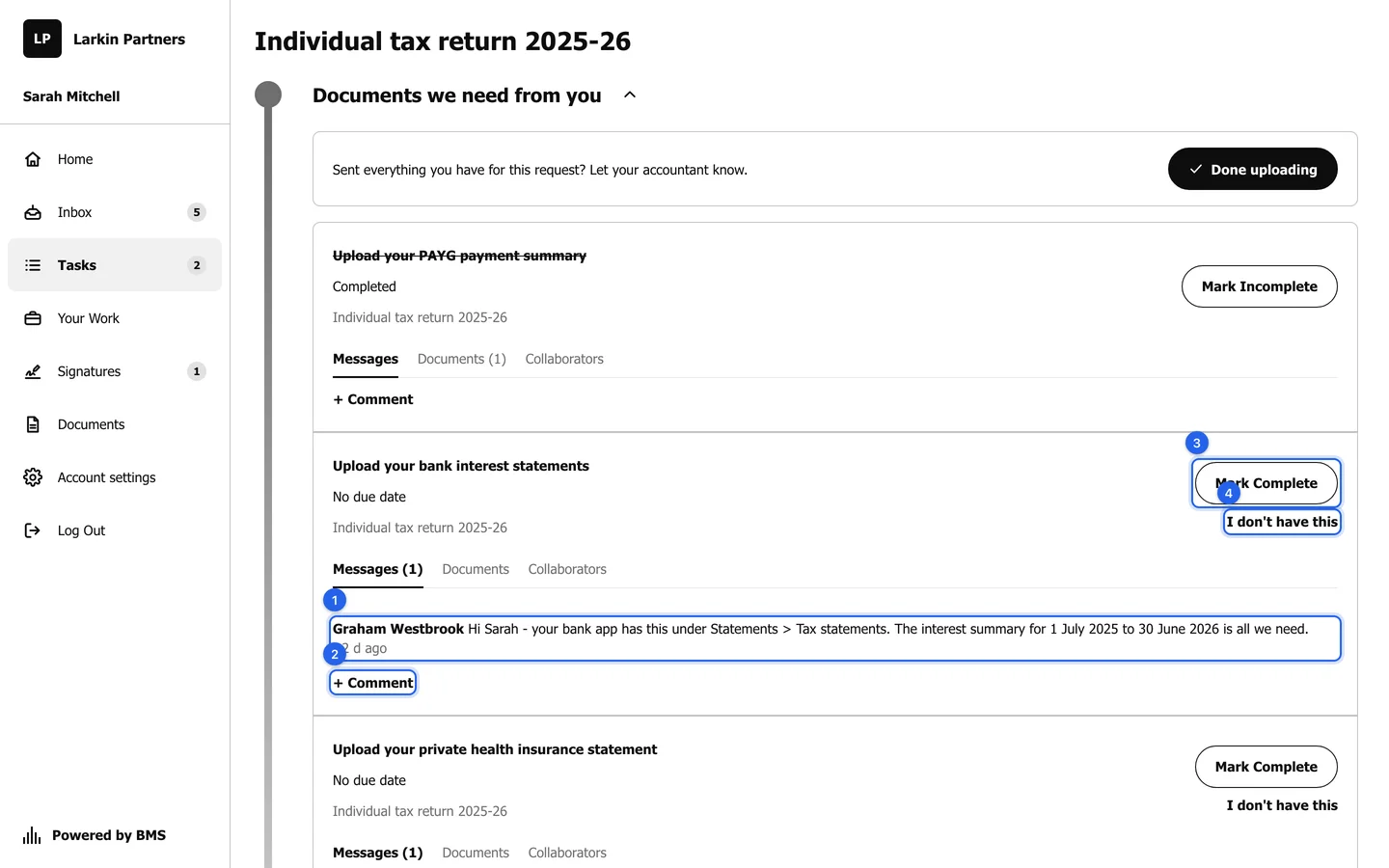
- Read your accountant’s reply under Messages; it often says exactly where to find the document.
- Press + Comment to reply or ask a question; your accountant sees it straight away.
- Upload the file on the item’s Documents tab (see Upload a document), or press Mark Complete when the item asks for an answer rather than a file.
- Press I don’t have this if you cannot provide it (see When you do not have a document).
A finished item is struck through and marked Completed. Press Mark Incomplete to reopen it.
Collaborators names the people at the firm working on the item, including your main contact for questions.