

Work in tabs, like MYOB AE
Open clients and jobs side by side, Ctrl or Cmd-click for a background tab, Window > Close All.
Each client, job, invoice or main screen you open becomes a tab across the top of BMS, so you can keep several open and move between them, as in MYOB AE.
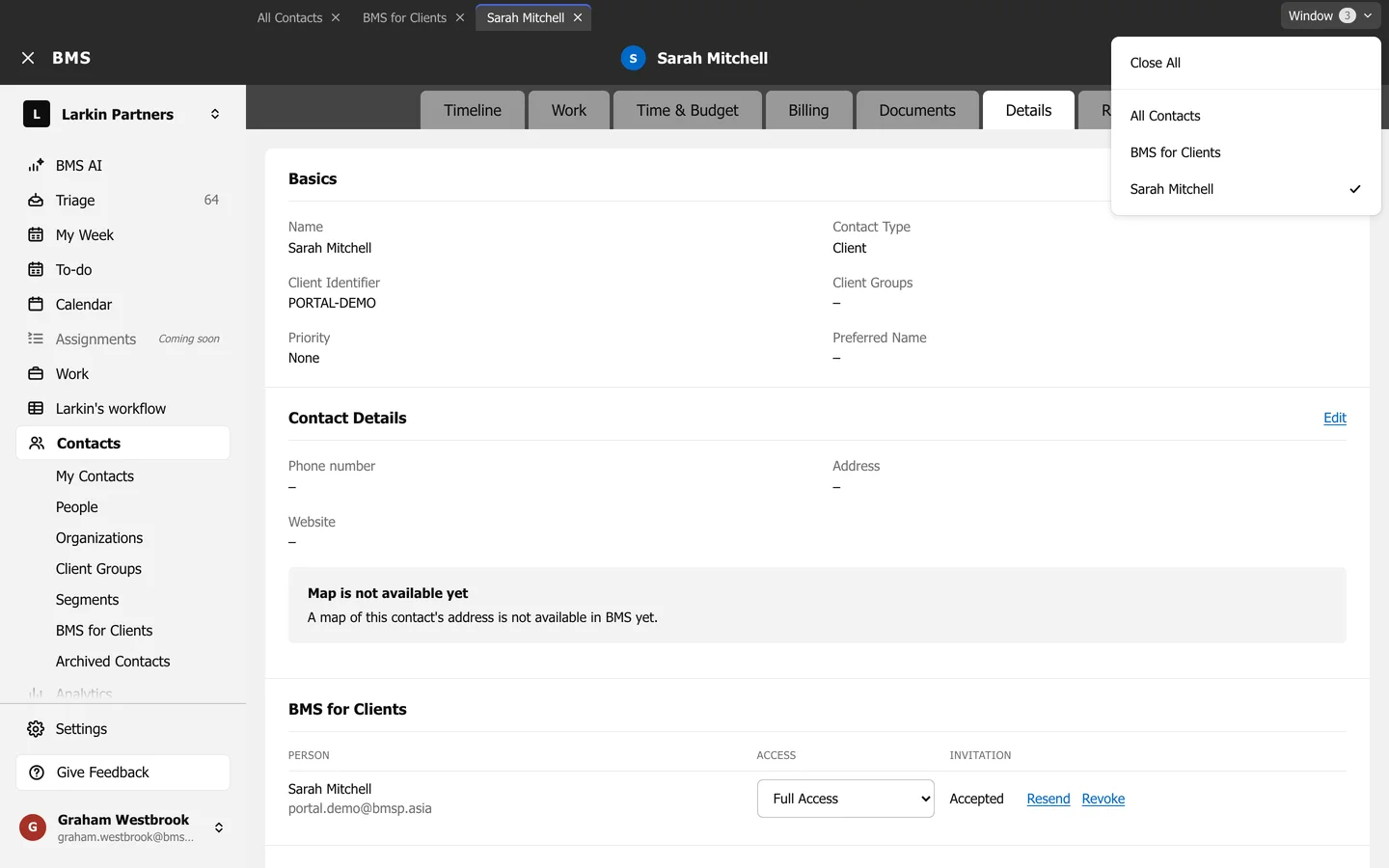
- Open a tab: open anything; it is added at the end of the strip, or brought forward if it is already open.
- Open in the background: Ctrl-click (Windows) or Cmd-click (Mac), or middle-click, a link. The tab is added without leaving the page you are on.
- Close a tab: press its x.
- Window menu: press Window at the right end of the strip to see every tab, jump to one, or Close All.