

Add to My Week
Plan an item for this week straight from Triage.
-
Open the item.
-
In the information tray, under My week, open Add to My Week.
-
Choose This Week, Next Week, Later or To Plan.
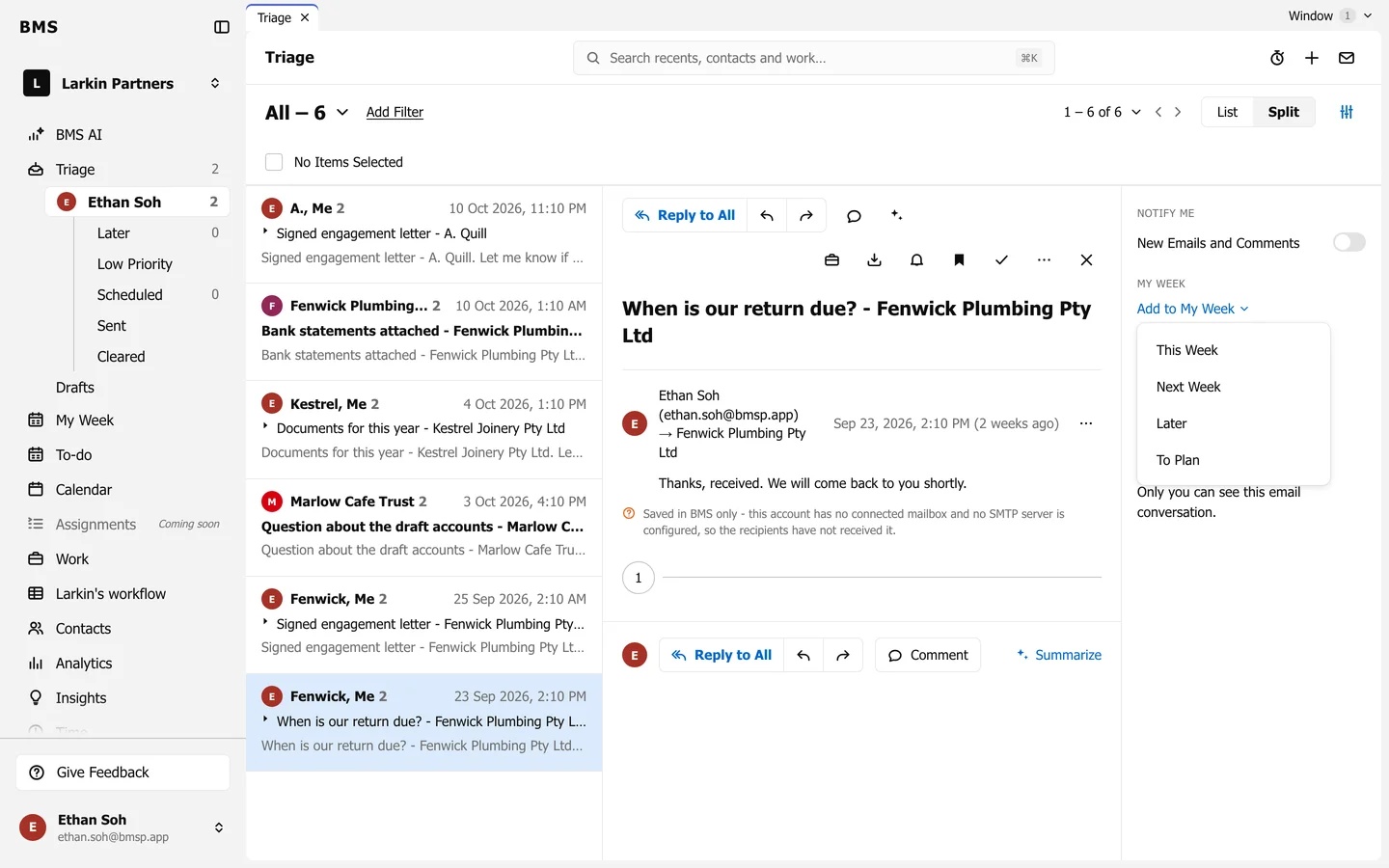
Plan the item into your week.
It now shows on your My Week in that column. Choose Remove from My Week in the same menu to take it off.