

Create an engagement and add services
Services, pricing and connected work.
-
Press New Engagement and choose the client and the start date.
-
On Services, press Add Service and pick one, such as Monthly accounting, from your service templates.
-
Check each service’s billing (monthly, on start or on completion), fee and the work it creates. Connect Work links an existing job.
-
Under Pricing, choose how prices show in the letter.
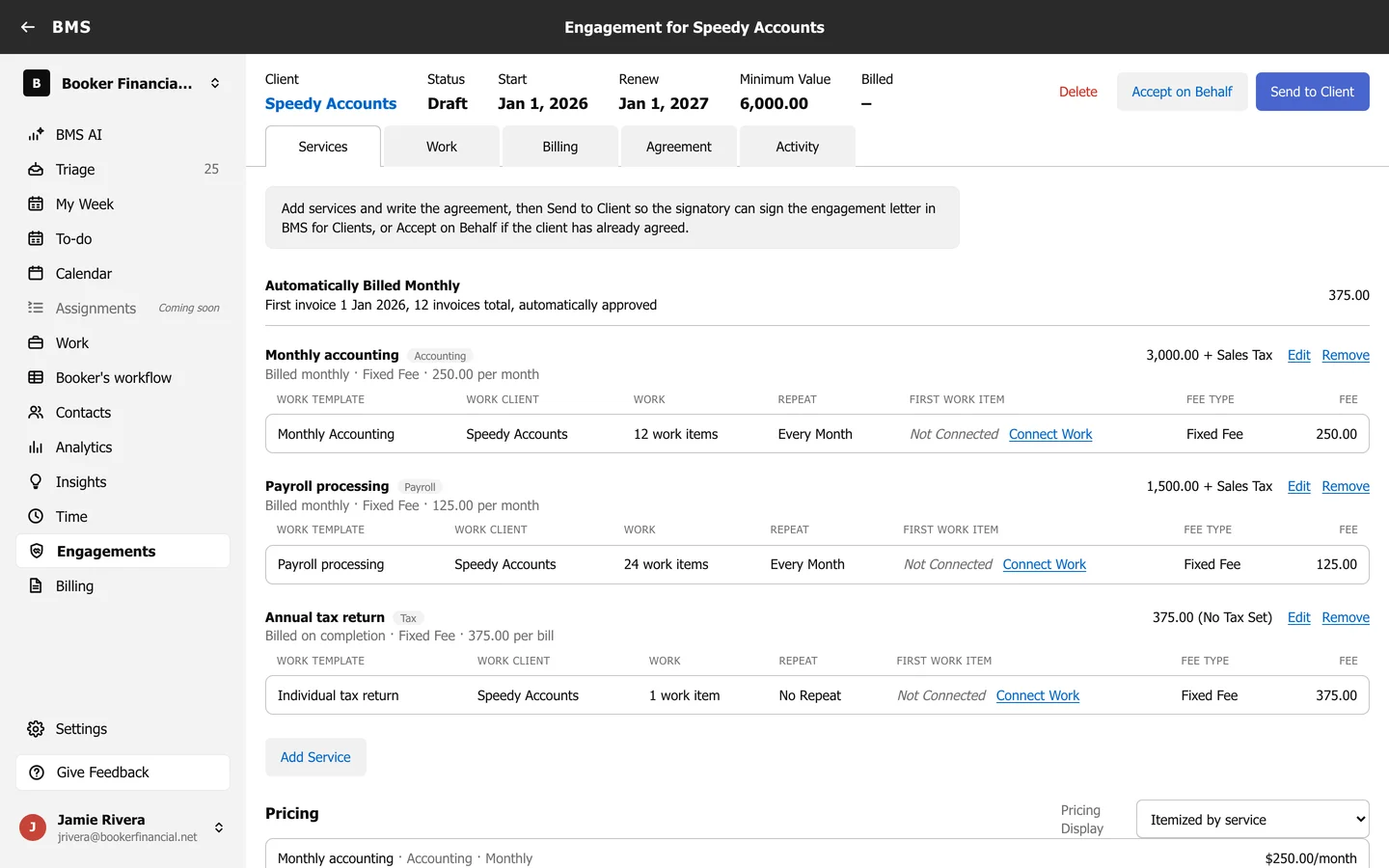
Then write the letter on the Agreement tab and send it to sign.