

WIP and billing figures on a client
In a MYOB AE firm these tabs show MYOB AE figures, never retyped.
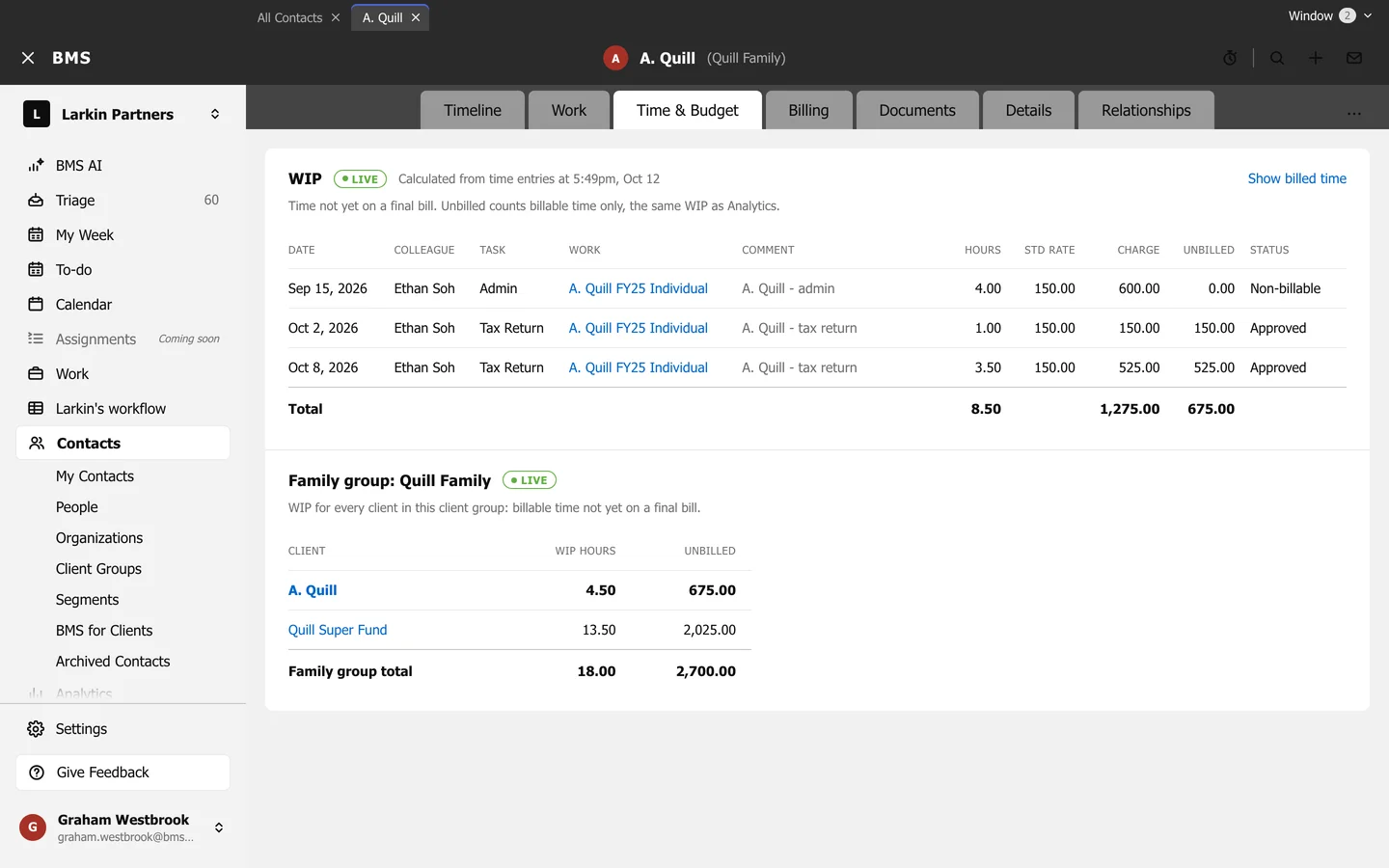
The Time & Budget tab shows the client’s unbilled time (WIP), and the Billing tab its invoices.
In a firm that bills in BMS
Section titled “In a firm that bills in BMS”WIP is marked LIVE: it is calculated from time entries, the same WIP as Analytics. Show billed time adds what has already been billed. Below it, the client group’s WIP adds up every member.
In a firm whose money lives in MYOB AE
Section titled “In a firm whose money lives in MYOB AE”WIP and billing figures come from MYOB AE, one row per MYOB AE transaction, and are never retyped into BMS. The tab says when they were last read from MYOB AE.