

First day as a manager
The Work board, reviews, budgets and Resource Planning.
The Work board
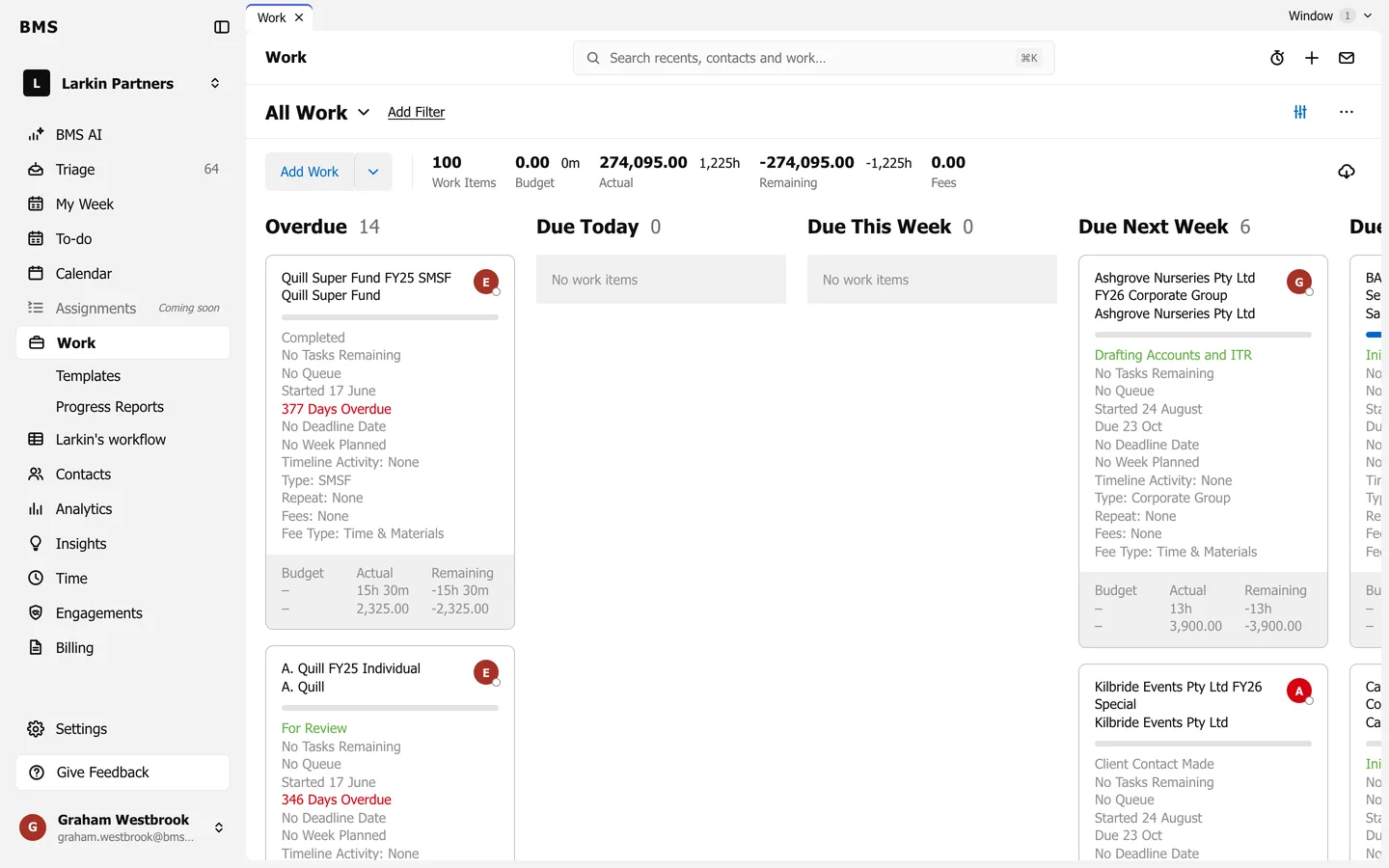
Section titled “The Work board”Work shows every job and where it stands. Use the grouping button to Group by Due Date, Status, Assignee, Client or Client Tag, and switch the layout between Kanban and List. Grouping by Assignee shows each person’s load at a glance.
Resource Planning
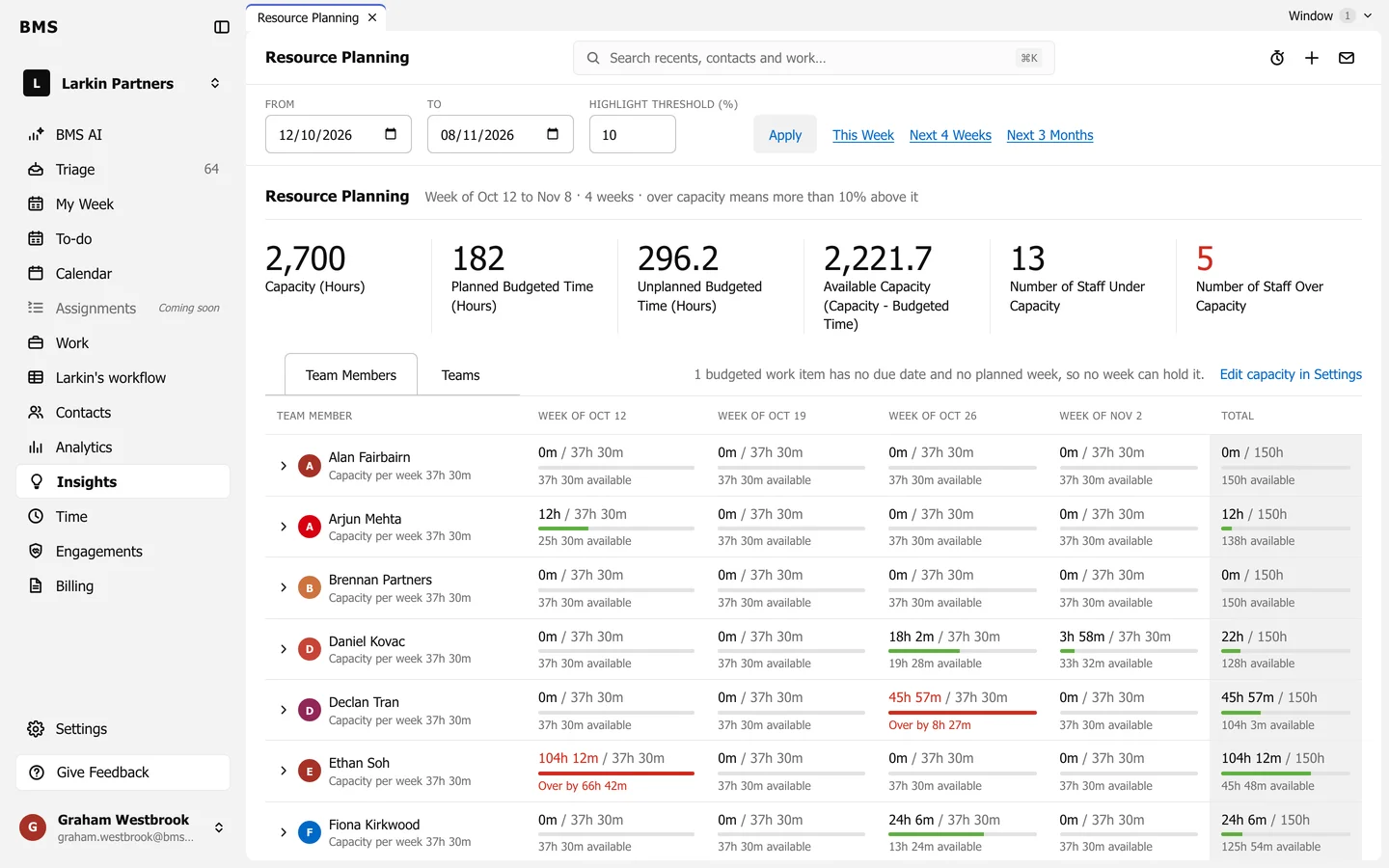
Section titled “Resource Planning”Resource Planning (from the Analytics page) shows who has room, week by week: each colleague’s scheduled hours against their capacity.
Your dashboard
Section titled “Your dashboard”Insights > My Dashboard for a manager lists the WIP review answers owed, jobs over budget and what is due this week. See First day as a partner for the dashboards.