

What the job tracker is and who sees it
The firm's own tracker sheets in BMS, shown only to firms that run it.
Many firms run their year on tracker spreadsheets: a job tracker, a BAS grid, an SMSF tracker and a tax returns list. The job tracker keeps those sheets in BMS, laid out as your team already knows them, on the same jobs the Work board shows.
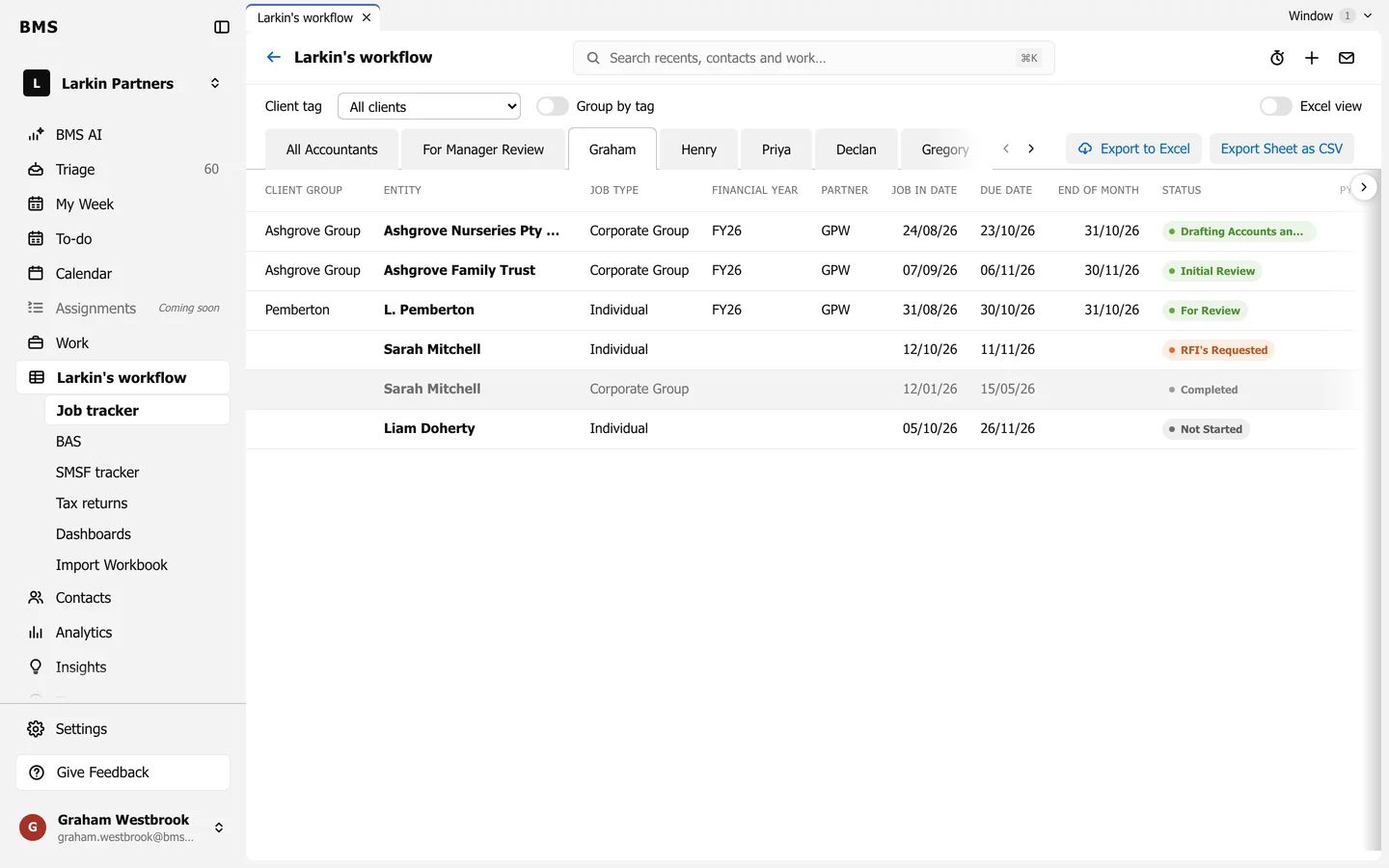
Under the tracker in the sidebar:
| Page | What it is |
|---|---|
| Job tracker | One row per job; a sheet per accountant. |
| BAS | The BAS grid by accountant and year. |
| SMSF tracker | One row per fund, with its checklist. |
| Tax returns | Tax return clients and fees. |
| Dashboards | The tracker’s pivot tables. |
| Import Workbook | Bring in this week’s spreadsheet. |
A change made in the tracker is a change to the job itself, so it shows on the Work board too, and the other way round.