

Turn on BMS AI and set a monthly limit
Enable BMS AI, choose the model, set the limit and read the usage log.
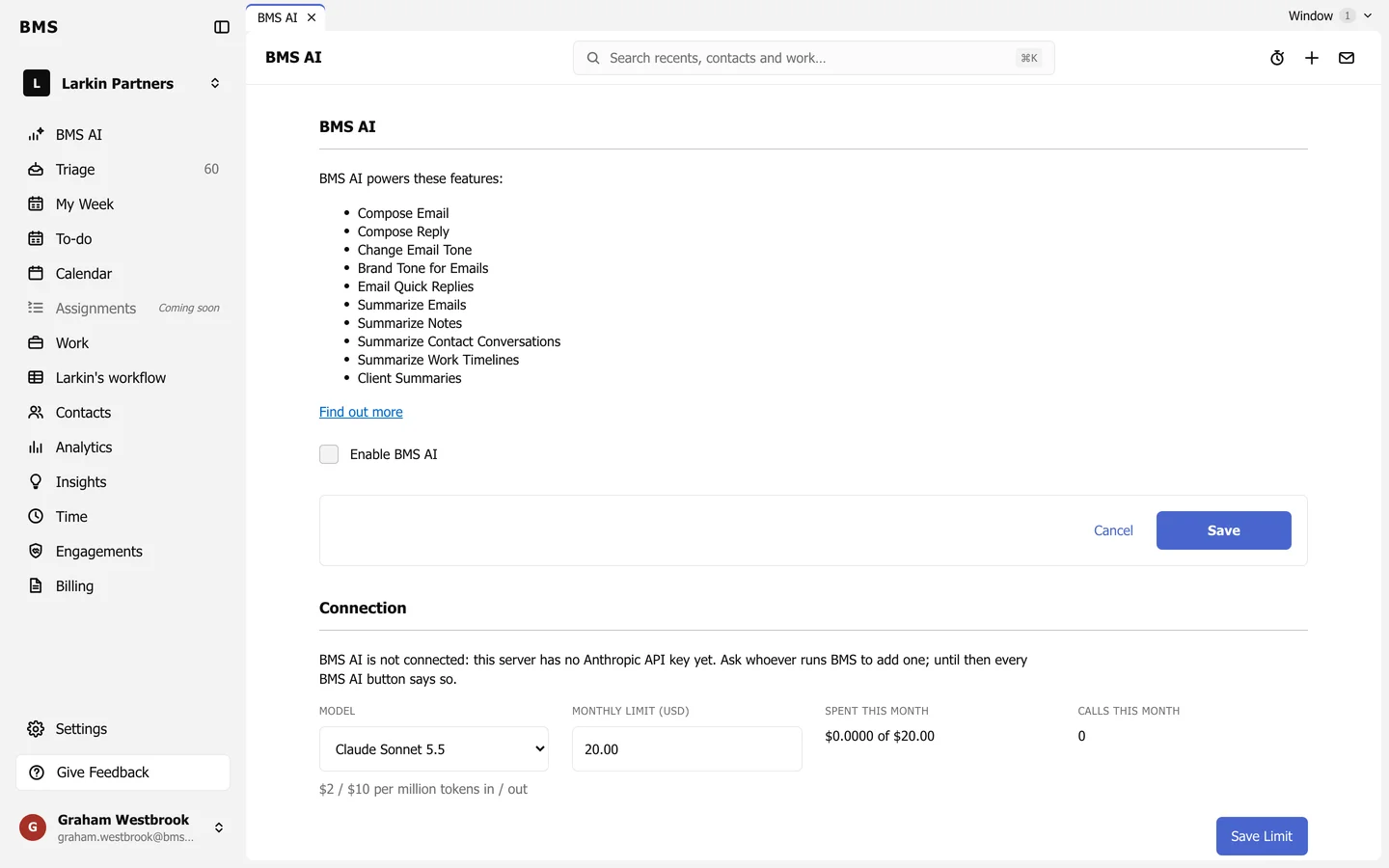
Go to Settings > BMS AI.
-
Tick Enable BMS AI and press Save.
-
Under Connection, choose the Model. The price per million tokens shows under it.
-
Set the Monthly limit (USD) and press Save Limit. Once the month’s spending reaches it, BMS AI stops answering until the next month.
Spent this month and Calls this month show where you are. Usage lists the 50 most recent calls, with who asked, the feature, the model, the tokens and the cost.