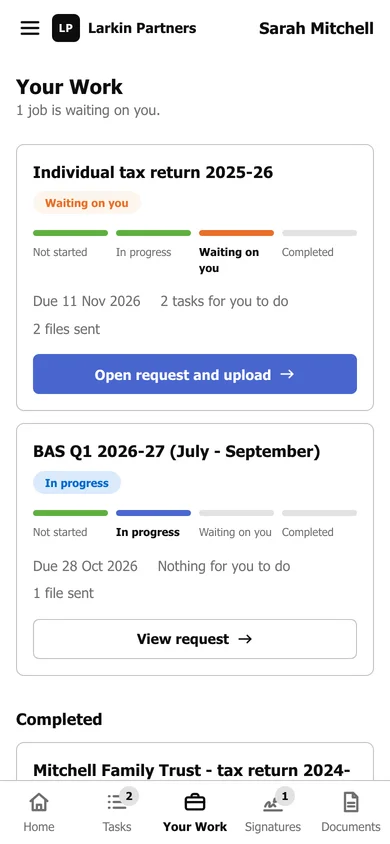
Follow your jobs in Your Work
Four plain steps per job - Not started, In progress, Waiting on you, Completed.
Your Work shows every job your firm is doing for you, and how far along each one is. Press Your Work in the menu.
Reading a job
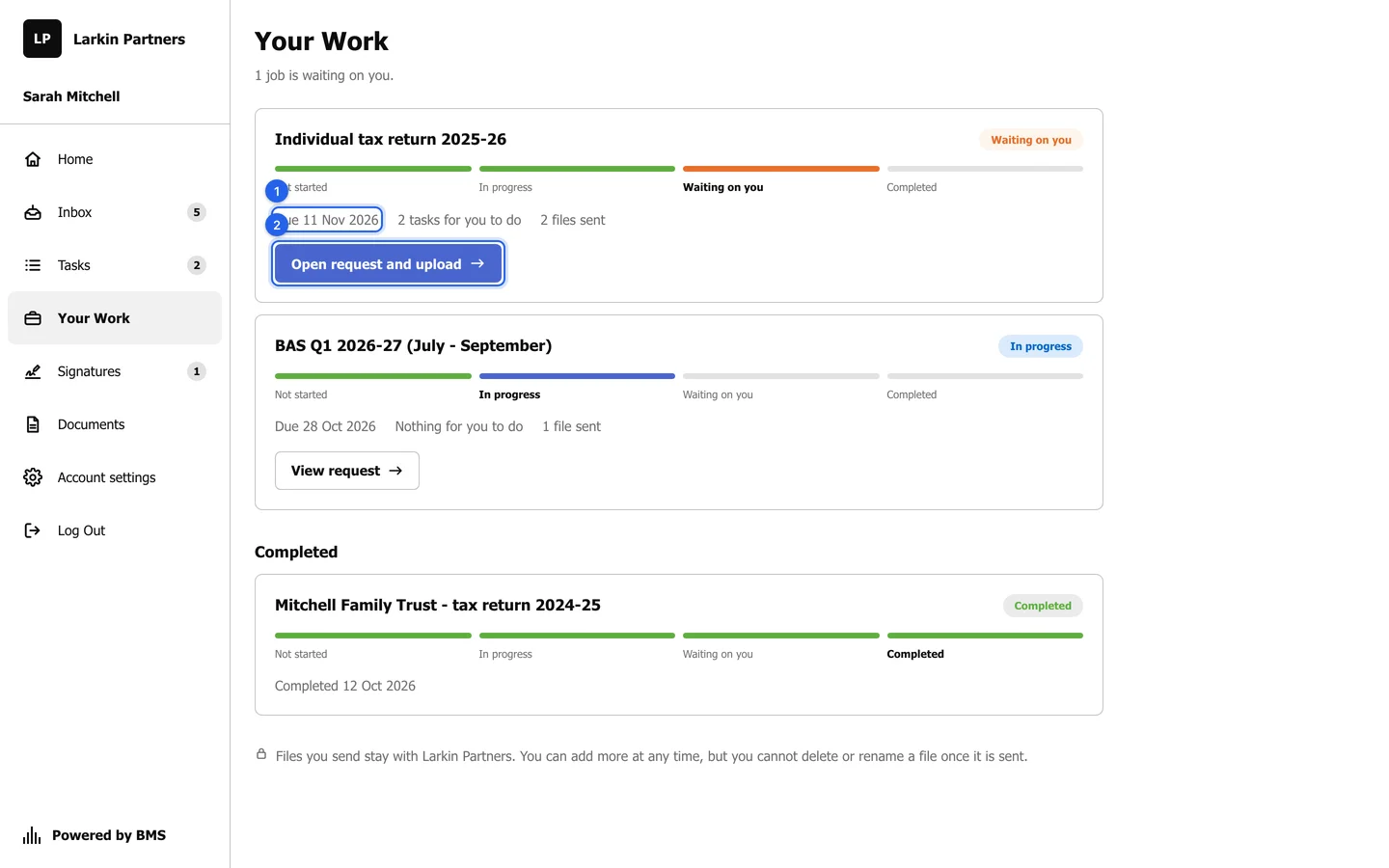
Section titled “Reading a job”- Four steps: Not started, In progress, Waiting on you and Completed, drawn as bars filled up to where the job is. A job reads Waiting on you only while you have something open on a request; otherwise it is In progress, with your accountant.
- The due date (1), or the day the job was completed.
- What is left for you, such as “2 tasks for you to do”, and how many files you have sent.
- A button to the request that still needs you (2), such as Open request and upload.
- Your firm may add a sentence explaining what the current stage means, and may show the job’s fixed fee.