

Your timesheet at a glance
Period, status, total, billable time and utilization.
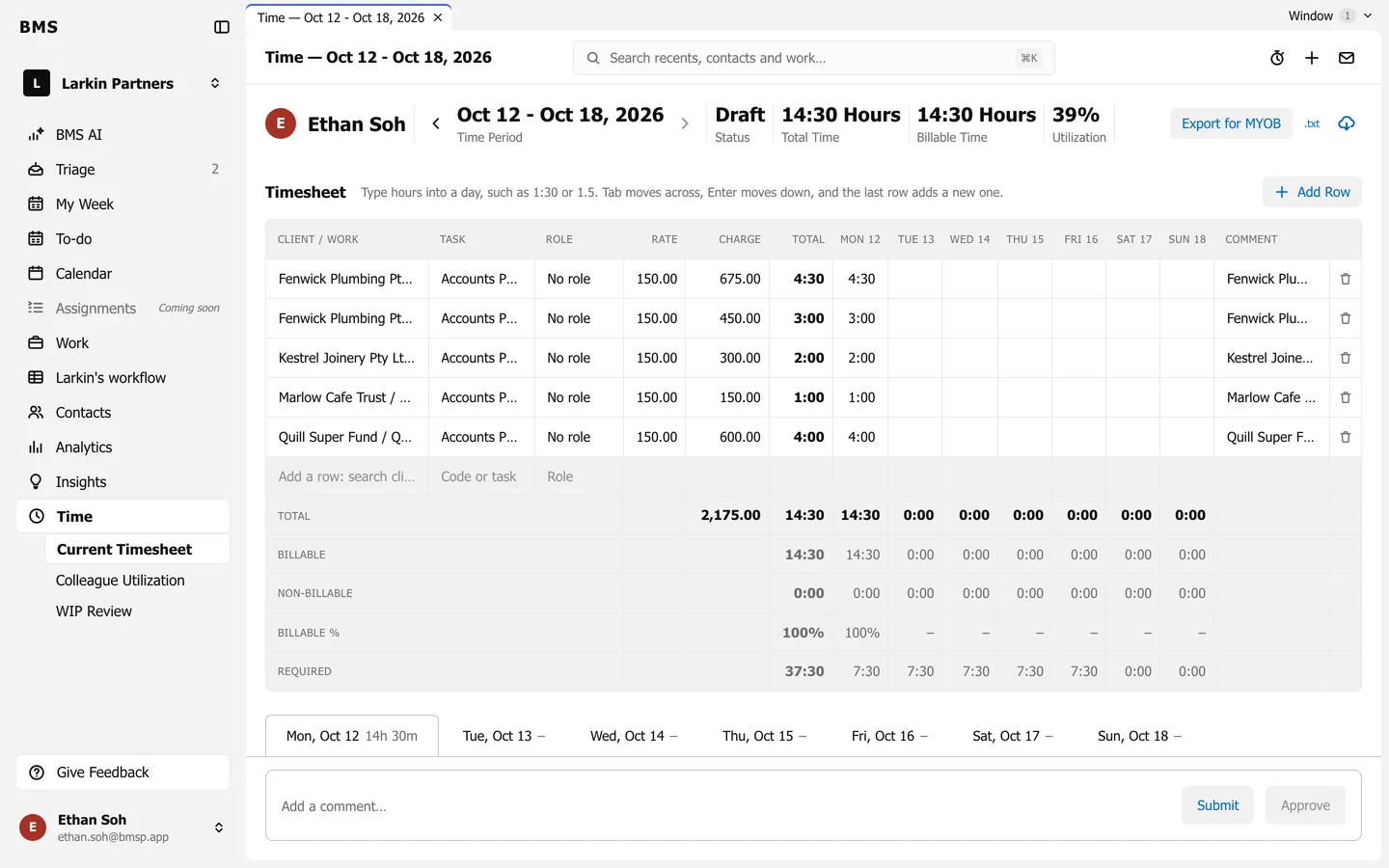
Time in the sidebar opens Current Timesheet: your time for this period, one row per client and task, with a column per day.
Across the top
Section titled “Across the top”| Figure | Means |
|---|---|
| Time Period | The period on screen; the arrows move to the one before or after. |
| Status | Draft, Submitted, Approved or Declined. |
| Total Time | Everything you logged in the period. |
| Billable Time | The part that can be billed. |
| Utilization | Billable time against your capacity for the period. |
Under the grid
Section titled “Under the grid”- Total, Billable, Non-billable and Billable % for each day and the period.
- Required: the hours expected of you each day, in orange when a day falls short.
- The day tabs (Mon, Oct 12, …) list each day’s entries; the Time Entry Report below lists every entry with its task type, note, time and amount.