

Bank matching: match receipts from a bank statement
Upload a statement, review matches and download the receipts file for MYOB AE.
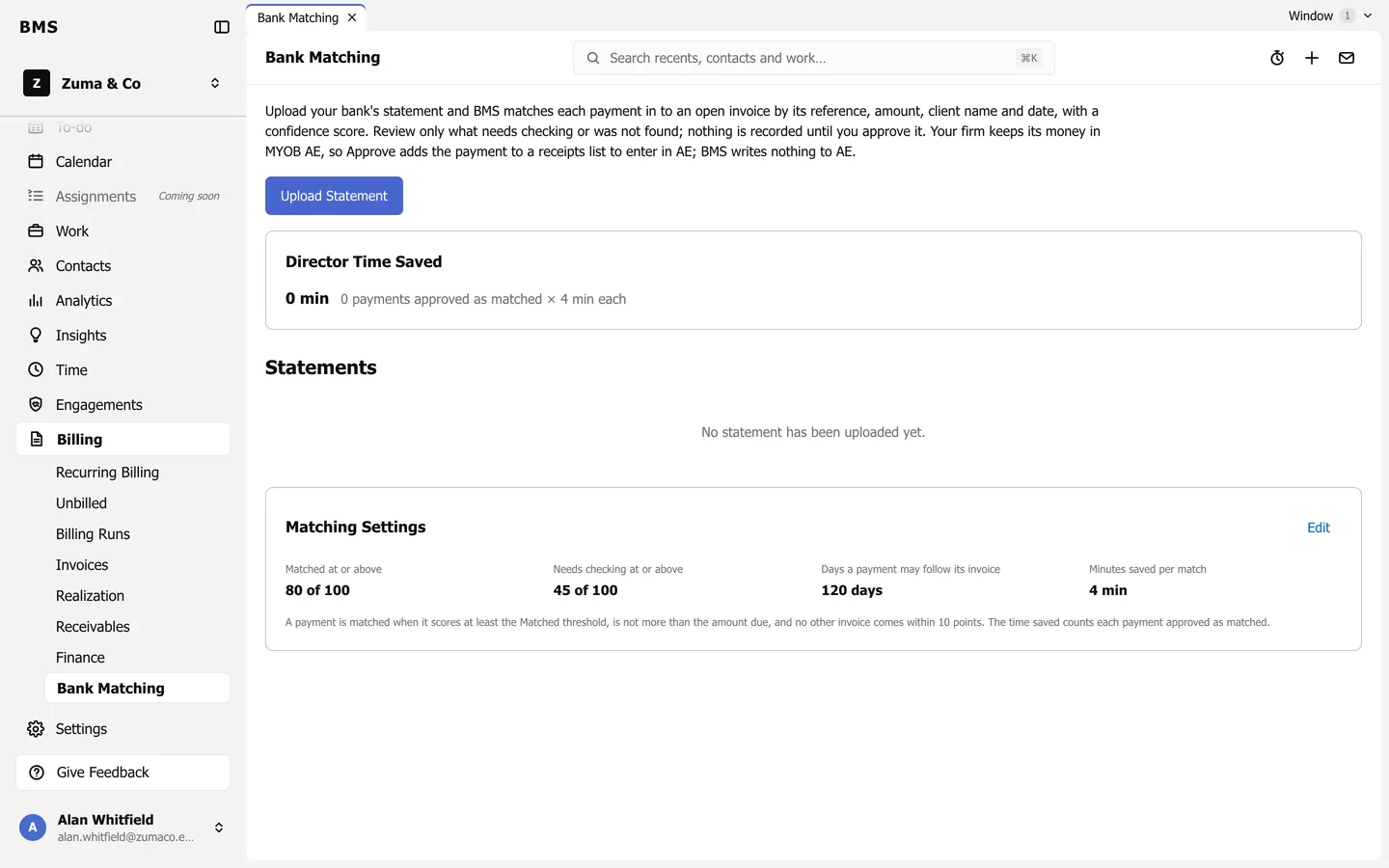
Billing > Bank Matching reads your bank’s statement and matches each payment in to an open invoice, by reference, amount, client name and date, with a confidence score.
-
Download a CSV statement from your bank, then press Upload Statement and choose it.
-
Tell BMS which columns hold the date, description and amounts, and whether money in and out are in two columns or one.
-
Review the lines. Each is Matched, Needs Checking or Not Found. Check only the ones that need it: choose the right invoice, or Reject a line that is not a payment from a client.
-
Approve the matches.
Nothing is recorded until you approve. In a firm whose money lives in MYOB AE, approving adds the payment to a receipts list: press Receipts for MYOB AE to download it and enter it in MYOB AE. BMS writes nothing to MYOB AE. In a firm that bills in BMS, approving records the payment on the invoice.
Matching settings
Section titled “Matching settings”Press Edit on Matching Settings to change the scores for Matched and Needs Checking, how many days a payment may follow its invoice, and the minutes counted as saved per match for Director Time Saved.