

Edit the tracker inputs and colleagues
Dropdown lists and who appears on which sheet.
Settings holds the tracker’s own settings page, named after your firm’s tracker, such as Larkin’s workflow.
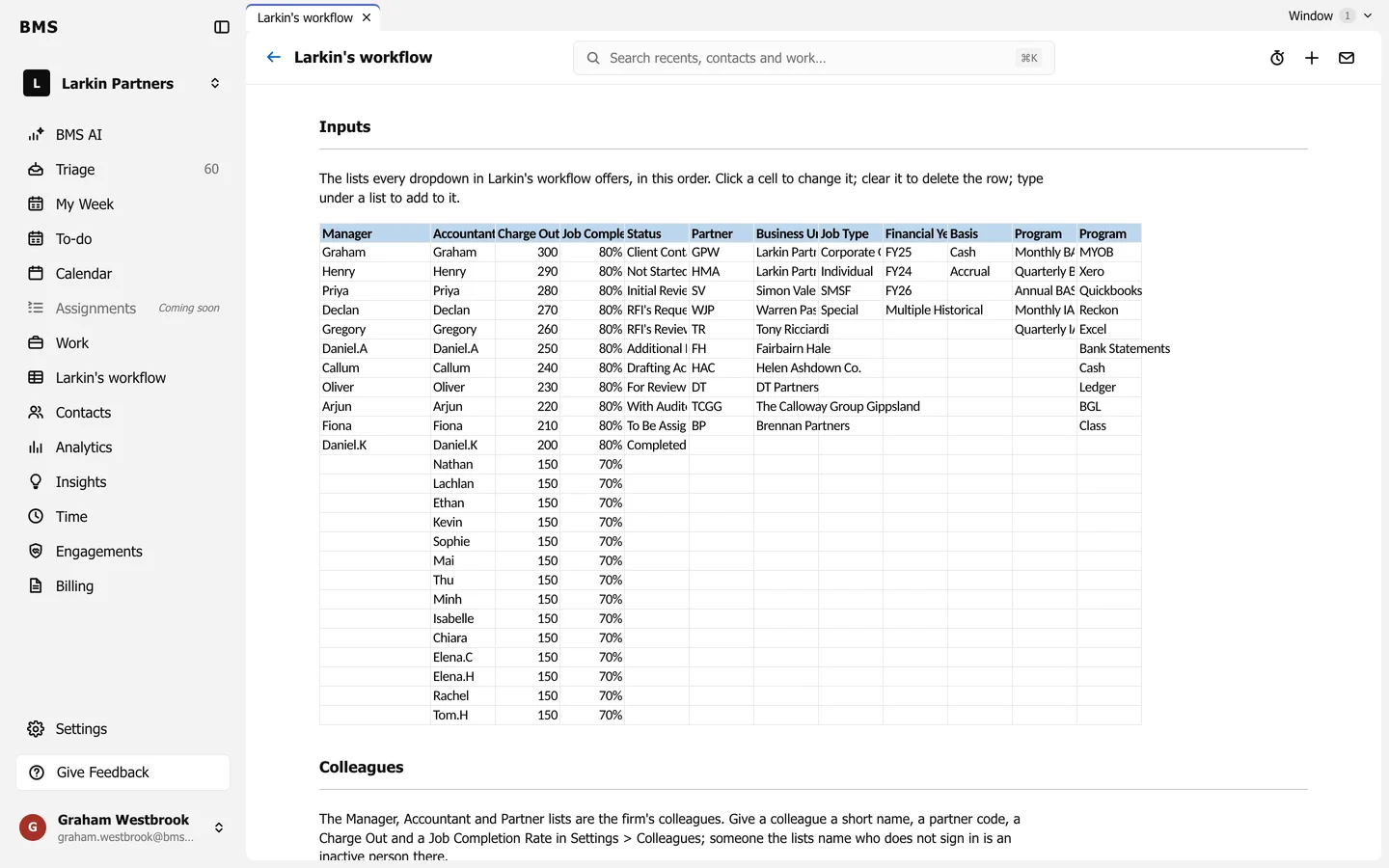
Inputs
Section titled “Inputs”Inputs holds the lists every dropdown in the tracker offers, in order: managers, accountants, statuses, partners, business units, job types, financial years, programs and more.
- Click a cell to change it.
- Clear a cell to delete that row.
- Type under a list to add to it.
Colleagues
Section titled “Colleagues”The Manager, Accountant and Partner lists are your firm’s colleagues. Give a colleague a short name, a partner code, a charge-out rate and a job completion rate in Settings > Colleagues; someone the lists name who does not sign in is an inactive person there.