

Budget, time and fees on a job
Add a budget estimate, log time, start a timer and set fees.
The Time & Budget tab compares what a job was meant to take with what it has taken.
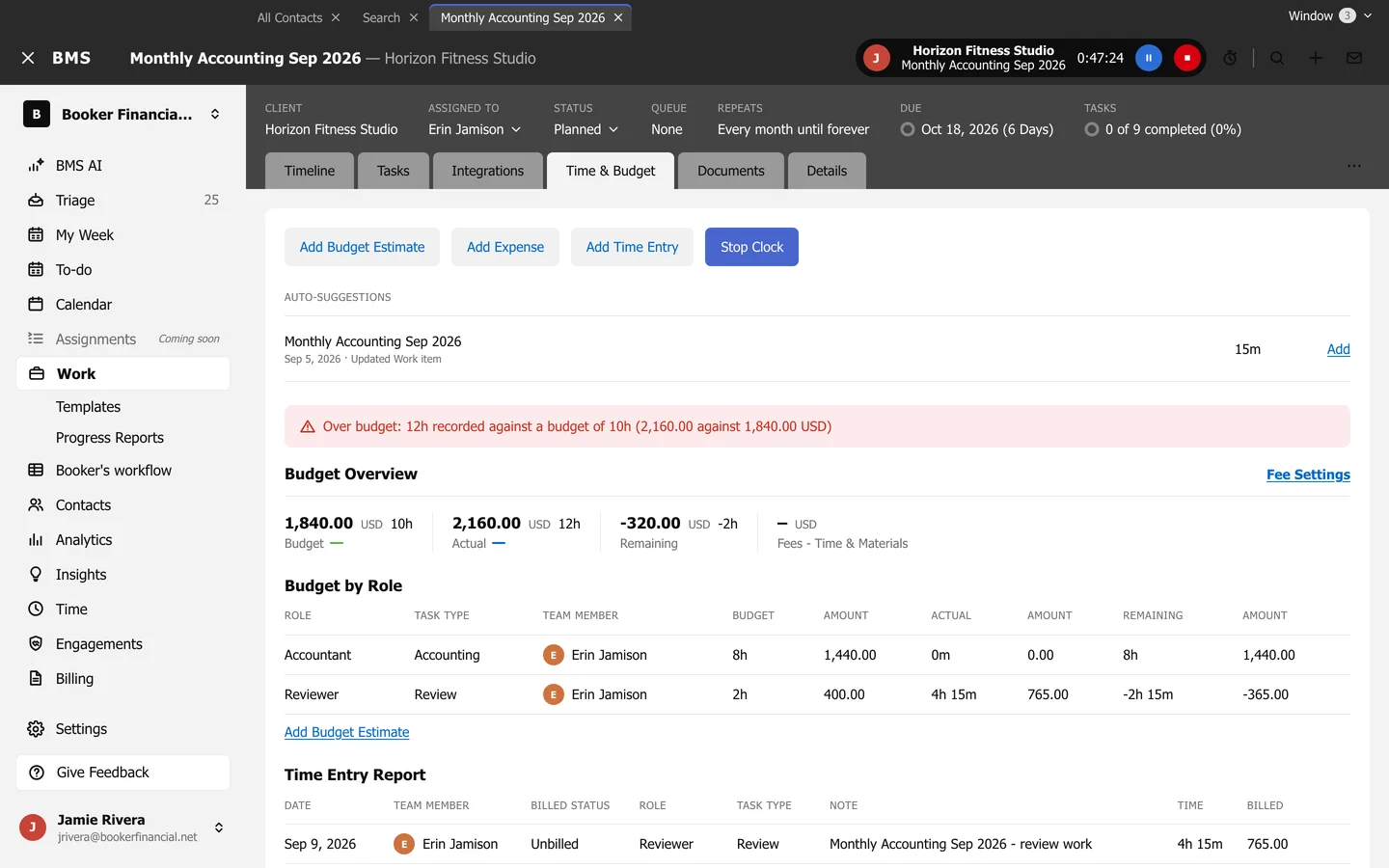
- Add Budget Estimate: for a Team Member or Role, the Task Type, Hourly Rate and Estimated Time.
- Add Time Entry logs time to the job; Start Timer times it as you go.
- Budget Overview shows Budget, Actual and Remaining, and the fees; Fee Settings sets the Fee Type and a Fixed Fee.
- Budget by Role breaks the budget down by role.
- Time Entry Report lists every time entry on the job.
BMS warns when a job goes over budget.