

What clients can see and do
Show job fees, Done uploading, photos kept as PDFs, contact details and the portal language.
The rest of Settings > BMS for Clients decides what clients see. Every change is saved with Save at the bottom of the page.
Your Work
Section titled “Your Work”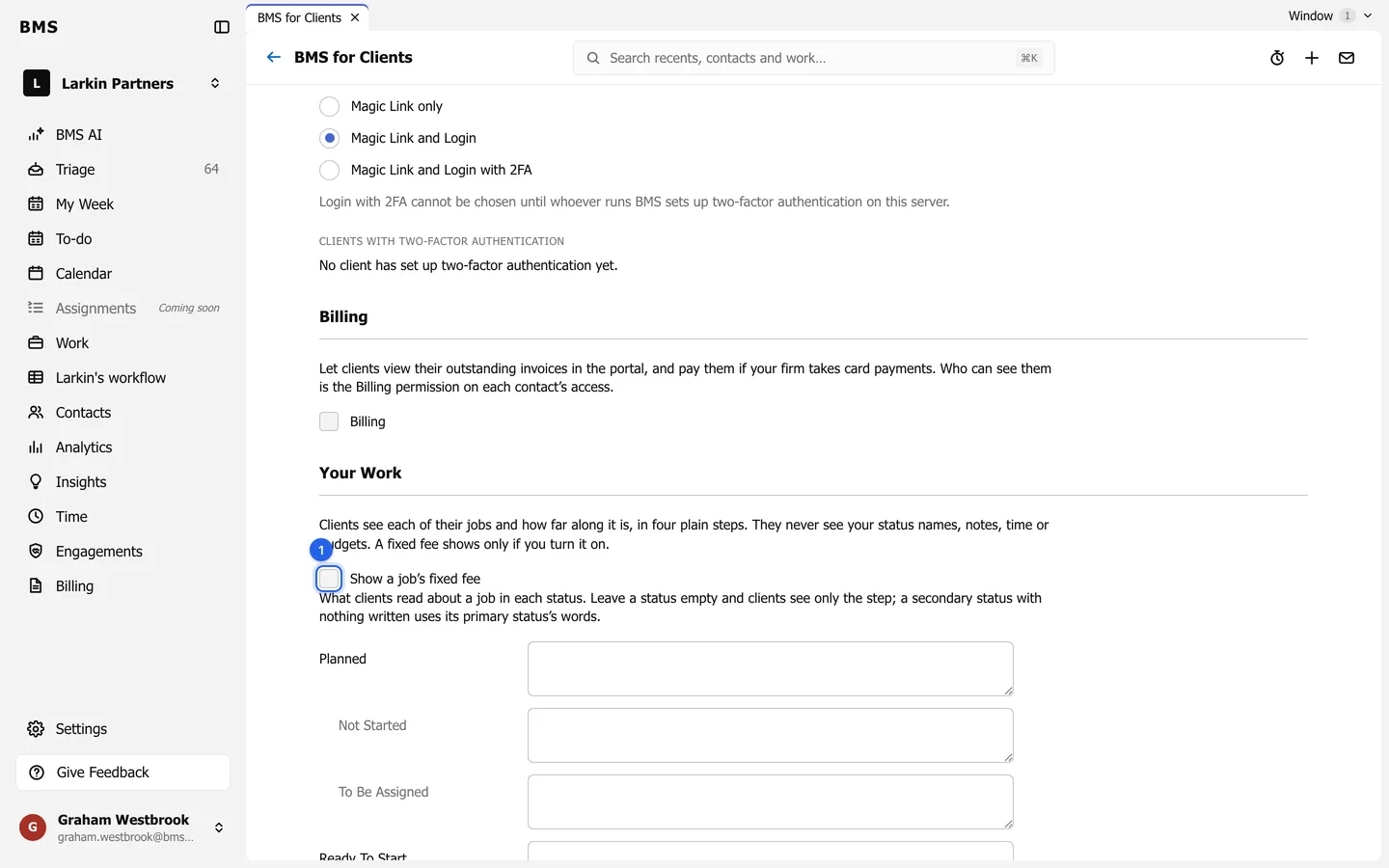
- Clients see each job in four plain steps and never see your status names, notes, time or budgets.
- Show a job’s fixed fee adds the fee to each job; it is off by default.
- Below it, write a sentence or two for any of your statuses, such as “We are preparing your return”. Clients read it under the job’s steps and on Home. Leave a status empty and clients see only the step.
Client uploads
Section titled “Client uploads”Clients can only add files, never delete or rename one.
- Show Done uploading gives clients the button that tells the job’s team everything is in. On by default.
- Keep photos as PDFs saves a JPEG or PNG a client sends as a one-page PDF. On by default.
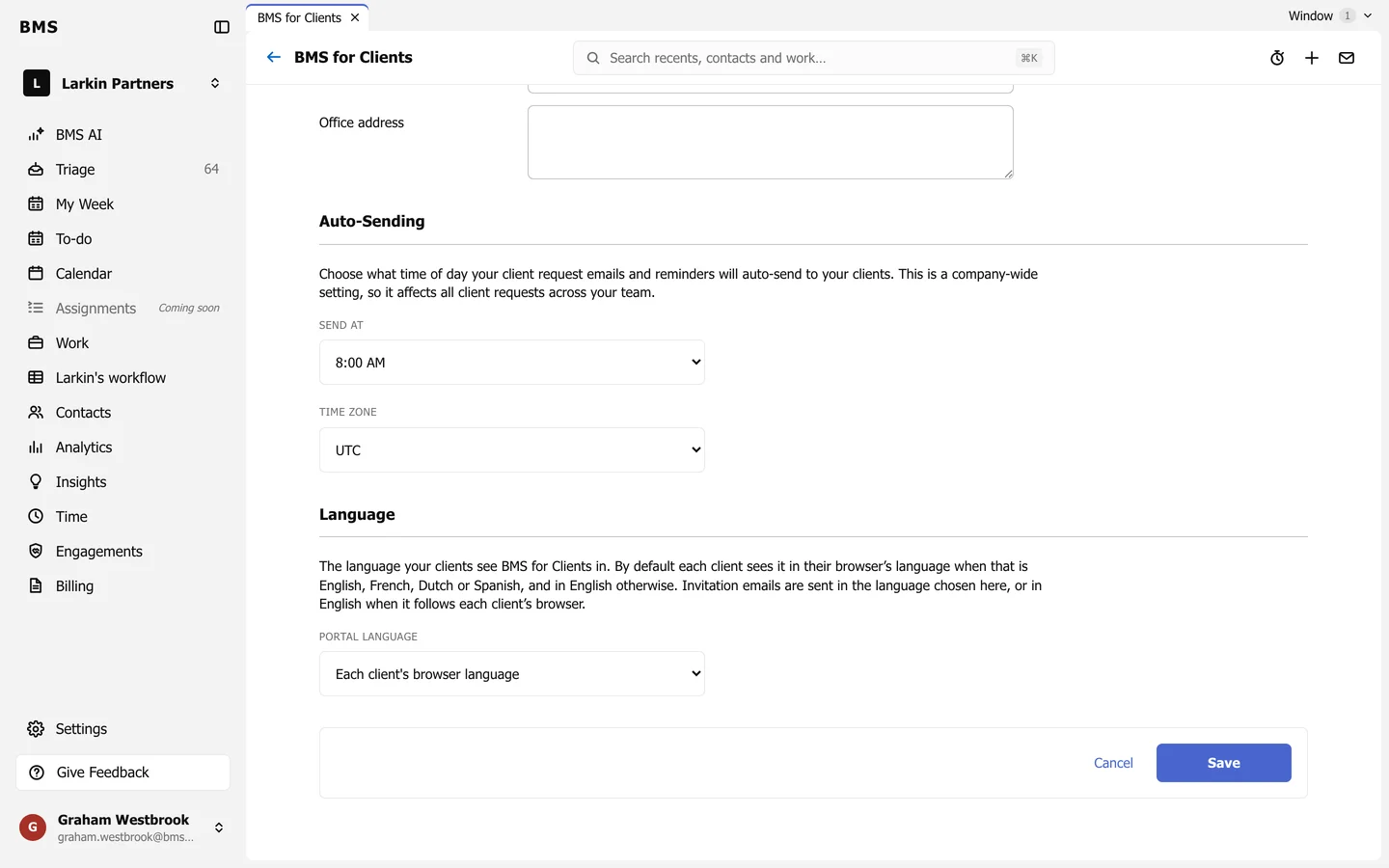
Contact details
Section titled “Contact details”Phone, Email and Office address appear on a card on each client’s Home page. Leave a field empty to leave it off; with all three empty there is no card.
Language
Section titled “Language”Portal language sets the language of every page and email clients see: Each client’s browser language, English, French, Dutch or Spanish. It is one setting for the whole firm; your own BMS stays in English.
Billing
Section titled “Billing”Tick Billing to let clients view their outstanding invoices, and pay them if your firm takes card payments. Who sees invoices is decided by the Billing permission on each person’s access.