

Reminder drafts: overdue invoices, open requests, unbilled work
BMS prepares reminder drafts for you to check before they go.
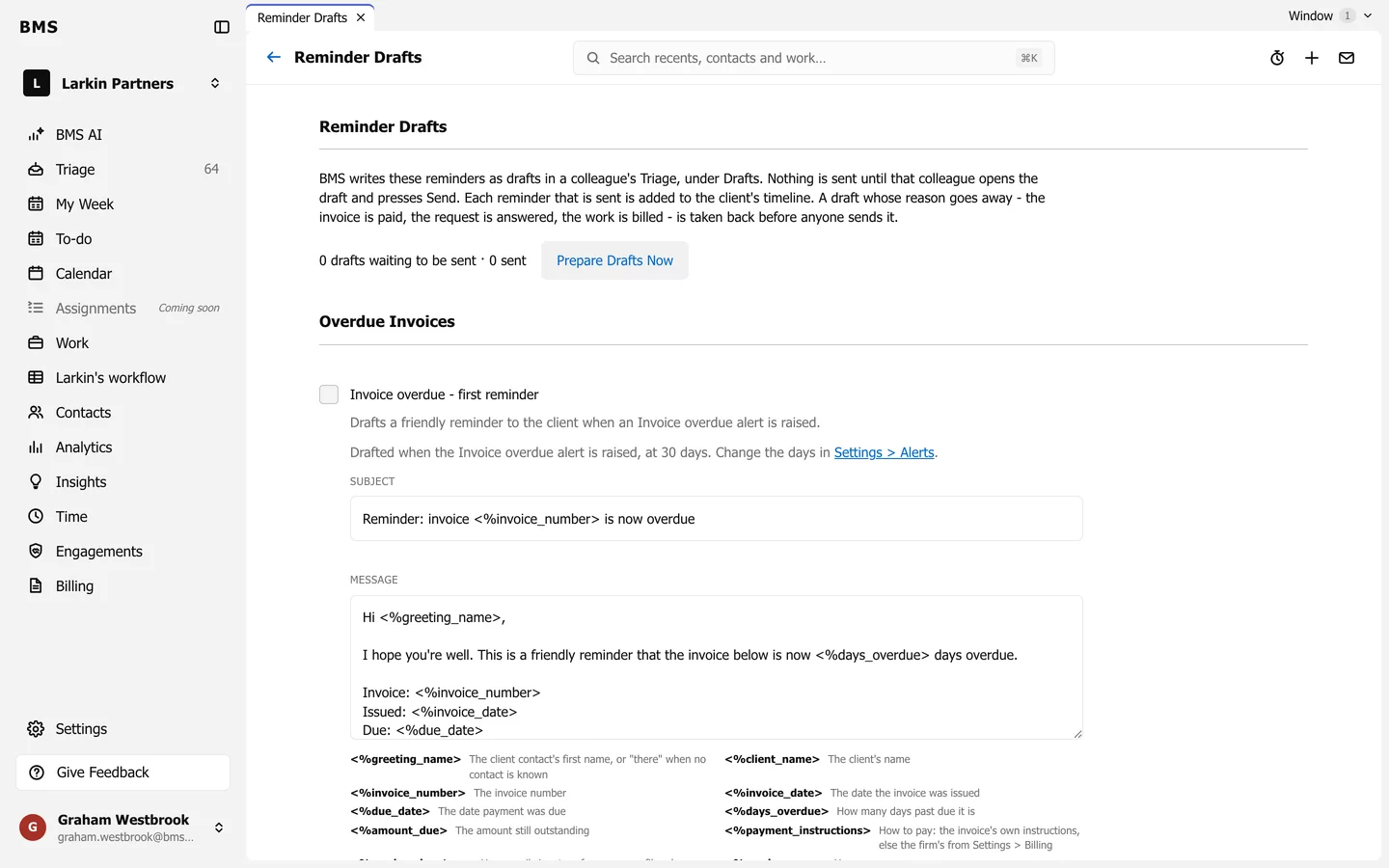
Reminder drafts write the chasing emails for you and leave them in your Triage Drafts. Nothing is sent until a person checks the draft and presses Send.
The five rules
Section titled “The five rules”| Rule | Drafts a reminder when |
|---|---|
| Invoice overdue - first reminder | An invoice becomes overdue. |
| Invoice overdue - second reminder | It is still overdue later. |
| Invoice overdue - final reminder | It is still overdue after that. |
| Unanswered client requests | A client request has gone unanswered. |
| Completed work not yet billed | Finished work has not been billed. |
Turn a rule on
Section titled “Turn a rule on”-
Go to Settings > Reminder Drafts.
-
Turn on the rule, then edit its Subject and Message. Merge fields such as the client’s name fill themselves in.
-
Save. Press Prepare Drafts Now to write any drafts that are due straight away.