

Invoice and email templates
Layout, payment instructions and the invoice email.
Go to Settings > Billing. Besides payments, the chart of accounts, the accounting period and tax rates, it holds three templates:
- Ad hoc Invoice Template, for invoices you create.
- Recurring Invoice Template, for recurring billing.
- Email Template, the email an invoice is sent with.
Invoice templates
Section titled “Invoice templates”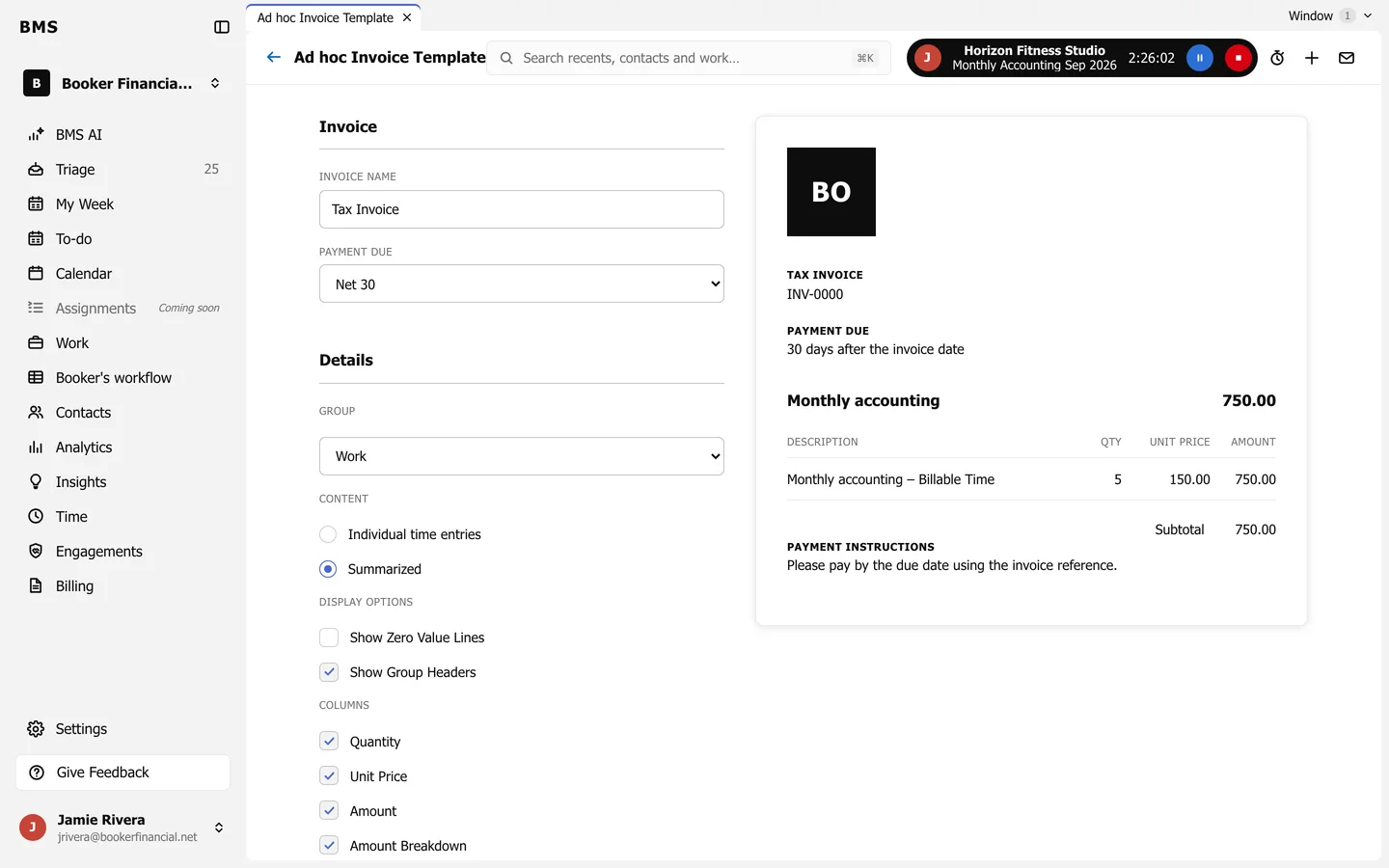
Set the Invoice Name, Payment Due, how lines are grouped, whether time shows as individual entries or Summarized, which columns show, and the payment instructions. The preview on the right updates as you go.
The email template
Section titled “The email template”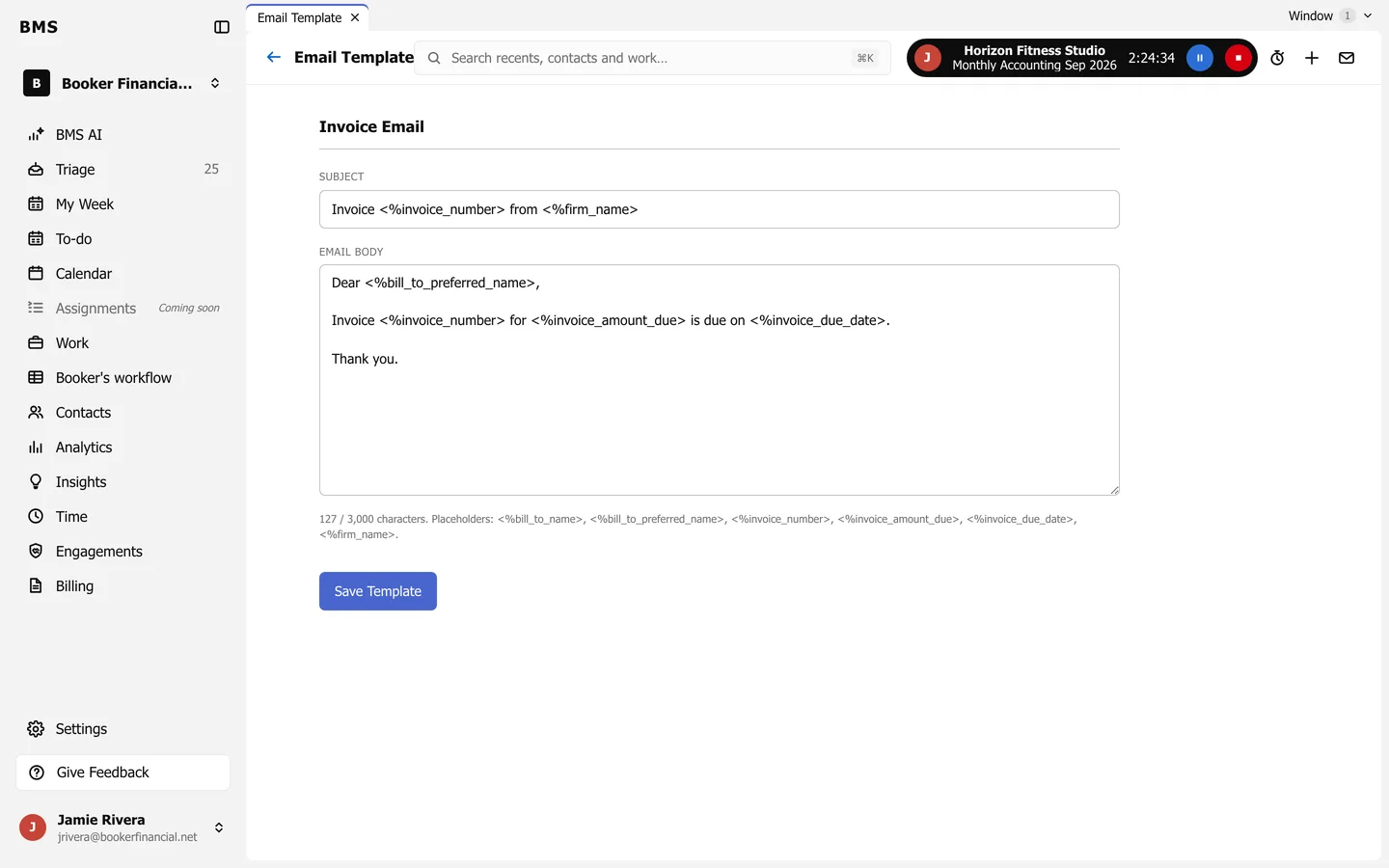
Write the Subject and Email Body, using placeholders such as <%invoice_number> and <%invoice_due_date>, and press Save Template.