

Clear items and reach Triage zero
Clear one item, or Clear Today and Clear This Week in list view.
Clearing moves an item to Cleared and marks it read. Nothing is deleted, and new activity on the item brings it back.
Clear one item
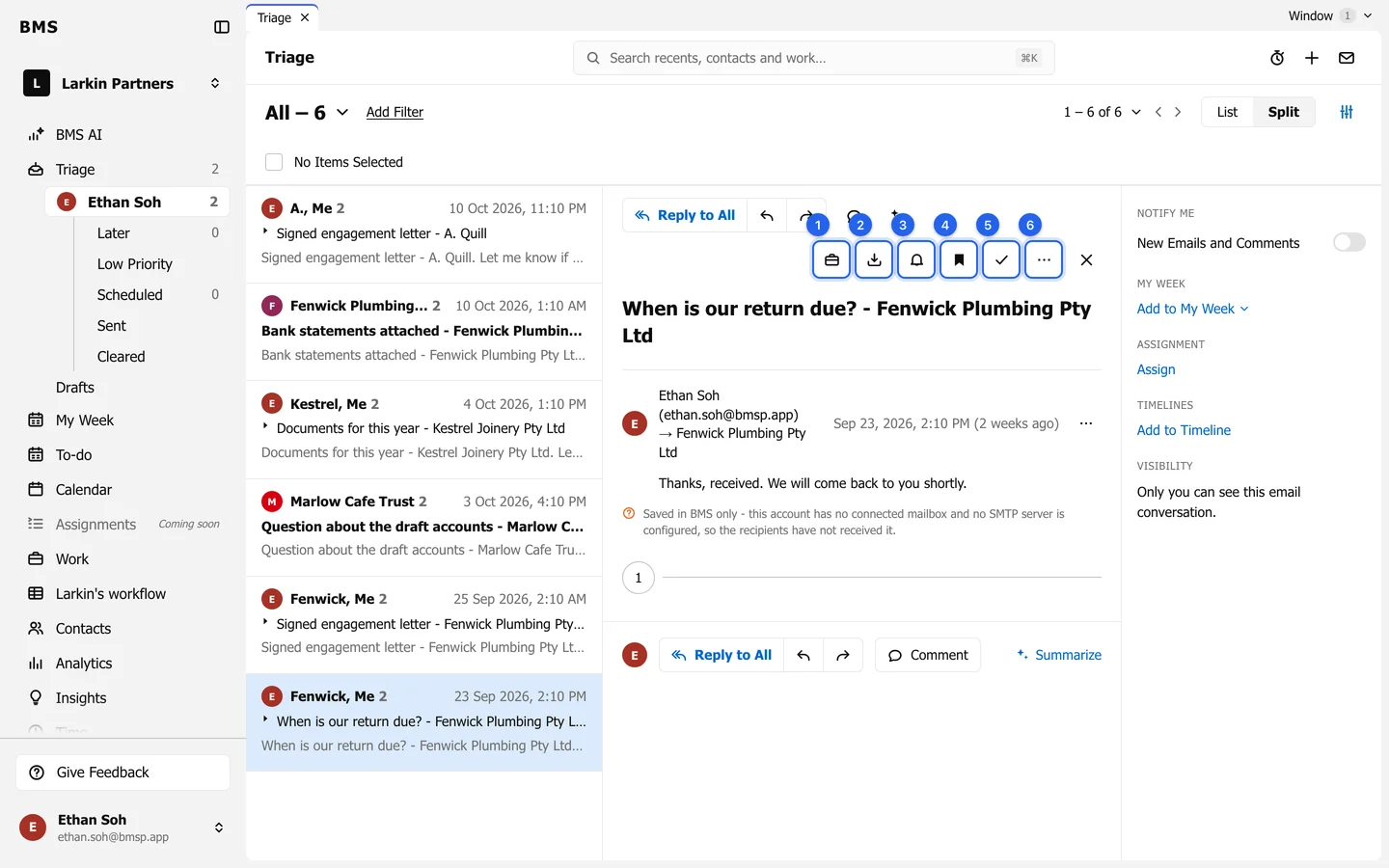
Section titled “Clear one item”Open it and press Clear (the tick) in the action bar, or choose Clear in More actions.
Clear a whole day
Section titled “Clear a whole day”In List view, each day has its own link: Clear Today, Clear Yesterday, Clear This Week or Clear Earlier.
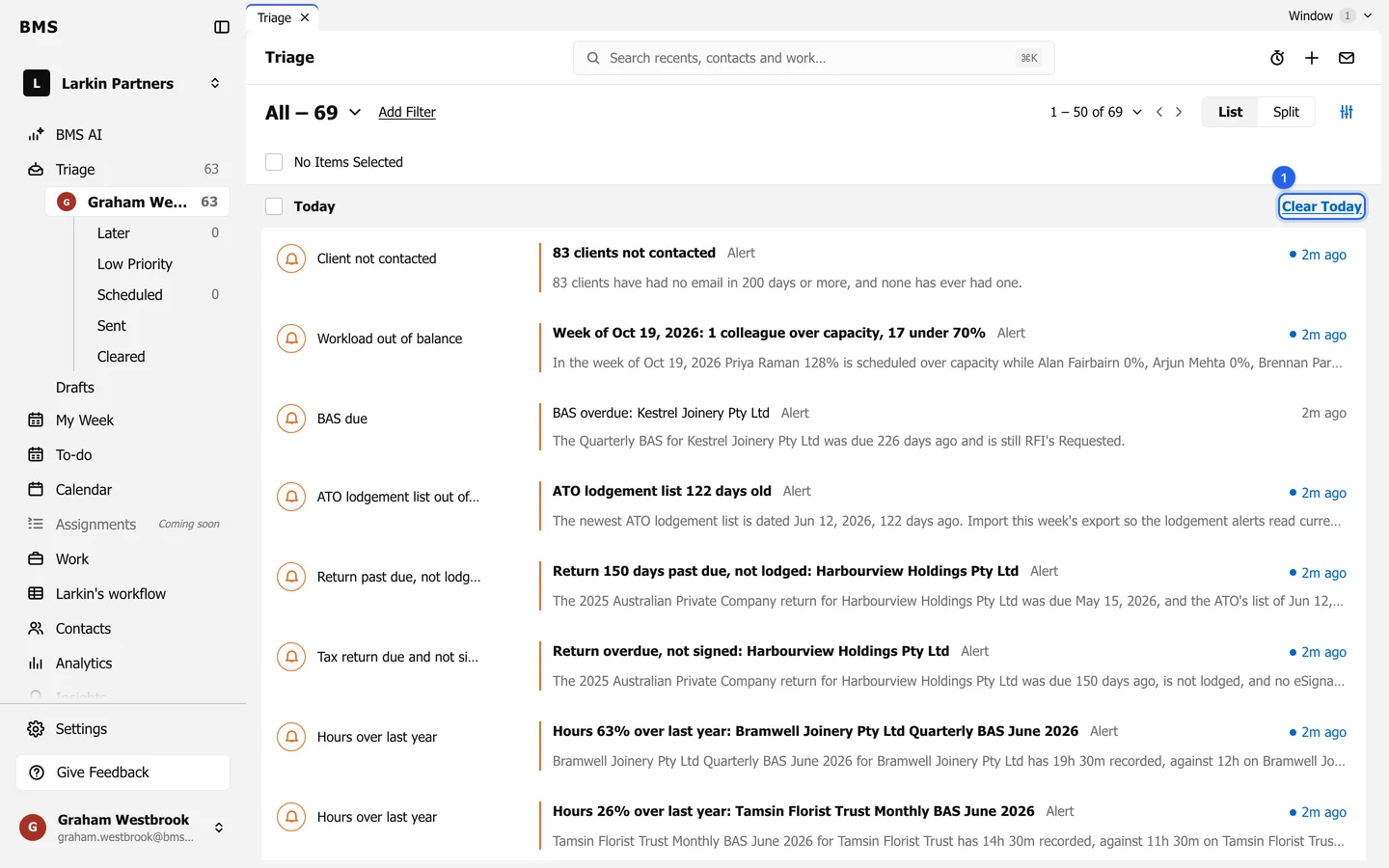
Or tick several items and press Clear above the list.
Bring back a cleared item
Section titled “Bring back a cleared item”Open Cleared, open the item and press Save to Later. Then open it from Later and press Return to Triage.