Skip to content

Credit notes

Firms billing in BMSFor: Billing adminAccess: Billing admin

Write off or return work to unbilled.

  1. Open the invoice and choose Create Credit Note from the … menu.

  2. Choose the Lines to credit, and what happens to the work:

    • Write off the amount, or
    • Return the work and time to unbilled, to bill it again later.
  3. Save, then Post the credit note.

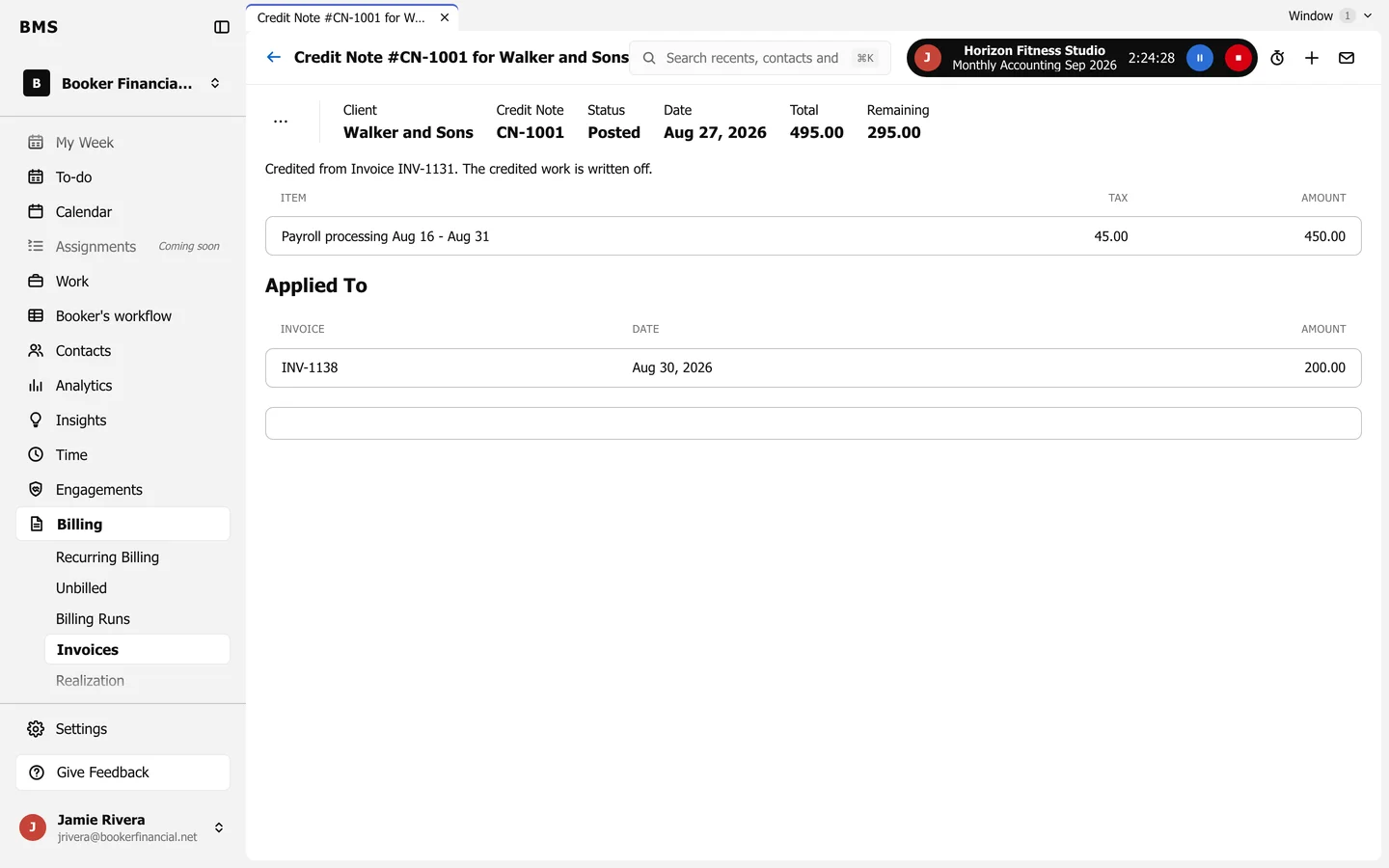
A posted credit note for Walker and Sons: total 495.00 with 295.00 remaining, the credited line, and an Applied To list showing 200.00 applied to another invoice.
A credit note.

Any credit not used on the invoice stays as Remaining, and can be applied to another of the client’s invoices.

Still need help?

Ask your firm's BMS admin first: they can see your access level and your firm's settings. Clients of a firm should contact their accountant.

Last updated: