

Change client, rename or delete a job
The work item options menu.
Work item options (the three dots at the right of the tabs) holds every action on the job.
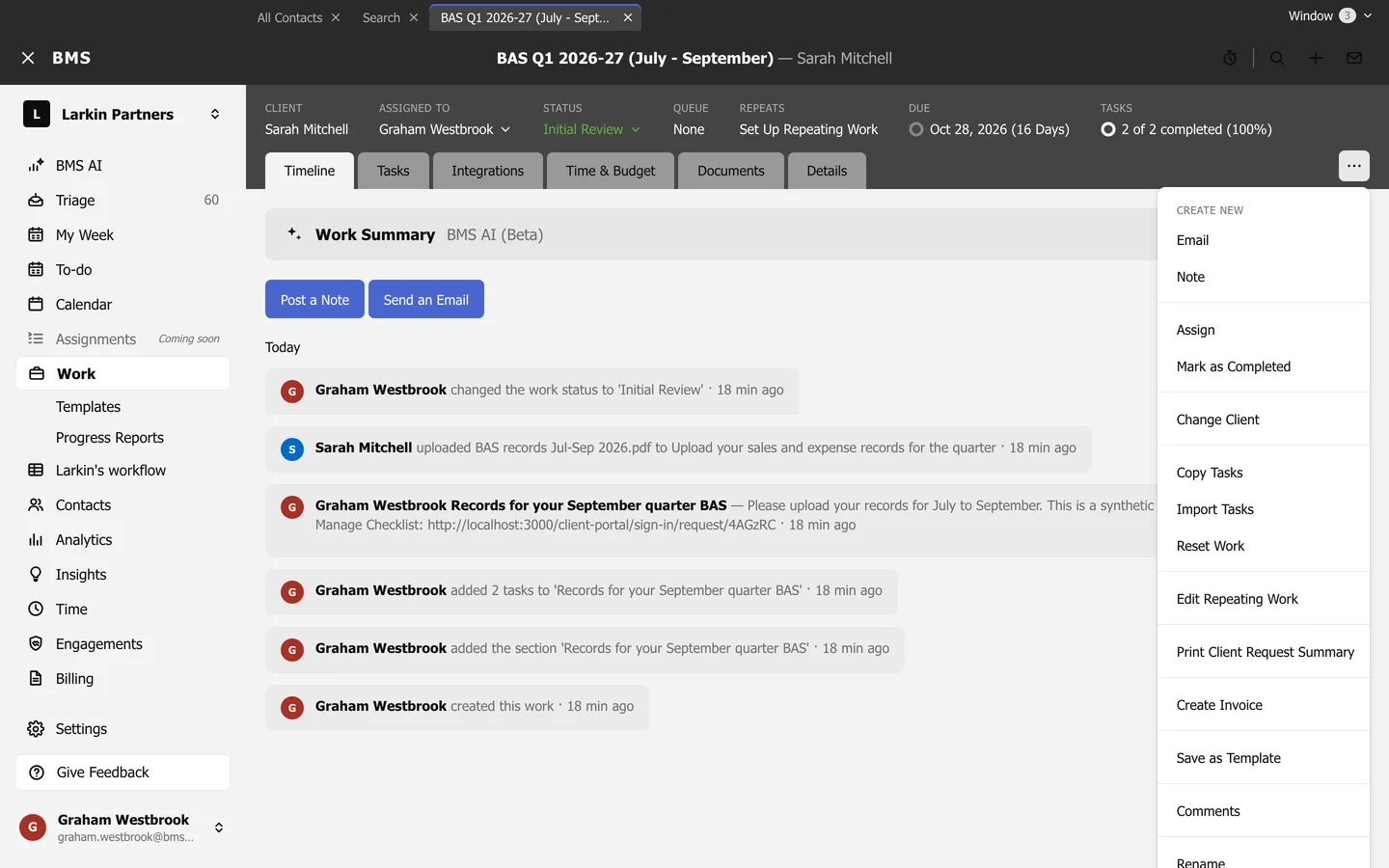
- Change Client: move the job to another client.
- Rename: change its name.
- Delete: delete the job and all its tasks, after confirming.
- Copy Tasks, Reset Work: see Copy, paste and reset tasks.
- Edit Repeating Work, Print Client Request Summary, Save as Template.
- Create Invoice, for firms that bill in BMS.