

The calendar: month, week, day and colleague views
Work due, tasks, to-dos, engagements and meetings in one place.
Calendar in the sidebar puts everything with a date in one place.
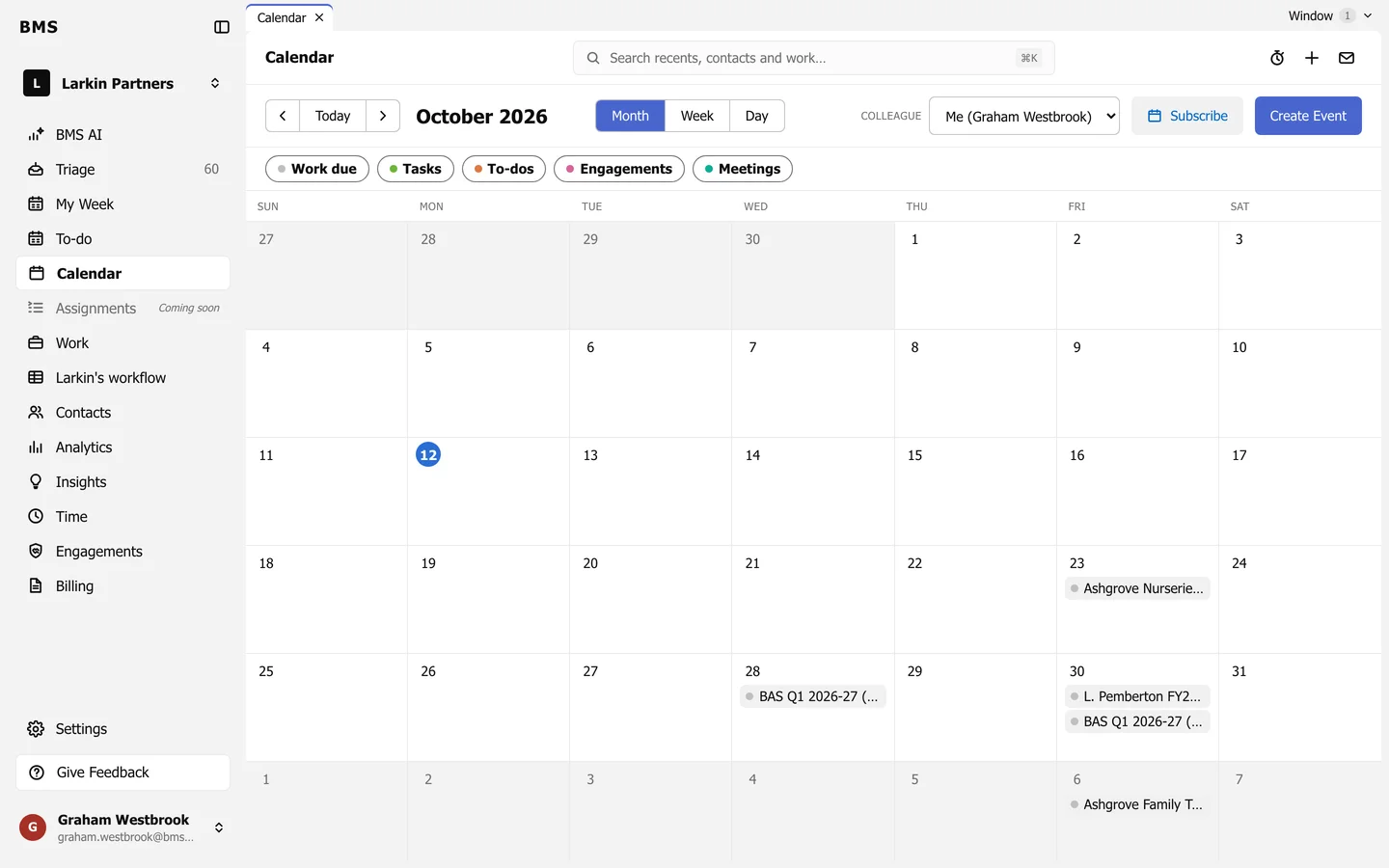
- Month, Week and Day change the view; the arrows and Today move through time.
- Colleague shows your own calendar, a colleague’s, or everyone’s.
- The chips choose what shows: Work due, Tasks, To-dos, Engagements and Meetings.
- Press an item to open it.
Dates come from the jobs, tasks, to-dos and engagements themselves, so changing a due date anywhere moves it here too.