

Sign in to BMS
Email and password, an emailed sign-in link, and the Google, Microsoft and SSO buttons.
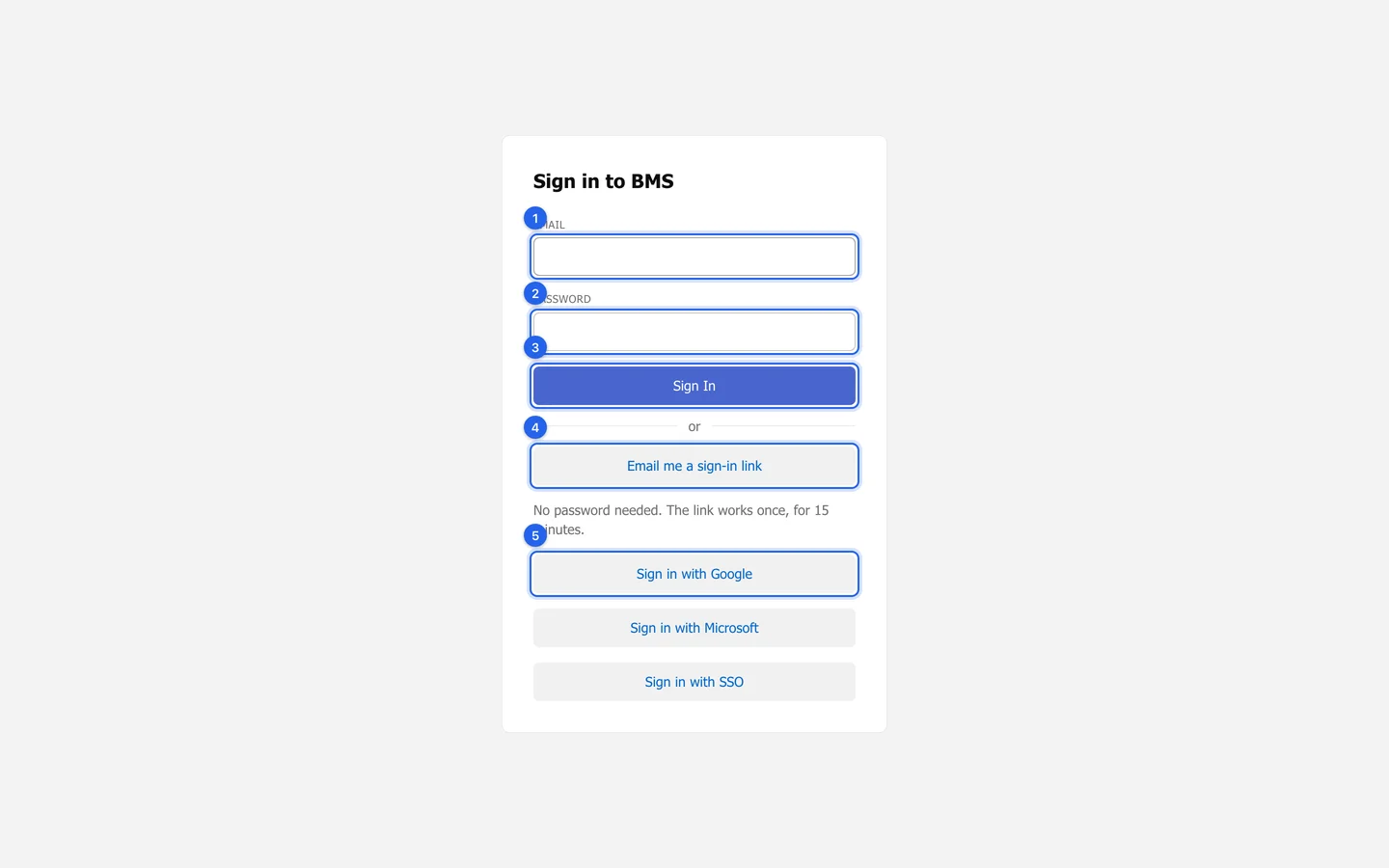
With your password
Section titled “With your password”-
Open your firm’s BMS address.
-
Type your work Email and Password.
-
Press Sign In. If your firm uses two-step sign-in, BMS then asks for the code from your authenticator app.
With an emailed link
Section titled “With an emailed link”Press Email me a sign-in link instead of typing a password. A link arrives by email; it works once, for 15 minutes.
With Google, Microsoft or SSO
Section titled “With Google, Microsoft or SSO”Press Sign in with Google or Sign in with Microsoft to use your work account; it opens BMS only if a colleague already has that exact email address. If your firm uses single sign-on, type your work email first, then press Sign in with SSO.
If you cannot sign in
Section titled “If you cannot sign in”| Message | What to do |
|---|---|
| That email address and password do not match. | Check both, or use Email me a sign-in link. |
| Too many wrong passwords | Wait 15 minutes, or ask for a sign-in link. |
| Ask an Admin at your firm to restore your access. | Your account has been archived. |
| Press Sign in with SSO instead. | Your firm requires single sign-on. |