

How BMS works with your systems
What BMS reads, the decisions kept in BMS, and what stays in MYOB AE and the ATO.
BMS is where your firm runs its work day to day. It reads from the systems you already have, keeps the decisions made at the firm, and leaves the official records where they belong. Open the full picture from your profile menu: press your name at the bottom of the sidebar, then How BMS works.
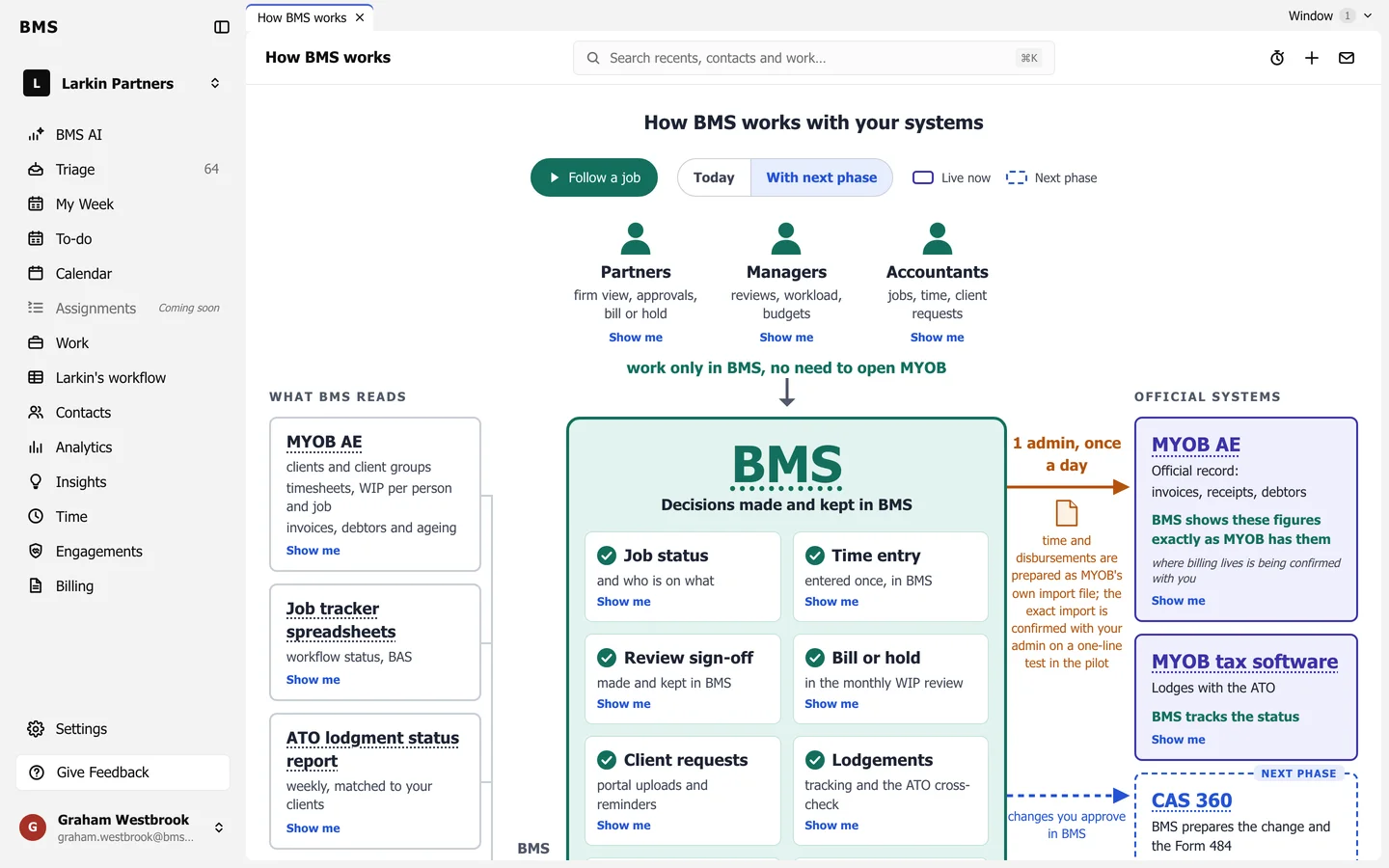
Three columns
Section titled “Three columns”- What BMS reads: MYOB AE, your job tracker spreadsheets, the ATO lodgement status report and your Outlook calendar.
- Decisions made and kept in BMS: job status, time entry, review sign-off, bill or hold, client requests, lodgements, alerts, home pages and BMS AI. Your clients reach these through the client portal.
- Official systems: MYOB AE and your MYOB tax software stay the official record.
Partners, managers and accountants work only in BMS; there is no need to open MYOB for day-to-day work.
Use the page
Section titled “Use the page”- Press a box’s title to light up the arrows in and out of it, with one line on why; Escape clears it.
- Show me on a box opens the matching screen, or the matching step of the guided tour.
- Follow a job walks five steps: the client uploads, the status moves, a manager reviews, a partner bills or holds, and the admin imports to MYOB. Use Next, Back or the arrow keys.
- Today and With next phase switch between what is live now and what the next phase adds.