
Skip to content

Recurring billing

Firms billing in BMSFor: Billing adminAccess: Billing admin

Fixed fees billed on a schedule.

Billing > Recurring Billing bills a fixed fee on a schedule, such as a monthly accounting fee.
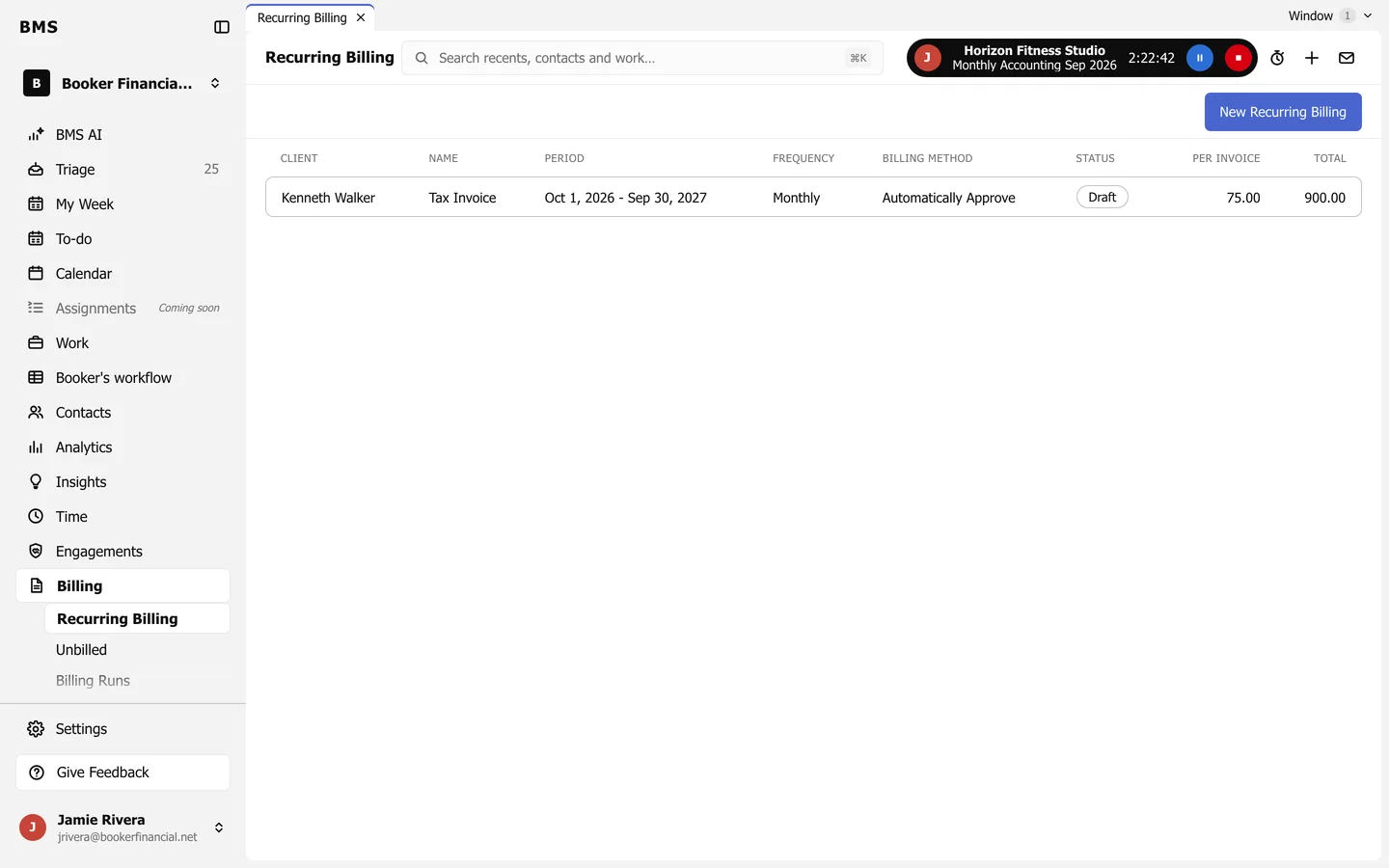
Recurring Billing: a list with client, name, period, frequency Monthly, billing method Automatically Approve, status Draft, per invoice and total, and a New Recurring Billing button.
Billing > Recurring Billing.
  1. Press New Recurring Billing and choose the client, the period and how often to bill.

  2. Add the services it covers, with their fees.

  3. Choose whether each invoice is approved automatically, and press Approve.
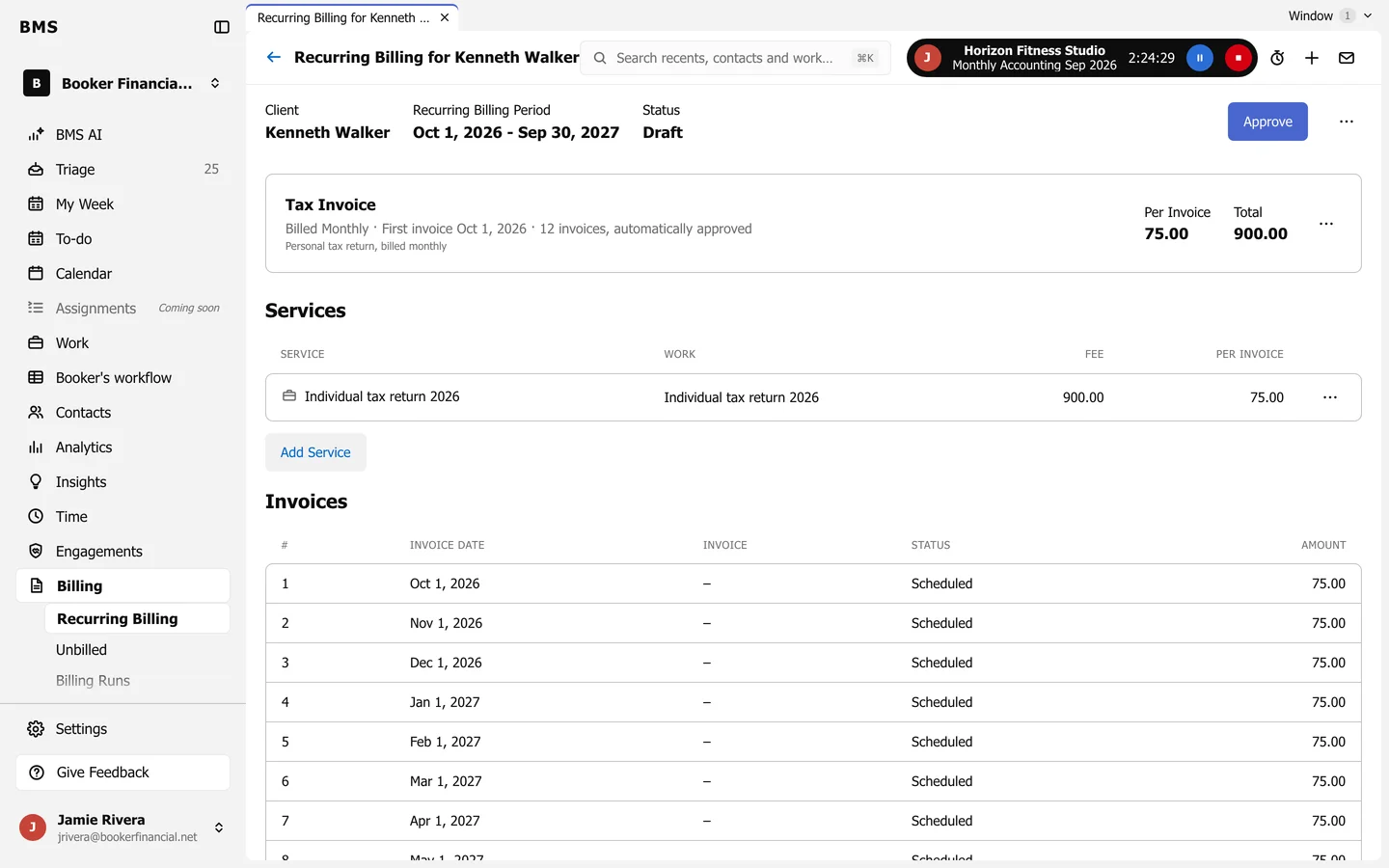
A recurring billing for one client: period, Draft status, an Approve button, the fee per invoice and total, its services, and a list of scheduled invoices by date.
The schedule of invoices.

The Invoices list shows every invoice the schedule will raise. Engagements set up recurring billing for you; see Engagements and their statuses.

Still need help?

Ask your firm's BMS admin first: they can see your access level and your firm's settings. Clients of a firm should contact their accountant.

Last updated: