What clients see in BMS for Clients
A short tour of the client side, from Home to Signatures.
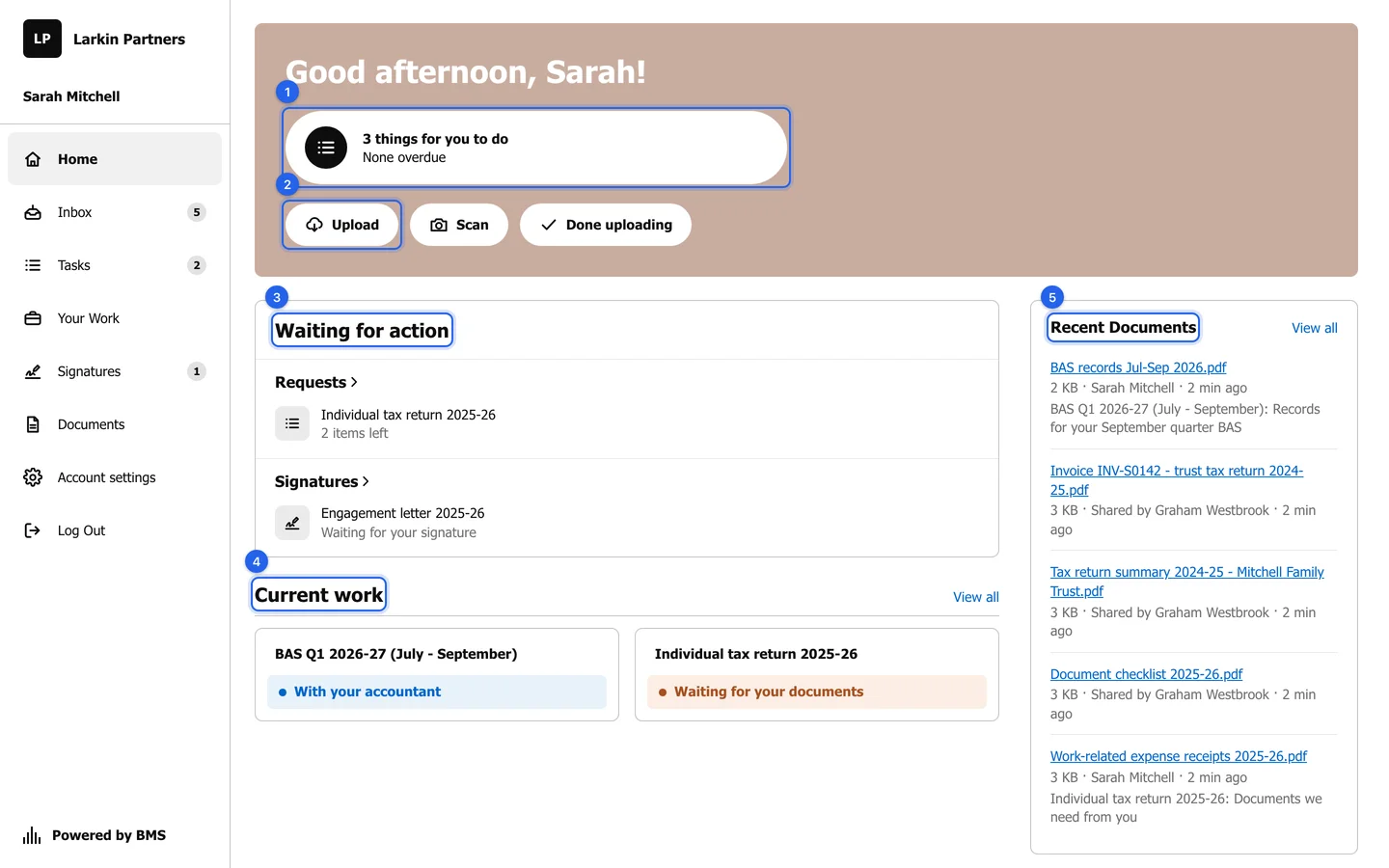
BMS for Clients is the portal your clients sign in to. It carries your firm’s name or logo, not BMS’s, and shows each client only their own jobs, requests and files. These are the pages a client sees; the Guide for clients has an article for each, written for the client.
| Page | What the client does there | Why it matters for your firm |
|---|---|---|
| Home | Sees how many things wait for them, with Upload, Scan and Done uploading. | Clients see what you need without phoning or emailing to ask. |
| Tasks | Answers each request item by item: upload, comment, mark complete or say “I don’t have this”. | Documents arrive filed against the right job and item. |
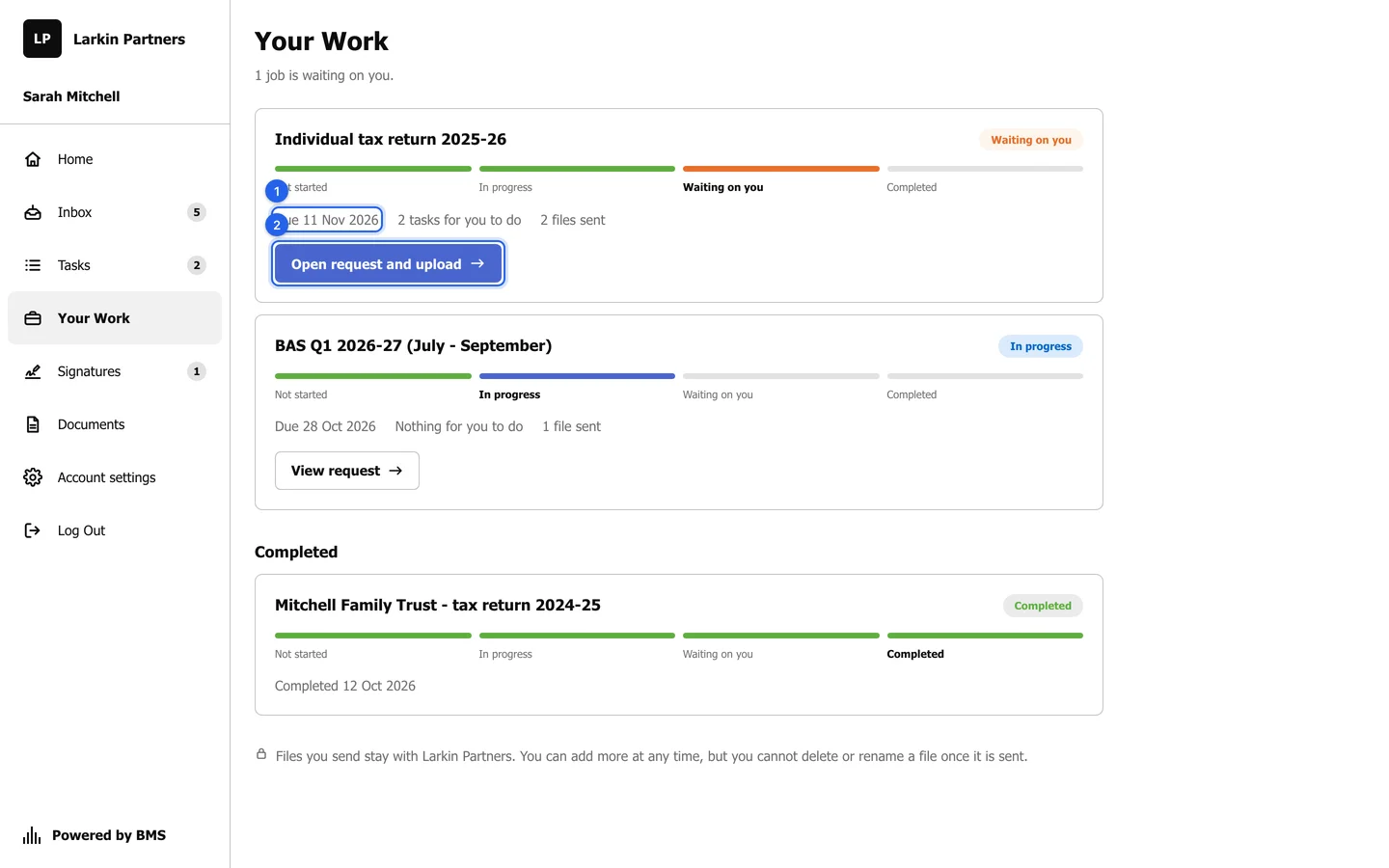
| Your Work | Follows each job in four plain steps: Not started, In progress, Waiting on you, Completed. | Clients see progress; internal notes, time and fees stay hidden. |
| Documents | Finds everything shared both ways, with search and date filters. | Clients can only add, never delete or rename, so you keep a complete record. |
| Signatures | Signs engagement letters and other documents in the browser. | Letters come back signed without printing or chasing. |
| Inbox | Catches up on everything you sent them. | One place to catch up instead of email. |
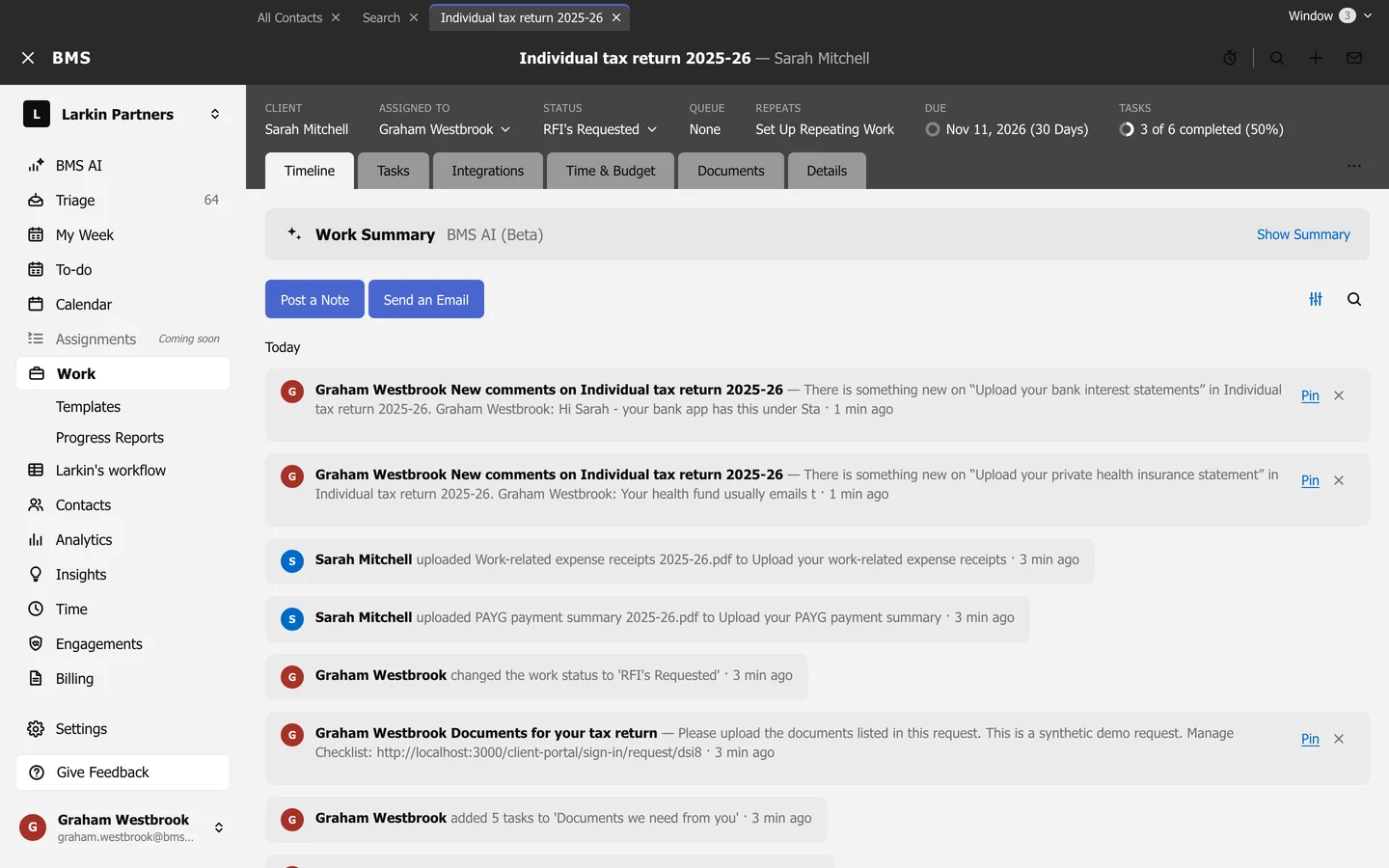
What your firm sees in return
Section titled “What your firm sees in return”Every upload, comment, skip and Done uploading reaches your firm in Triage as a Client Task item, for the job’s assignee and the colleague who sent the request. There is one item per task, marked unread again on each new move, so ten uploads are one item, not ten. The job’s timeline records each upload, and the job can move status by itself (see Move a job automatically when the client responds).