

Tour of a work item
Header fields and the Timeline, Tasks, Integrations, Time & Budget, Documents and Details tabs.
A job opens in its own dark frame, with the header across the top and six tabs.
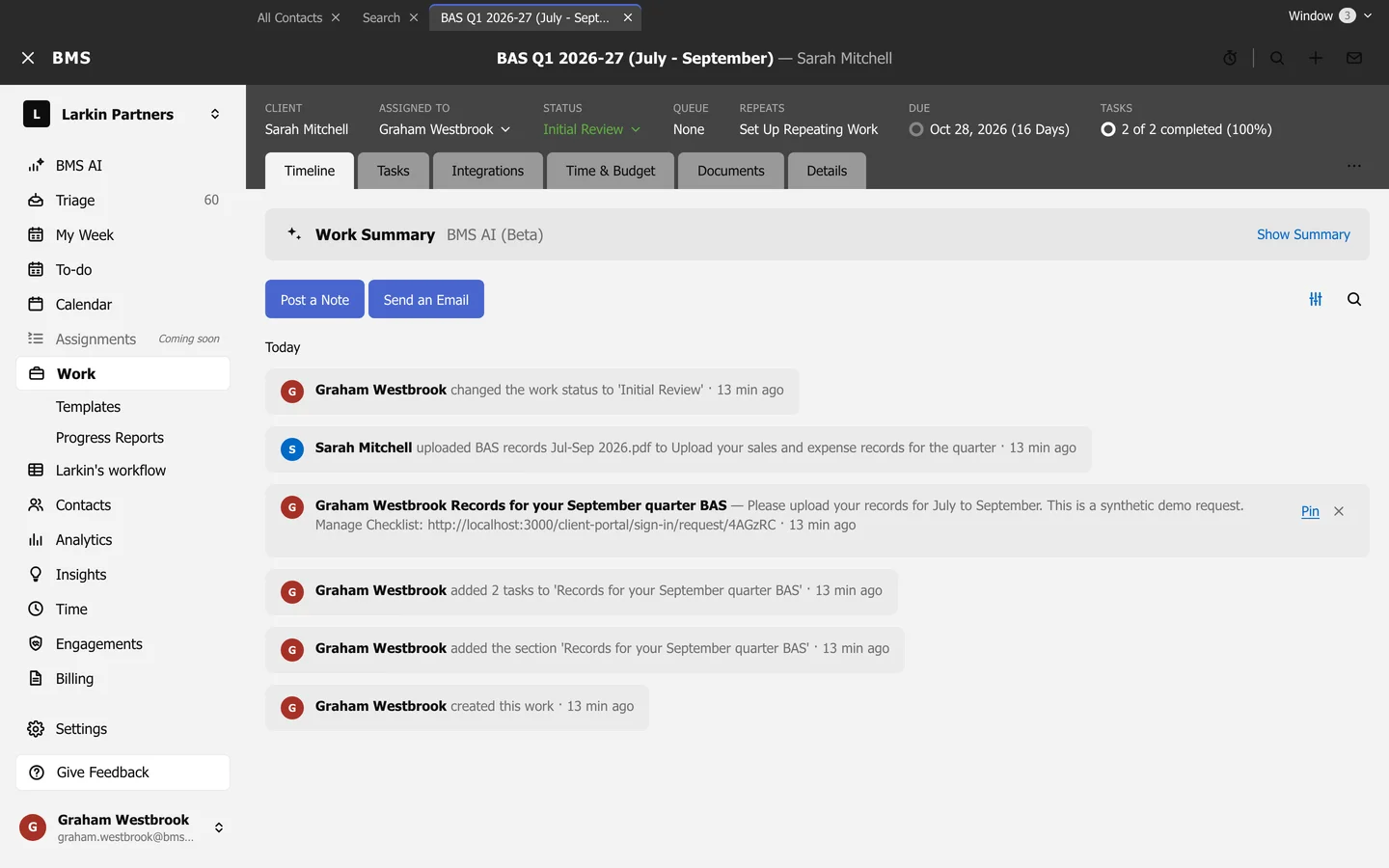
The header
Section titled “The header”| Field | Press it to |
|---|---|
| Client | Open the client. |
| Assigned to | Hand the job to someone else. |
| Status | Move the job on. |
| Queue | Change its queue, where queues are used. |
| Repeats | Set up or open its repeating schedule. |
| Due | Edit its dates. |
| Tasks | See how many tasks are done. |
Start the timer times your work on it; Work item options (the three dots) holds everything else.
The tabs
Section titled “The tabs”- Timeline: notes, emails, client activity and changes; see The timeline.
- Tasks: sections and tasks, client requests and signatures; see Tasks and sections.
- Integrations: tasks added by connected apps, and eSignature requests.
- Time & Budget: budget, time and fees; see Budget, time and fees.
- Documents: files on the job.
- Details: dates, team, privacy, tags and custom fields.
Press x at the top left to go back to Work.