

What Triage is
One inbox for email, assigned work, comments, alerts and client actions.
Triage is the first row of the sidebar and the place most of your day starts. Everything that needs you lands in one list: email, work assigned to you, comments that mention you, alerts BMS raises about money and deadlines, and what your clients do in the portal.
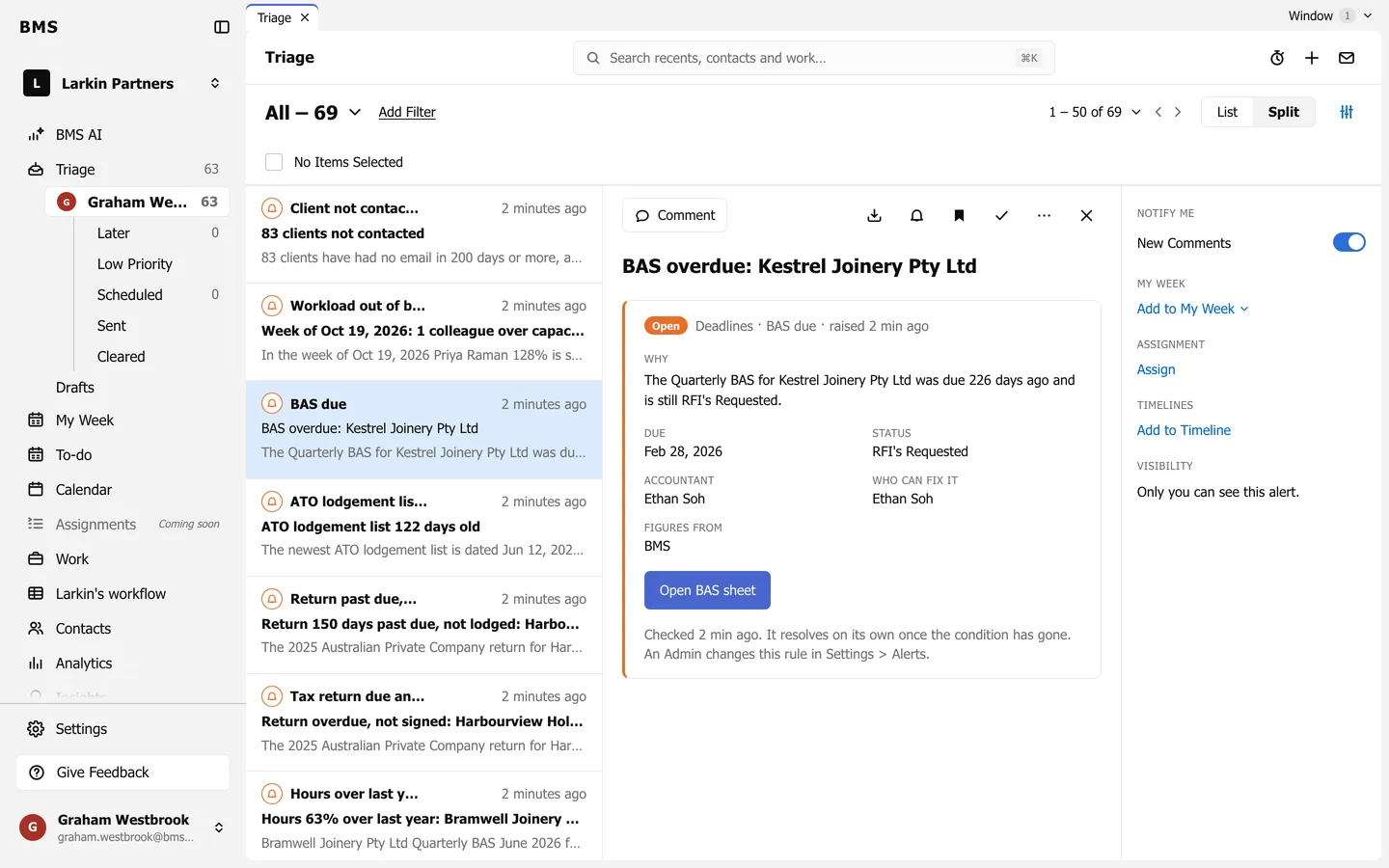
The idea is simple: deal with each item, then clear it. An empty Triage says Triage cleared and offers Go to your To-Do List.
What arrives in Triage
Section titled “What arrives in Triage”| Item | Comes from |
|---|---|
| Your connected mailbox, and email you send from BMS. | |
| Work assignment | A colleague assigning you a work item. |
| Note, Task | A note or task on a contact or job that involves you. |
| Client Task | A client uploading, skipping or pressing Done uploading in the portal. |
| Alert | BMS’s checks on billing, budgets, deadlines and workload. |