

Act on an alert
Open the job, decide, and clear the alert from the alert action bar.
-
Open the alert in Triage. The card says Why, shows the figures, and names Who can fix it.
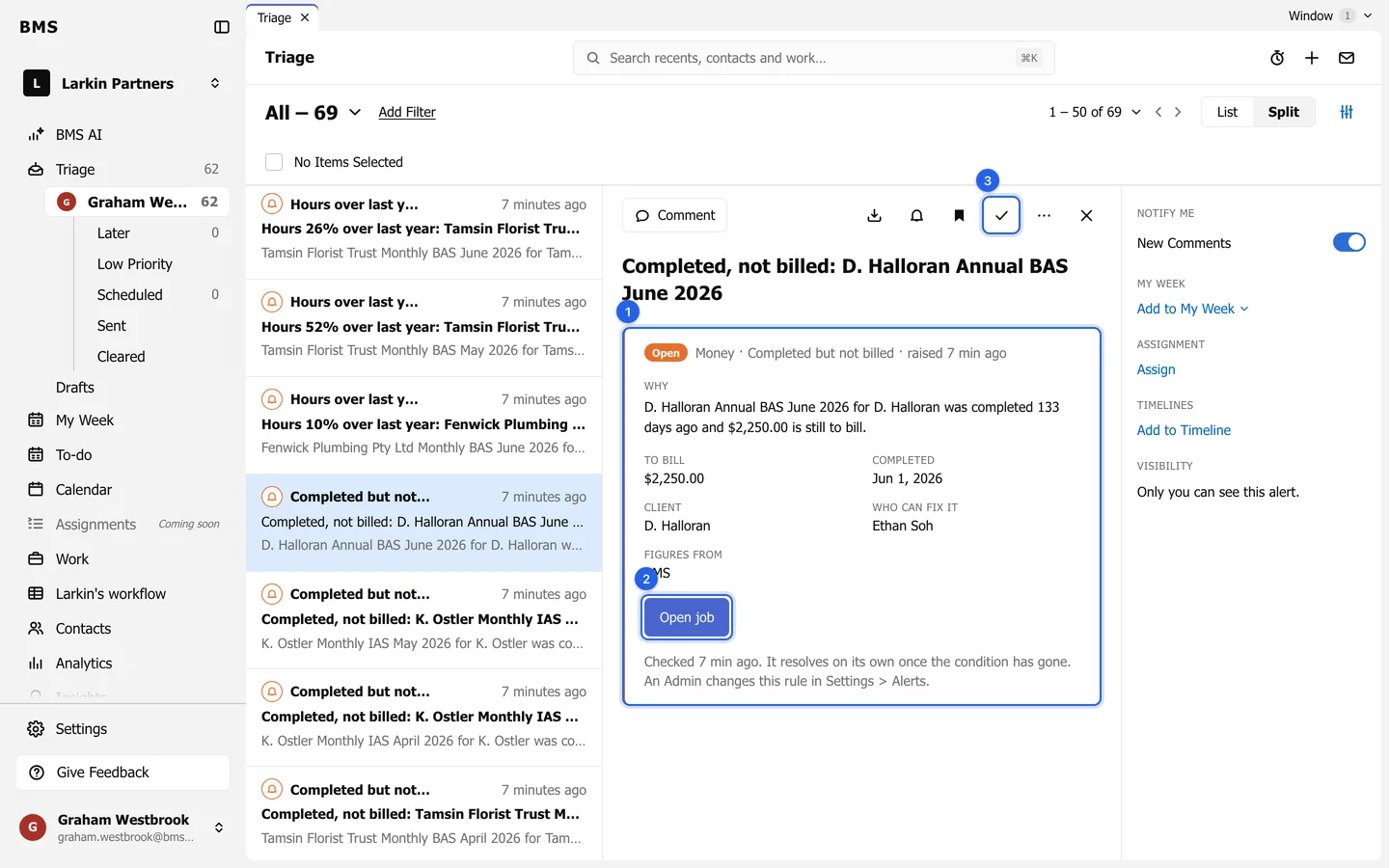
Read why (1), open the record (2), then Clear (3). -
Press the button on the card, such as Open job, Open invoice, Open client or Open Resource Planning, and deal with it there: bill the job, chase the invoice, move the work.
-
Come back to Triage and press Clear.
If someone else should act, press Assign and choose them, or Comment to ask. Remind me brings the alert back at a time you choose.