

Tag clients and client groups
Your own tags, applied in bulk and used to filter and group lists and reports.
Tags are your firm’s own labels, such as “Fixed fee”, “Sydney office” or “Late lodger”.
Tag clients
Section titled “Tag clients”- One client: on its Details tab.
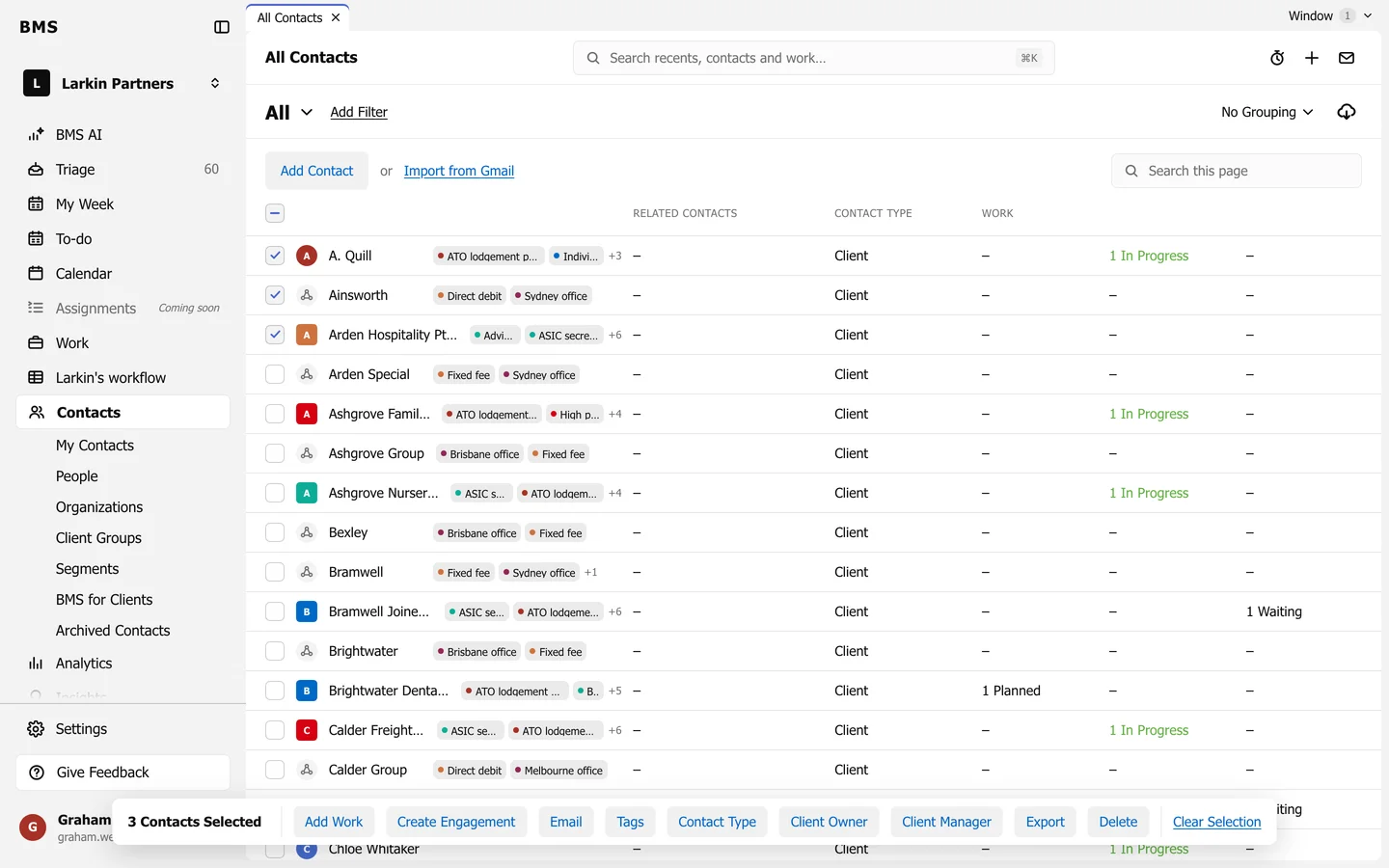
- Many at once: tick them on Contacts, press Tags and choose Add a tag (or Remove a tag).
A tag on a client group applies to every client in the group as well; change or remove it on the group.
Use them
Section titled “Use them”- Add Filter > Client Tags on Contacts, Work and Triage.
- Group by > Client Tag on the Work board, and No Grouping > Grouped by Tag on Contacts.
- Reports and the job tracker filter by tag too.