

Submit and approve a timesheet
Submit at period end; approvers approve or comment.
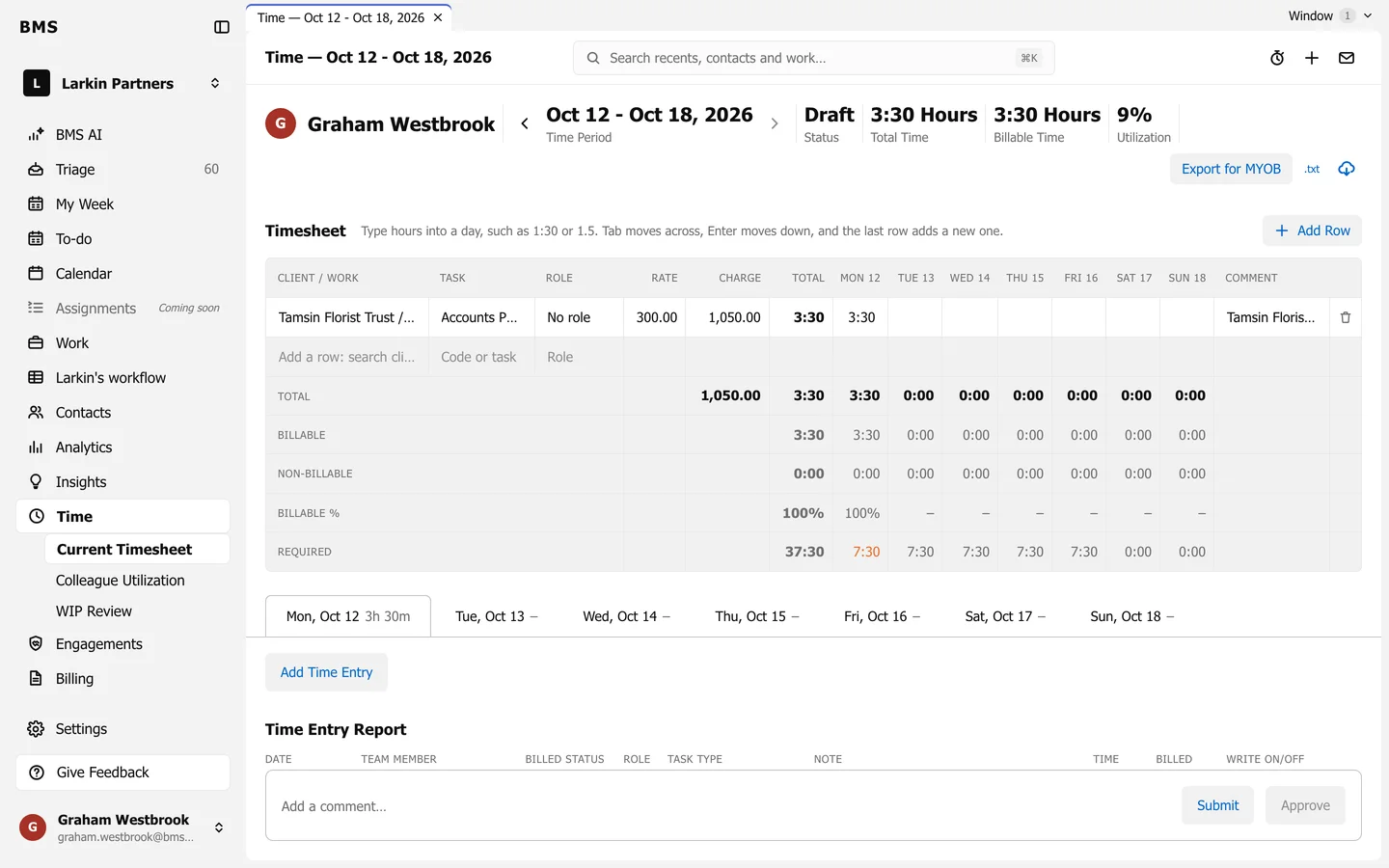
At the bottom of every timesheet is a comment box with Submit and Approve.
Submit yours
Section titled “Submit yours”-
When the period is done, check the totals against Required.
-
Optionally write a comment, then press Submit. The status changes from Draft to Submitted.
Approve a colleague’s
Section titled “Approve a colleague’s”-
Open their timesheet, for example from Colleague Utilization.
-
Read through it and add a comment if needed.
-
Press Approve.