

Update many contacts at once
Bulk tag, type, client owner and manager, create work, delete.
Tick the contacts on the list (the box at the top ticks the whole page), and the toolbar appears.
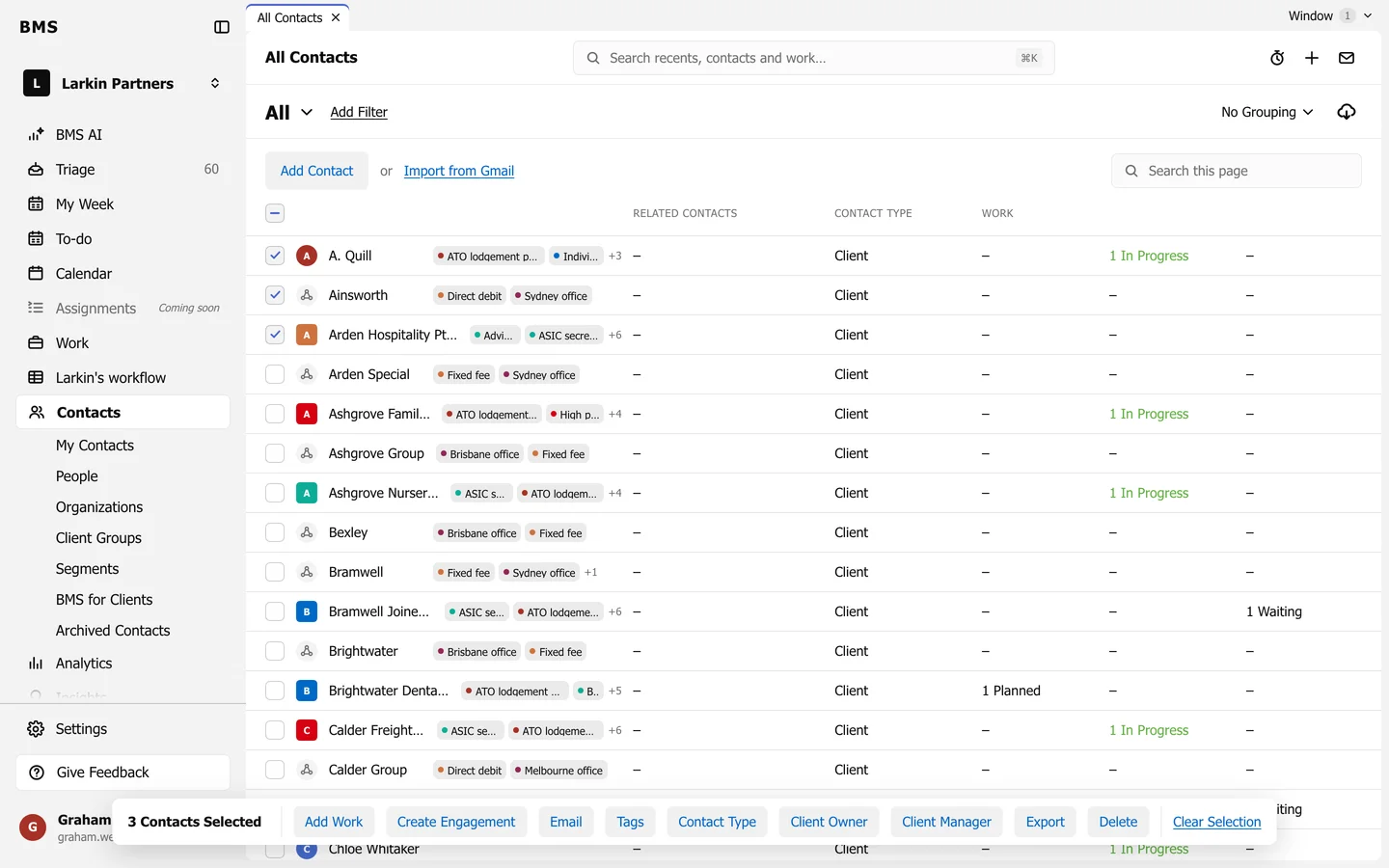
| Action | Does |
|---|---|
| Add Work | Creates a job for each contact. |
| Create Engagement | Starts an engagement for each. |
| Writes one email to each. | |
| Tags | Add a tag or Remove a tag. |
| Contact Type | Changes their contact type. |
| Client Owner / Client Manager | Hands them to a colleague. |
| Export | Downloads just these. |
| Delete | Deletes them, after confirming. |
Clear Selection unticks everything.