

Create work from a template
Start from a template so tasks, budget and client requests come with it.
-
On Work, press the arrow beside Add Work and choose Create from Template.
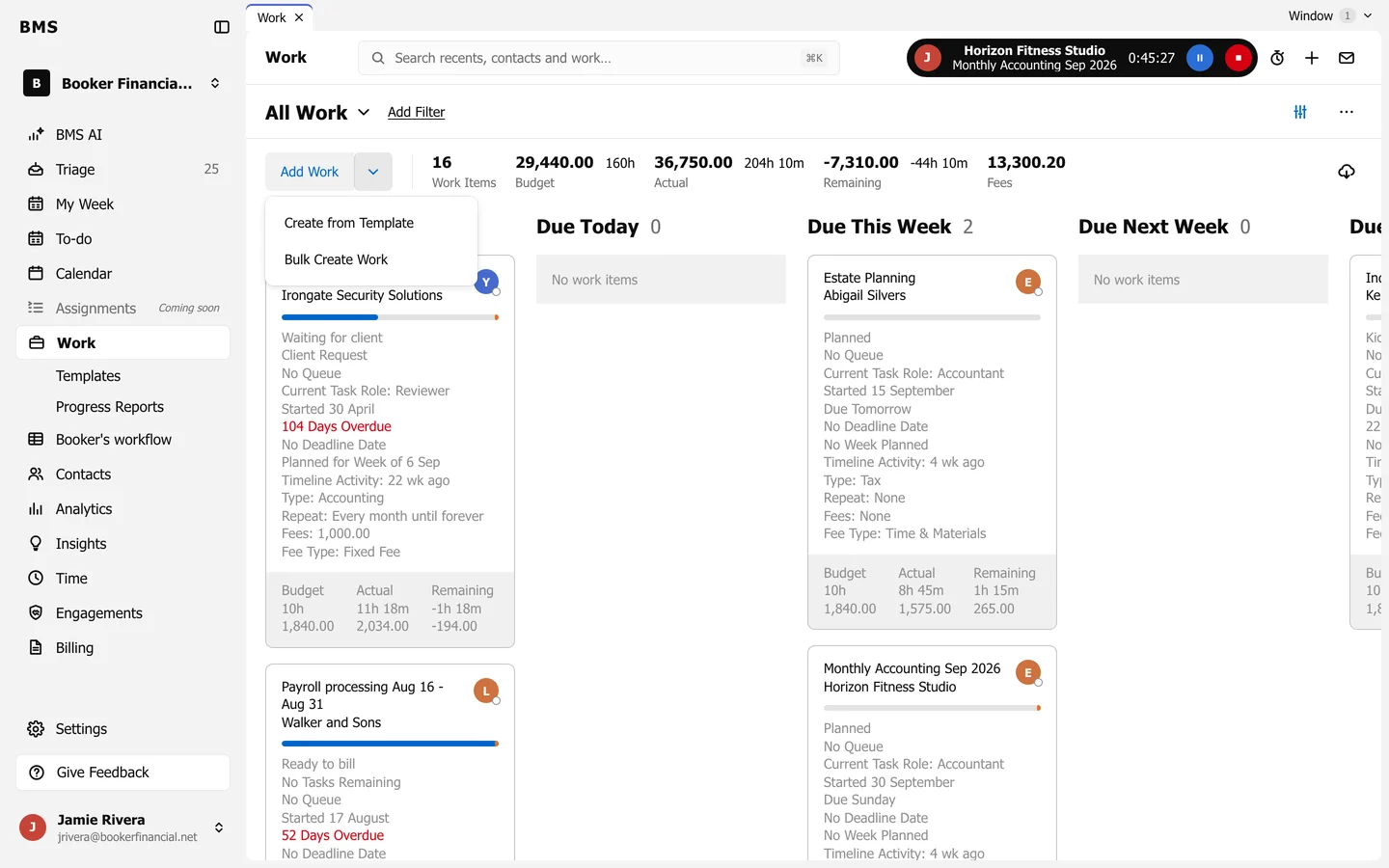
Add Work's other options. -
Choose the Work template; its tasks, sections, budget and client requests come with it.
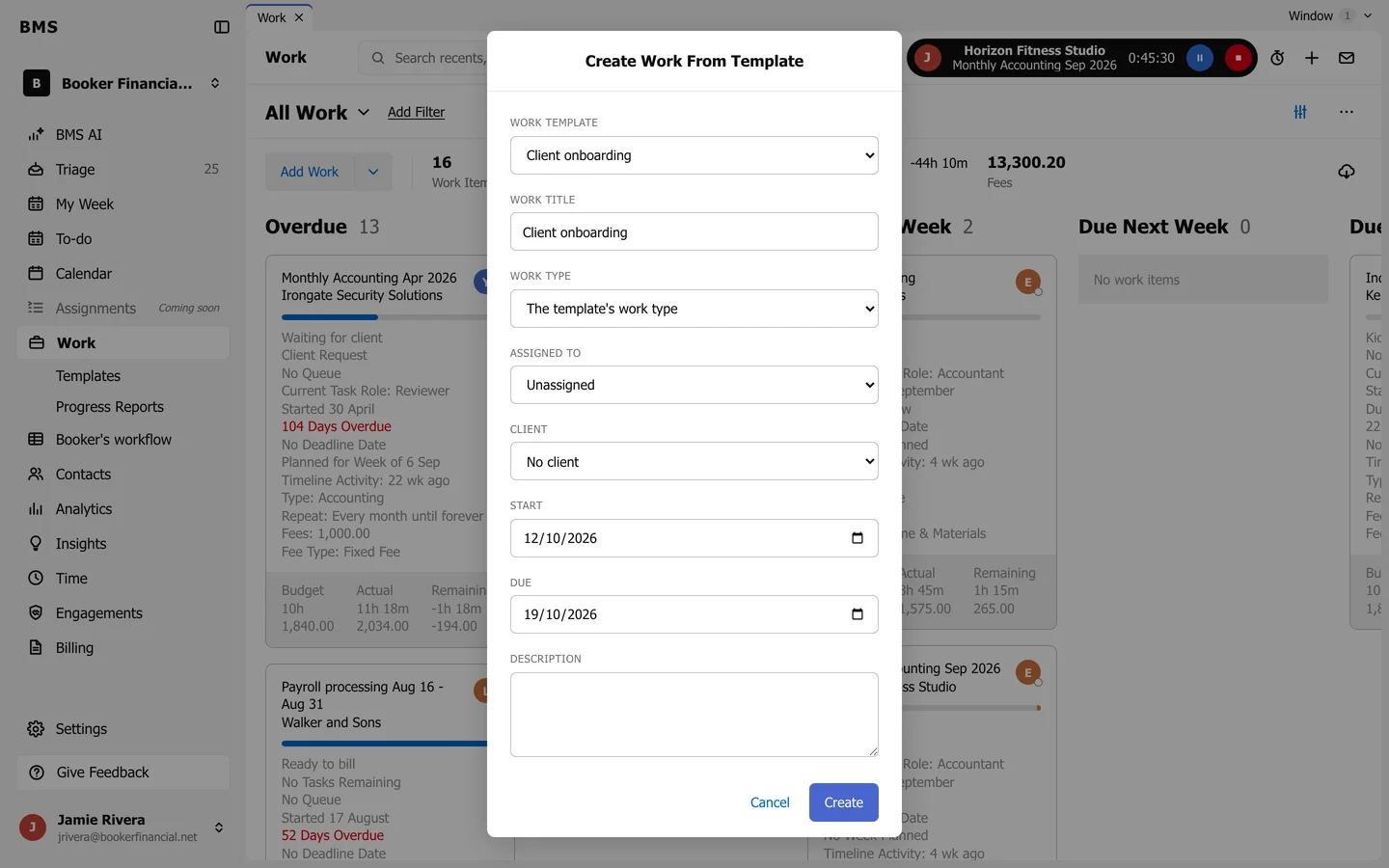
From a template, each job role can be filled straight away. -
Fill in the title, client, assignee and dates. For each of the template’s job roles, choose the colleague, or Leave unassigned. For each client request section, choose who it goes to, or decide later.
-
Press Create.
Task due dates are set relative to the job’s start date.