

Enter time in the timesheet grid
Spreadsheet-style entry for the whole week with the keyboard.
The grid is the quickest way to put in a week’s time without touching the mouse.
-
Press Ctrl + Alt + T from anywhere in BMS, or Add Row on your timesheet. The cursor lands in the blank row at the bottom of the grid.
-
In Client / Work, start typing a client or job and choose it.
-
In Task, type a task code or name; Role is optional.
-
Type hours into a day, such as
1:30or1.5. Tab moves across to the next day, Enter moves down, and the last row adds a new one. -
Add a Comment if the entry needs one.
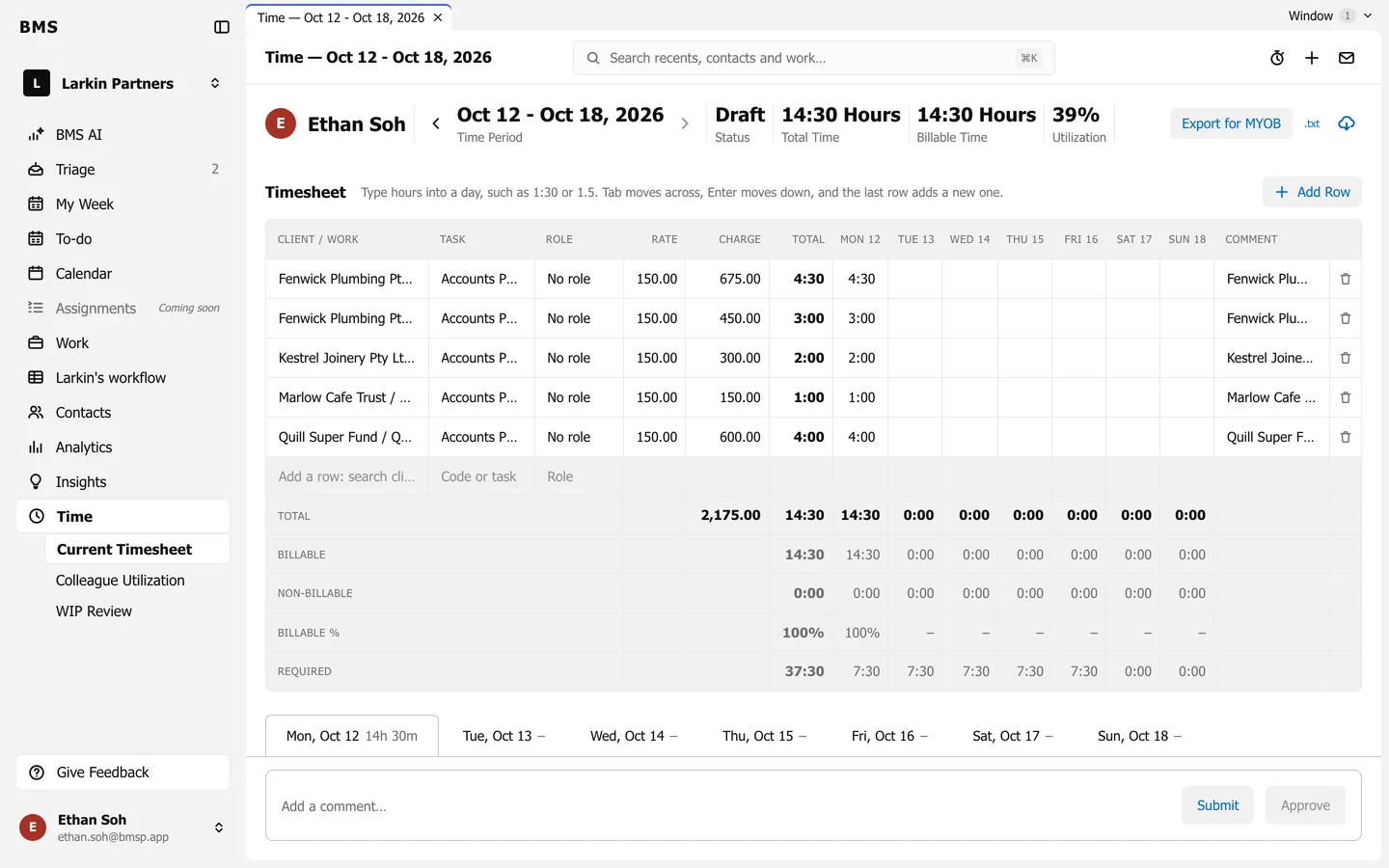
Each cell saves as you leave it; Rate and Charge fill in from your firm’s rates. The bin at the end of a row deletes it.